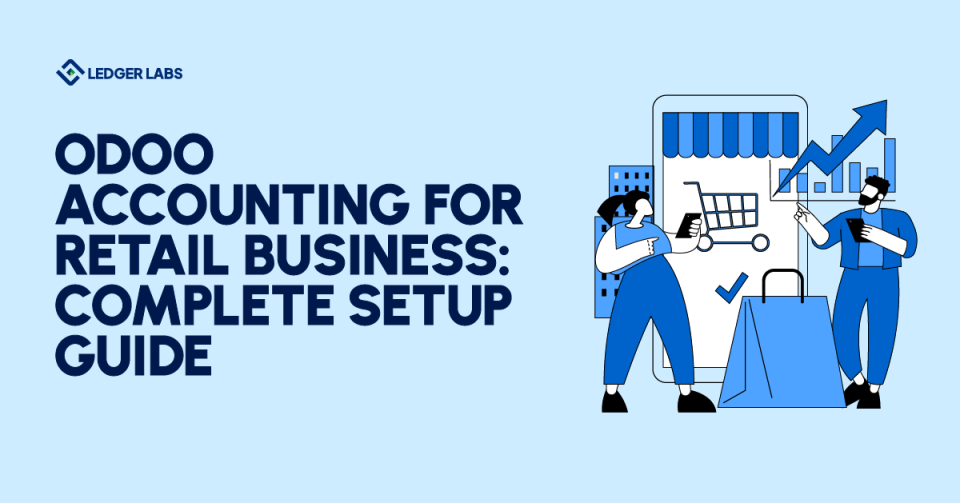
On average, retailers waste an average of 10-15 hours weekly on manual accounting tasks that software could handle in minutes.
The gap between running your stores and understanding your real financial position has never been more dangerous, especially when cash flow decisions can’t wait for month-end reports.
This guide walks you through everything from choosing the right Odoo edition to configuring multi-store consolidation, with real implementation costs and timelines you won’t find in sales brochures.
Key Takeaways
- Retailers lose 10–15 hours weekly to manual accounting, mostly due to disconnected POS, spreadsheets, and late reconciliations—Odoo eliminates all three.
- Odoo’s real-time POS integration is the biggest time-saver, automatically creating journal entries for every sale and payment method the moment a transaction happens.
- Inventory valuation (FIFO, LIFO, Average Cost) and COGS posting run automatically, giving retailers accurate gross margin reporting daily—no manual adjustments.
- Multi-store financial consolidation lets you view each store’s P&L while still rolling everything up into company-wide financials.
- Correct setup is everything—the chart of accounts, tax rules, and POS mapping determine whether your numbers stay accurate or spiral into cleanup work later.
- Implementation cost varies widely ($2,000–$17,000) depending on edition, user count, and complexity—but the ROI often appears within the first 60 days.
A Quick Overview
Let’s start with what makes Odoo different from the accounting software gathering dust on your office computer.
Odoo accounting for retail business is a cloud-based financial management module specifically designed to handle the unique complexities of retail operations.
Unlike generic accounting packages that force you to adapt your retail workflows to their limitations, Odoo’s retail accounting software builds the financial infrastructure around how retail actually operates.
Here’s what sets it apart from traditional bookkeeping tools:
Core Components Built for Retail:
- Real-time POS integration that automatically creates journal entries the moment a sale completes
- Inventory accounting that tracks cost of goods sold (COGS) using FIFO, LIFO, or average cost methods
- Multi-store consolidation that lets you view each location’s profit and loss (P&L) while rolling everything up to ownership-level reports
- Customer pricing tiers that handle wholesale, retail, and loyalty pricing without manual adjustments
- Automated bank reconciliation that matches deposits to your POS batches in seconds, not hours
This isn’t just accounting software with a POS bolt-on. Odoo ERP accounting retail modules share the same database, meaning your sales data, inventory movements, and financial statements stay perfectly synchronized without exports, imports, or those dreaded reconciliation spreadsheets.
Who needs this? Whether you’re running a single boutique in Brooklyn or managing fifteen locations across three states, Odoo scales from simple retail bookkeeping to enterprise-level financial management. The cloud-based accessibility means you check yesterday’s sales from your phone while sipping coffee, not rushing to the office computer.
Essential Odoo Accounting Features Every Retailer Needs
Not all accounting features matter equally when you’re running retail operations. You don’t need blockchain integration or cryptocurrency accounting (probably), but you absolutely need systems that handle the daily reality of retail: multiple payment methods, inventory that moves between locations, and sales that happen simultaneously across different stores.
1. Real-Time POS-to-Accounting Integration
This is where Odoo accounting features for retail stores shine brightest.
The moment your cashier closes a sale, the accounting impact happens automatically. No batch processing at day’s end, no manual journal entries, no hoping the numbers match tomorrow.
Here’s what happens behind the scenes:
Your POS records a $100 sale split across two payment methods—$60 cash and $40 credit card. Odoo immediately creates the journal entries (debit: cash $60, debit: credit card clearing $40, credit: revenue $100) and associates them with your bank accounts.
When you close the register drawer at 9 PM, Odoo compares the expected cash ($873.50 based on transactions) against what you actually counted ($875.00). That $1.50 variance? Posted automatically to a cash over/short account.
Payment method tracking goes beyond just recording the transaction.
You’ll see exactly how much revenue came through cash, debit cards, credit cards, mobile payments, and gift cards—critical data when you’re negotiating credit card processing fees or deciding whether to accept additional payment types. Your bank deposit reconciliation becomes a two-click process instead of a two-hour spreadsheet nightmare.
2. Inventory Valuation and COGS Tracking
Odoo inventory accounting for retail solves the problem most retail accounting software treats as an afterthought: automatically tracking what you paid for products and matching that cost against what you sold them for.
When you receive a shipment of 50 widgets at $10 each, Odoo records the $500 inventory asset. When you sell a widget for $25, the system automatically:
- Records the $25 revenue
- Calculates the cost of goods sold (COGS) based on your chosen method (FIFO, LIFO, or average cost)
- Moves that cost from your inventory asset account to your COGS expense account
- Updates your gross margin in real-time
You can switch between valuation methods depending on your business needs. Fashion retailers often use FIFO (first in, first out) because older inventory typically sells first. Some businesses prefer average cost for simplicity. The choice affects your profitability reporting and tax liability, so Odoo gives you the flexibility without requiring a computer science degree to implement.
Real-time inventory asset tracking means your balance sheet always reflects what’s actually on your shelves (or in your warehouse, or in transit between stores). When shrinkage happens, posting the adjustment automatically updates both your inventory asset and your COGS expense accounts. No more discovering at year-end that your books show $50K in inventory that physically doesn’t exist.
3. Multi-Store Financial Consolidation
This is where Odoo multi-store accounting becomes genuinely powerful for growing retailers. You’re not just running one business—you’re running three stores, a warehouse, and an e-commerce operation, and you need to understand each one’s performance while also seeing the complete picture.
Odoo lets you structure your chart of accounts with store-specific tracking while maintaining consolidated reporting.
Odoo retail financial reporting transforms from “something accounting handles” into a strategic tool you check multiple times daily. When you can see exactly how each store performs in real-time, you make better decisions about staffing, inventory purchases, and promotional activities.
Now that you understand which features matter, let’s walk through exactly how to set this up for your retail business—from choosing the right edition to going live in four weeks.
Step-by-Step: How to Set Up Odoo Accounting for Your Retail Business
Understanding features means nothing if you can’t implement them correctly.
Let’s walk through the exact process—week by week—for setting up Odoo accounting that actually works.
Setting up right from day one prevents costly fixes later.
Retailers rush through configuration, go live too quickly, and spend months cleaning up bad data because they skipped crucial setup steps. This four-week roadmap keeps you moving forward while building proper foundations:
Phase 1: Pre-Setup Preparation (Week 1)
Before you touch any configuration screens, make several key decisions that shape your entire implementation.
Choosing between Community and Enterprise editions matters more for retail than other industries. Community Edition provides core accounting functionality for free—perfect if you’re a single-store operation comfortable with self-support. Enterprise Edition adds automated bank feeds, mobile access, advanced reporting, and priority support. Most retailers with multiple locations or plans to scale find the Enterprise cost ($30-50 per user monthly) worthwhile for the automation alone.
Pre-setup checklist (you need these ready):
✓ Business entity details (legal name, EIN, fiscal year start date)
✓ Bank account information for all accounts you’ll connect
✓ Current inventory valuation and SKU list
✓ Tax ID numbers for all jurisdictions where you collect sales tax
✓ Employee list if using Odoo payroll features
✓ Opening balances for all balance sheet accounts
✓ POS hardware details (receipt printers, cash drawers, barcode scanners)
✓ User access matrix (who needs to see what)
Phase 2: Core Configuration (Weeks 2-3)
This is where how to set up Odoo accounting for a retail business gets practical. You’re building the foundation that every transaction will flow through.
Chart of accounts setup for retail starts with the default template Odoo provides, then you customize for your needs:
- Revenue accounts by product category: Create separate revenue accounts (Sales – Apparel, Sales – Footwear, Sales – Accessories) so you can analyze which categories drive your business
- COGS accounts: Mirror your revenue structure with matching COGS accounts (COGS – Apparel, COGS – Footwear, COGS – Accessories) for clean margin analysis
- Inventory asset accounts: If tracking inventory across multiple locations, you might use separate asset accounts (Inventory – Store A, Inventory – Store B) or one consolidated account with location tracking through inventory modules
- Store-specific accounts for multi-location: Some retailers create location-specific expense accounts (Rent – Downtown, Rent – Suburban) while others track location through analytic dimensions
Tax configuration varies dramatically by jurisdiction but follows similar principles:
- Sales tax by jurisdiction: Create tax records for every location where you collect sales tax (California 7.25%, Los Angeles County 0.25%, Los Angeles City 0.5% for a total 8% combined rate)
- Multi-state/province setup: If you operate in multiple states, configure each state’s rates and rules separately
- Automated tax calculation rules: Connect your tax records to your products and customer locations so Odoo calculates the correct rate automatically
Phase 3: POS Integration and Testing (Week 4)
Week four focuses on retail bookkeeping with Odoo automation—connecting your point-of-sale to the accounting module you just configured.
Connecting the POS to the accounting module happens through the POS settings screen. You’ll map your POS payment methods to accounting journals, specify which revenue accounts to use for sales, and configure where COGS posts when sales occur. The critical piece: ensuring your POS session closing creates the correct journal entries automatically.
Configuring automatic journal entries means setting up the accounting integration so every POS session close creates entries for:
- Cash sales (debit: cash, credit: revenue)
- Credit card sales (debit: credit card clearing account, credit: revenue)
- COGS (debit: COGS expense, credit: inventory asset)
- Sales tax collected (debit: cash/card, credit: sales tax payable)
Test transactions and verification require running mock sales through your POS and checking that accounting entries appear correctly. Ring up a cash sale, a credit card sale, and a mixed payment sale. Verify that revenue posts to correct accounts, COGS calculates properly, and your cash reconciliation report shows expected values. Fix any issues before going live with real transactions.
Staff training basics should cover how to open/close POS sessions, handle returns, process refunds, and run end-of-day reports. Your accounting team needs training on bank reconciliation, month-end close procedures, and report generation. Budget 4-6 hours for initial training, plus ongoing support as questions arise.
Real-World Implementation: Costs, Timeline, and ROI
Features and benefits sound great in blog posts, but decisions happen in spreadsheets. Let’s talk real numbers, honest timelines, and measurable outcomes.
Transparency on what it actually takes and costs separates useful guides from sales pitches. I’m giving you the numbers we see in actual implementations, including the parts that vendors usually gloss over.
Implementation Costs Breakdown
Software licensing comes in two flavors with dramatically different implementation cost structures for Odoo:
- Community Edition (Free) provides core accounting functionality at zero software cost. You’ll pay for infrastructure (hosting, around $20-50 monthly for cloud hosting) and any customization or implementation support you need. This works for single-store retailers comfortable with self-service support and willing to handle technical challenges independently.
- Enterprise Edition costs $30-50 per user monthly (pricing varies by user count and which modules you enable). Most retail operations need 3-8 users: owner/manager, bookkeeper, maybe a buyer, and POS users can share licenses. Budget $150-400 monthly for a typical small to medium retail operation. Annual licensing runs $1,800-4,800.
Total Cost of Ownership comparison for three years:
- Odoo Community: $2,000 setup + $600/year hosting = ~$3,800 (DIY approach)
- Odoo Enterprise: $5,000 setup + $3,600/year licensing + $600/year support = ~$17,600
- QuickBooks POS + Online: $1,800 setup + $2,400/year software + $1,200/year POS = ~$12,600 (single location only)
- NetSuite Retail Edition: $25,000 setup + $18,000/year licensing = ~$79,000 (enterprise-level)
These numbers assume standard implementations without extensive custom development. Your mileage will vary based on complexity, user count, and module selection.
Realistic Implementation Timeline
Simple single-store operation (2-4 weeks): You’ve got one location, a straightforward product line, and basic POS needs.
Week 1: planning and setup preparation.
Week 2: core configuration and chart of accounts.
Week 3: POS integration and testing.
Week 4: training and go-live.
This assumes you have clean data and make decisions quickly.
Multi-location with complex inventory (6-12 weeks): You’re operating 3-10 locations with inventory transfers, different pricing tiers, and location-specific reporting needs. Add time for proper multi-store configuration, phased rollout (getting one location perfect before rolling to others), and more extensive staff training across all locations.
Enterprise with customizations (3-6 months): Large retail operations with custom integrations (e-commerce platforms, third-party logistics, specialized reporting), multiple locations, and complex workflows need proper project management, extensive testing, and phased deployment. Rushing this timeline creates problems that take even longer to fix.
Factors that extend timelines: Poor data quality in your current system (garbage in, garbage out), unclear requirements that change mid-implementation, inadequate stakeholder availability for decisions and testing, underestimating the training needs, and attempting to customize too much before understanding the standard functionality.
Phased rollout approach benefits: Start with one location or one module, perfect it, then expand. This “crawl-walk-run” approach prevents big-bang failures and lets you learn from early mistakes without affecting your entire operation. Most successful implementations use phased rollouts.
Also Read: NetSuite implementation guide
Your Next Steps with Odoo Accounting
Take this quick self-assessment to gauge your readiness:
✓ You operate one or more retail locations (brick-and-mortar, e-commerce, or both)
✓ You’re frustrated with manual bookkeeping that consumes 5+ hours weekly
✓ You need real-time financial visibility, not month-old reports
✓ You want POS-to-accounting automation that eliminates double-entry
✓ You’re planning to scale (adding locations, product lines, or sales channels)
✓ Your current accounting software feels like it’s fighting your retail workflows
✓ You need multi-location consolidated reporting and store-level P&L statements
✓ You’re comfortable with cloud-based software or willing to make the transition
If you checked 4+ of these criteria, Odoo is worth serious evaluation. If you checked fewer than 3, you might be better served by simpler solutions until your complexity increases.
What matters most isn’t choosing the cheapest option or the biggest brand. It’s choosing a partner with a dedicated team, clear communication standards, accountable processes, and deep industry expertise—especially when you’re dealing with multi-location retail, inventory valuation, and POS integrations.
And Ledger Labs provides exactly that.
If you’re ready to eliminate manual work, get clean financials, and build an accounting foundation that supports your growth, book a call with us. We’ll help you evaluate your setup, map out the right architecture, and implement Odoo the right way from day one.