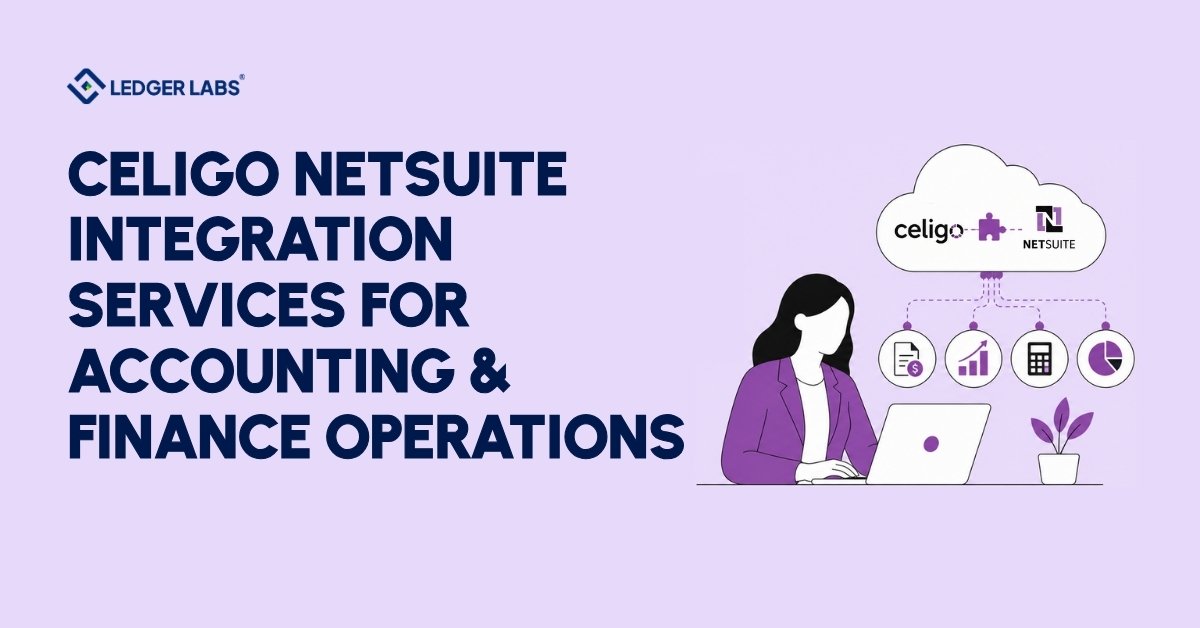
Celigo NetSuite integration connects your NetSuite accounting environment to the tools your business runs on Shopify, Salesforce, Stripe, Amazon, and more, so your finance team stops moving data manually and starts closing books accurately.
Here’s the problem most businesses don’t see until it’s too late. Every time your team re-keys an order, manually matches a payment, or waits on a spreadsheet from your 3PL, your books fall further behind reality. By month-end, you’re not closing the books; you’re rebuilding them.
The solution isn’t just connecting two systems. It’s connecting them with accounting logic built in from day one. That means the right GL account, the right subsidiary, the right revenue recognition timing every time, automatically.
That’s what we do at Ledger Labs. We’re a qualified accountant-led firm that implements Celigo integrations from the accounting side, not the IT side.
The result is an integration that makes your books more accurate, not one that creates more cleanup work for your finance team. Let’s walk through exactly how.
Key Takeaways
- Celigo automates data flow between NetSuite and your other business systems, eliminating manual data entry for finance teams.
- Accounting logic, GL mapping, subsidiary assignment, and tax codes must be built into the integration from day one, not added later.
- The most valuable Celigo flows for finance teams are order-to-cash, lead-to-cash, payment reconciliation, and EDI automation.
- A standard Celigo NetSuite implementation takes 4–6 weeks; complex multi-system builds run 8–16 weeks.
- Celigo prices by active flow, not transaction volume, so costs stay predictable regardless of order volume.
- implementation means accounting validation and technical build happen in the same engagement, not separately.
What Is Celigo and Why Finance Teams Use It with NetSuite?
Celigo is the integration platform that finance teams use to connect NetSuite with the rest of their business tools. This means they don’t have to build custom connections from scratch or deal with unreliable point-to-point integrations.
Many IT-led projects overlook a key point: connecting two systems is the easy part. Ensuring data goes to the correct location in NetSuite, like the right account, subsidiary, and period, requires someone who understands accounting, not just APIs.
A lot of our clients come to us after an initial implementation that worked technically but caused accounting issues. For example, orders were synced but recorded under the wrong revenue account, or payments matched, but fees were assigned to the wrong expense code. The integration worked, but the financial records were incorrect.
Celigo treats each data process as a separate flow: order creation, payment capture, inventory update. If one flow encounters a problem, the others continue to run. Each flow creates a log, and any failure triggers an alert. This visibility helps finance teams during month-end close. It makes a big difference between spotting a sync error on Tuesday and finding it at month-end.
Finance teams choose Celigo for three main reasons: the necessary connectors already exist, the error visibility meets accounting standards, and pricing does not increase with transaction volume. For businesses processing thousands of orders each month, that last point matters.
However, the platform’s effectiveness relies on the accounting logic within it. This is often where many implementations go wrong.
How Celigo Connects to NetSuite?
Celigo connects to NetSuite through the SuiteApp marketplace. You install it directly in your NetSuite account and use NetSuite’s Token-Based Authentication for security. This means no third-party servers, no stored credentials, and no custom code for standard connectors.
However, the real work happens in the transformer. Each Celigo flow has three parts: the source, the transformer, and the destination. The source pulls data from an external system, like a Shopify order, a Salesforce opportunity, or a Stripe payment event. The destination sends a record to NetSuite, such as a sales order, a customer payment, or a journal entry. The transformer is in the middle and applies the rules to ensure the record goes to the right place.
Most accounting problems come from field mapping in the transformer. A developer maps the fields, and while the data seems to move fine, issues can arise later. For example, three months of Shopify revenue might post to the wrong account. Or, new Salesforce customers might create duplicates in NetSuite. Payment fees could also incorrectly count as cost of goods instead of merchant processing expenses.
We design the transformer logic around your chart of accounts, closing process, reporting needs, and audit trail. Real-time flows manage important processes like order sync, payment capture, and fulfillment confirmation. Scheduled flows handle less urgent updates, like inventory levels, reporting feeds, and reconciliations.
The setup may seem simple, but the accounting configuration inside it affects how long your month-end close takes. It could be three days or three weeks.
Core Use Cases: Where Celigo Adds Real Value in Finance Operations
The highest-impact Celigo flows for finance teams fall into four categories. Each one eliminates a specific category of manual work provided the accounting logic is built correctly from day one.
Ecommerce Order-to-Cash Automation (Shopify, Amazon, BigCommerce)
Ecommerce businesses on NetSuite face the same problem at scale: orders need to become sales orders, fulfillments need to sync back, and payments need to hit the right GL all without your team touching a spreadsheet.
A properly configured Shopify-to-NetSuite flow handles order creation, customer deduplication, fulfillment sync, and payment matching in one automated cycle. Your AR aging reflects real open orders. Your inventory valuation reflects actual stock movements. Your close no longer depends on a manual export from your storefront.
Without it: hours of daily data entry and a month-end that requires rebuilding instead of closing. With a misconfigured flow: duplicate records, incorrect revenue posting, inventory discrepancies same problems, faster.
Salesforce-to-NetSuite Lead-to-Cash Sync
When a deal closes in Salesforce, your finance team shouldn’t be waiting on a manual handoff to create a sales order in NetSuite. That gap causes billing delays, deferred revenue mismatches, and the kind of friction between sales and finance that kills forecast accuracy.
Celigo automates the handoff at deal closure. A won opportunity in Salesforce triggers a NetSuite sales order with the correct customer record, pricing, terms, and subsidiary included. Invoices created in NetSuite sync back to Salesforce. Your sales team sees payment status without calling accounting.
The integration doesn’t just save time. It removes the most common source of revenue recognition errors in businesses with an active sales team.
Payment Reconciliation (Stripe, PayPal, Braintree)
Every payment through Stripe or PayPal needs to hit NetSuite as a customer payment against the right invoice, in the right currency, net of processing fees. Manually, that’s hours of work daily. Done wrong, it’s a bank rec that takes a week to untangle.
Celigo automates this at the transaction level. A payment event comes in, a customer payment gets created in NetSuite, matched to the open invoice, and fees are split to the correct expense account. Refunds, disputes, and partial payments run as separate flow logic, not exceptions your team handles case by case.
The result is a daily reconciliation that takes minutes, and a month-end bank rec that doesn’t require a dedicated headcount to close. The flow moves the data, but someone still reconciles the bank, card and payout accounts to NetSuite and clears the exceptions, which is the daily work of our NetSuite bookkeeping team.
EDI and 3PL Fulfillment Automation
For product businesses with retail trading partners or third-party logistics providers, EDI compliance isn’t optional, and waiting on weekly spreadsheets from your 3PL to update inventory isn’t sustainable.
Celigo handles standard EDI document exchange: 850 purchase orders, 856 advance ship notices, and 810 invoices, and translates them into NetSuite transactions automatically. On the 3PL side, it syncs inventory levels, PO receipts, and shipment confirmations so your inventory valuation stays current and your COGS reflects what actually moved.
What a Celigo NetSuite Implementation Actually Looks Like?
A Celigo NetSuite implementation done right takes 4–6 weeks for standard builds and 8–16 weeks for complex multi-system setups, and the biggest variable is almost never the technology.
Here’s what each phase involves.
Phase 1 Discovery (1–2 weeks). We audit your current systems, inventory every flow that needs to be built, and map every field that moves between them. More importantly, we document the accounting logic inside each transformer before configuring a single line. This phase prevents the field-mapping errors that cause 80% of implementation failures.
Phase 2 Build (2–4 weeks). Flow configuration, field mapping, error handling, and test environment validation. Every flow runs against real data from your systems before it touches your production NetSuite environment. We don’t move to Phase 3 until accounting signs off on the test output.
Phase 3 UAT and Go-Live (1–2 weeks). Parallel run, error baseline, cutover. We don’t call an implementation complete when the flows are live. We call it complete when your accounting team confirms the output matches what they expect.
Here’s what makes our approach different. Most Celigo implementations are run by IT consultants who hand accounting validation back to your internal team after go-live. That’s where the cleanup work starts.
At Ledger Labs, the accounting team that understands your chart of accounts and close process is the same team configuring the flows. No handoff. No gap. No post-go-live reconciliation surprises.
Common Mistakes in Celigo NetSuite Integrations (and How We Avoid Them)
Most failures in Celigo NetSuite integrations happen because of four common mistakes, all of which can be avoided with a strong start to the implementation.
First, do not skip the data quality check. Celigo transfers data as-is, so inconsistent SKUs in Shopify will lead to inconsistent items in NetSuite. We check the quality of source data in Phase 1 before configuring any flows. Finding problems early saves a lot of time. Discovering them later can take months.
Second, set up deduplication logic. Without a matching strategy based on NetSuite internal ID or a unique identifier, Celigo creates a new record every time it sees something unfamiliar. This multiplies new customer, item, and vendor records with each sync cycle. We establish matching logic at the beginning of Phase 2, rather than fixing it after go-live.
Third, consider NetSuite maintenance windows. NetSuite has scheduled times when its API is unavailable. Flows without error handling can fail silently during these periods, and you’ll only notice once the data gap shows up during reconciliation. We configure alerts and schedule non-critical syncs around maintenance as a standard step in every implementation.
Finally, don’t end the engagement at go-live. Integrations can break, APIs can change, and your business might add new products, payment methods, or stores. Without post-go-live monitoring, these changes can lead to silent failures. We include error monitoring and a support period after every go-live to catch issues before they impact your closing process.
Conclusion
Your books are only as accurate as the data flowing into them.
Most Celigo implementations are built by IT teams who hand accounting validation back to your finance team after go-live. That’s where the cleanup starts: wrong accounts, duplicate records, and reconciliations that take longer than they should.
At Ledger Labs, the team configuring your flows is the same team that understands your close process. No handoff. No post-go-live surprises. Just accurate books from day one.
If you’re still moving data between NetSuite and your other systems manually, you already know what it’s costing you.
FAQs
1. What does Celigo cost for a NetSuite integration?
Platform cost for most businesses running 3–5 active flows lands between $600–$1,200 per month, depending on tier. Verify current pricing directly with Celigo. Implementation cost depends on complexity: a single-connector standard build costs significantly less than a multi-system custom setup. Contact us for a scoped estimate specific to your flow requirements before you commit to anything.
2. How long does a Celigo NetSuite integration take?
Standard implementation: one or two connectors, clean source data, standard field mapping takes 4–6 weeks from kickoff to go-live. Complex multi-system builds run 8–16 weeks. The biggest variable is data quality in your source system. We scope the timeline in Phase 1, so you have a specific number, not a range.
3. Do I need a Celigo partner for a NetSuite integration?
Technically no. In practice, the accounting configuration GL assignment, subsidiary mapping, revenue recognition timing, tax logic means most finance teams need a partner who understands both the platform and the books. A technically correct integration that posts to the wrong accounts creates more work than manual entry. That’s the problem we solve.
4. What's the difference between Celigo and a native NetSuite connector?
A native connector handles one system pair. It’s simpler to set up and harder to scale. Celigo manages multiple integrations in one platform with shared monitoring, unified error handling, and consistent flow management. For businesses connecting NetSuite to more than one external system, Celigo’s total cost of ownership is typically lower over a three-year horizon.
5. Can Celigo sync Salesforce and NetSuite bidirectionally?
Yes. Opportunities and contacts move from Salesforce into NetSuite as sales orders and customers. Invoice status and payment confirmations move back from NetSuite into Salesforce. Direction and trigger logic for each flow is configurable based on your process; you’re not locked into running both directions if your workflow doesn’t require it.
6. What happens when a Celigo flow fails?
Celigo logs every flow run and flags failed records in the dashboard. You set email or Slack alerts so your team knows immediately, not at month-end. Failed records reprocess directly from the dashboard once the underlying issue is resolved. We configure alerting on every implementation so failures reach your team before they reach your books.
7. Is there a per-transaction fee with Celigo?
No, Celigo charges based on active flows, not transaction volume. This means your integration cost remains flat, no matter how many orders you process. For high-volume businesses, this gives you a clear advantage over usage-based options, making Celigo’s total cost of ownership more appealing for companies with $2M to $50M in revenue.
8. Is Celigo right for a $2M–$50M business?
Yes, this is exactly the market Celigo is built for. Businesses that have outgrown manual data entry but don’t have an internal engineering team to maintain custom integrations. At this revenue range with two or more connected systems, Celigo typically pays for itself within the first quarter through reduced manual processing time alone. The question isn’t whether to automate. It’s whether the implementation will be built with accounting logic from the start.