To connect your HubSpot CRM and NetSuite ERP without manual data entry, you need a properly configured integration that automatically syncs deals, contacts, invoices, and payment statuses between the two systems.
But most companies get the connection right and the financials wrong.
The sync goes live, contacts transfer, deals become sales orders, and everything looks fine. Then three months later, your P&L is off, your AR aging doesn’t match your CRM pipeline, and your finance team is spending days untangling what the integration quietly broke. The sync worked. The financial data didn’t.
That’s because connecting two systems is an IT task. Making sure the financial data inside those systems is accurate, revenue recognition timing, chart of accounts mapping, AR reconciliation- that’s accounting work. It doesn’t configure itself.
Ledger Labs is an accountant-led accounting firm. We configure and manage HubSpot NetSuite integrations with financial accuracy as the primary design constraint: clean books, reconciled AR, and an audit trail that holds up under scrutiny.
This guide covers what syncs, how the three integration methods compare, where most setups go wrong financially, and how to decide whether to build this yourself or hire a firm.
Key Takeaways
- HubSpot NetSuite integration connects your CRM pipeline to your ERP so deals, contacts, and payments sync automatically.
- The native HubSpot connector handles basic sync; it does not configure revenue recognition, AR reconciliation, or chart of accounts mapping.
- Three integration methods exist: native connector, iPaaS middleware, and custom API; each suits a different level of financial complexity.
- Most integration failures are financial data problems, not technical ones; an accounting firm catches them before they corrupt your books.
- Mid-market B2B companies with deferred revenue, multi-subsidiary NetSuite implementations, or audit requirements need an implementation, not just a developer.
- Ledger Labs configures and manages HubSpot NetSuite integrations, so your revenue data reconciles from day one.
What Is HubSpot NetSuite Integration?
HubSpot and NetSuite integration connects your CRM and ERP in real time. This means that customer records, deal data, invoices, and payment statuses remain up to date in both systems without manual entry.
Here’s why this is important for your business:
Right now, your sales team closes deals using HubSpot, while your finance team works with NetSuite. This creates a gap between the two systems. Someone on your team has to fill this gap by manually copying contact details, re-entering order information, updating payment statuses, and reconciling numbers that should already be matched. This process takes hours every week and leads to only slightly better spreadsheets.
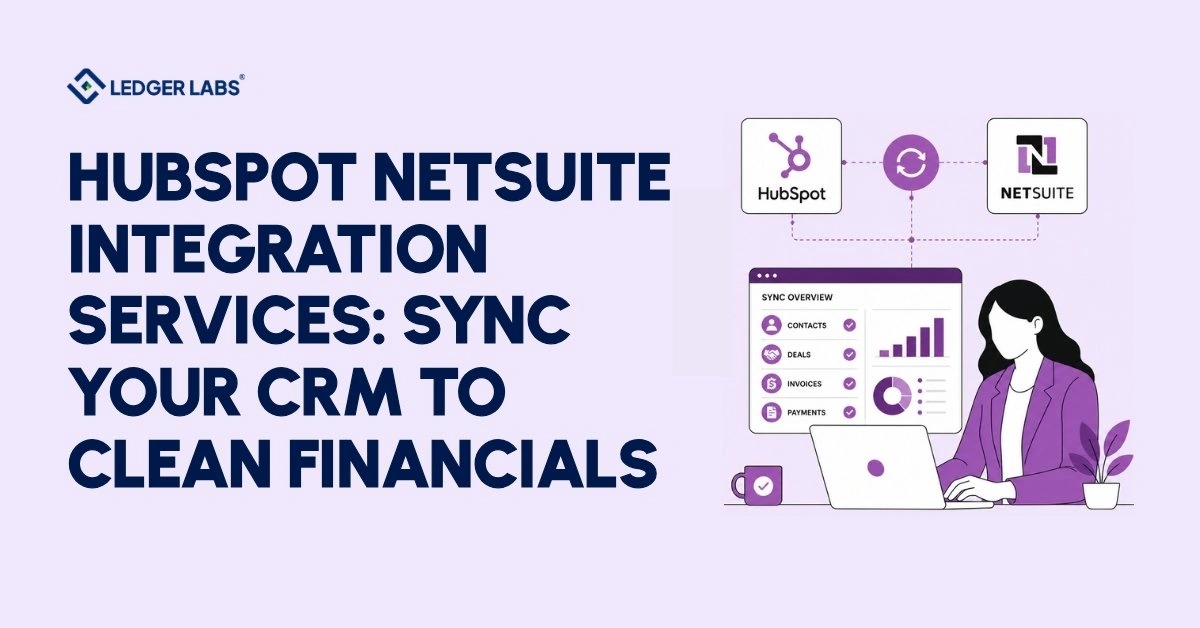
The integration solves this problem. When a deal closes in HubSpot, it automatically creates a sales order in NetSuite. When an invoice is marked as paid in NetSuite, the status updates in HubSpot as well. Now, your sales team can access the latest financial data, and your finance team has accurate CRM data. Both systems show the same information.
However, for the integration to work correctly, the financial data layer must be set up properly. Tasks like revenue recognition rules, chart of accounts mapping, and accounts receivable sync don’t happen automatically. You need an accountant familiar with your revenue model and NetSuite setup before syncing the first deal.
This is what makes a good integration different from a simple one. Next, we will explain exactly what data moves between HubSpot and NetSuite and what does not sync by default.
What Syncs Between HubSpot and NetSuite?
Contacts, companies, deals, products, invoices, and payment status can sync between HubSpot and NetSuite. However, how and when this sync happens depends on how the integration is set up.
Many teams believe that everything syncs automatically once the connection is established, but that’s not the case. The basic syncing is covered by the native connector. For anything beyond standard object types, like custom records, revenue recognition schedules, subsidiary-specific data, and non-standard line items, you need to set up custom field mapping, which is not included by default.
Here’s what a well-configured integration can do:
| HubSpot Object | NetSuite Object | Direction |
|---|---|---|
| Contact | Customer Record | Bi-directional |
| Company | Customer / Subsidiary | Bi-directional |
| Deal | Sales Order / Opportunity | HubSpot → NetSuite |
| Product / Line Item | Inventory Item | HubSpot → NetSuite |
| Quote | Sales Order | HubSpot → NetSuite |
| Invoice (NetSuite) | Deal Property | NetSuite → HubSpot |
| Payment Status | Contact / Deal Property | NetSuite → HubSpot |
Bi-directional sync means updates in either system reflect in both. One-way sync means data flows in a single direction only. Most companies run a hybrid: CRM data flows from HubSpot to NetSuite, financial status flows from NetSuite back to HubSpot.
What does not sync by default: custom NetSuite record types, revenue recognition schedules, multi-subsidiary routing, and any field without a direct HubSpot equivalent. An accounting firm maps these before go-live, not after your books are wrong.
Next, we’ll cover the three methods for building this connection and when each one is the right call.
Three Ways to Connect HubSpot and NetSuite
You have three ways to connect HubSpot and NetSuite: the native HubSpot connector, an iPaaS middleware platform, or a custom API build. The best option depends on how you make money, not just on your technical needs.
Many companies choose the native connector because it is free and quick. This works well for simple setups. However, if your revenue model includes subscriptions, milestones, multi-subsidiary routing, or deferred revenue, the native connector can lead to financial problems. Fixing these issues can cost more than a proper implementation would have at the outset.
1. Native HubSpot Connector
HubSpot’s built-in connector installs easily using NetSuite’s SuiteBundle. It synchronizes contacts, companies, and deals automatically. This connector comes with Operations Hub Starter, sets up in just a few hours, and is ideal for single-subsidiary companies with simple, one-time transactions. If this describes your business, start here.
2. iPaaS Middleware: Celigo, Boomi, Workato
Middleware platforms connect HubSpot and NetSuite, allowing for more complex synchronization needs. They offer features such as custom field mapping, improved error handling, and ready-made workflows for order-to-cash processes. Celigo’s NetSuite integration is very popular among users.
The budget for these platforms ranges from $500 to $2,000 per month. They are suitable for mid-market companies that need flexibility without creating a fully custom solution.
3. Custom API Integration
A developer creates a direct link between HubSpot and NetSuite using their APIs. This allows for complete control over what data syncs, when it syncs, and how it syncs. This solution is ideal for complex setups with multiple subsidiaries, unique revenue models, and strict audit requirements. It has the highest cost but also gives the highest level of control.
| Factors | Native | iPaaS | Custom API |
|---|---|---|---|
| Setup time | Hours | 2–4 weeks | 4–12 weeks |
| Monthly cost | Included | $500–$2,000 | Build: $10,000–$50,000+ |
| Custom field mapping | Limited | Yes | Full |
| Financial data control | Low | Medium | High |
| Best for | Simple, single-subsidiary setups | Mid-market complexity | Enterprise, audit-ready environments |
The next section explains exactly where the native connector stops, and what that costs you financially.
What the Native HubSpot Connector Can and Can't Do
The HubSpot connector syncs contacts, companies, and deals between HubSpot and NetSuite. However, it does not support custom records, multi-subsidiary setups, revenue recognition, or real-time syncing.
This is where many integrations encounter problems. Companies start using the native connector, and everything seems to work well at first. But often, the financial data is misconfigured beneath the surface, leading to issues when month-end close turns into a three-day reconciliation effort.
Here’s what the native connector cannot do:
- Sync custom NetSuite record types: Non-standard transaction bodies, custom item types, and advanced inventory records don’t appear in the native sync.
- Route deals across multiple subsidiaries: Multi-entity NetSuite environments require subsidiary-mapping logic that the native connector doesn’t provide.
- Apply revenue recognition rules: Deals sync as standard sales orders. Revenue recognition schedules, deferred revenue configurations, and ASC 606 treatments are not part of the native connector’s scope.
- Sync in real time: The connector runs on a scheduled interval. A deal closed at 4 pm may not reach NetSuite until the next sync cycle.
- Handle large data payloads without failure: High-volume syncs trigger SOAP timeouts. The failure is silent: no alert, no error log the average user sees, just missing data.
- Map line items to the right income accounts: Without explicit chart of accounts mapping, every deal defaults to a catch-all revenue line.
Those financial breaks are exactly what the next section covers.
The Financial Data Problem Most HubSpot NetSuite Integrations Miss
Many HubSpot NetSuite integrations connect well but often misconfigure financial data. This makes records appear accurate until the accounting period ends, then they don’t.
Software vendors rarely discuss this issue.
iPaaS platforms offer prebuilt connections and error tracking, while developers integrate systems. However, neither ensures accurate revenue recognition, matching accounts receivable, or a complete audit trail. This gap creates hidden financial problems over time.
Here are the four areas where these issues arise:
1. Revenue Recognition When a Deal Syncs to NetSuite
When a HubSpot deal closes and creates a NetSuite sales order, the system recognizes revenue at order creation, unless a revenue recognition schedule is configured. For subscription contracts, milestone billing, or any ASC 606 arrangement, that’s wrong. Revenue should release over the contract period, at delivery, or per the performance obligation. We configure NetSuite revenue recognition rules before the first deal syncs, so deferred revenue balances correctly from day one.
2. AR Reconciliation When Payment Status Doesn't Sync Back
The payment status from NetSuite, whether paid, partially paid, or overdue, should automatically update your HubSpot contact and deal records. If this sync doesn’t happen, your sales team may waste time chasing accounts that have already paid and could overlook accounts that are 60 days past due. The accounts receivable aging in NetSuite and the pipeline data in HubSpot show different information. Once the sync is live, reconciling AR aging to NetSuite each month is routine bookkeeping inside NetSuite, and it is work our team can take over for you.
3. Chart of Accounts Mapping
Every deal line item needs to map to the correct income account in your NetSuite chart of accounts. Default mapping routes everything to one catch-all revenue line, which destroys revenue reporting by product, service, or business unit. Correct mapping is a 30-minute accounting decision made before go-live. Fixing it retroactively takes weeks.
4. Audit Trail Completeness
A financial audit requires a traceable path: HubSpot quote → NetSuite sales order → invoice → payment → GL entry. If any step is undocumented or unreconcilable, auditors flag it as a control gap. We build the integration with audit readiness as a design constraint: every sync rule documented, every field mapping logged.
HubSpot NetSuite Integration Use Cases
HubSpot’s integration with NetSuite helps solve various financial issues, depending on your business type. Each business has unique needs, and the same integration can lead to different financial outcomes based on how it’s set up.
For a SaaS company, it’s important to recognize deferred revenue over time. Distributors must manage order fulfillment and accounts receivable (AR). Consulting firms need to bill clients based on project milestones. There isn’t a single solution that fits all, which is why generic integration guides can be unhelpful.
B2B SaaS: Subscription and Deferred Revenue
Imagine a company signs a 12-month contract worth $4,800 in HubSpot. The standard setup creates a sales order for the full amount, recognizing all revenue in the first month. However, under accounting rules (ASC 606), this should be recognized at $400 per month. We set up NetSuite to match HubSpot’s deal close date and contract length, which ensures deferred revenue is released properly. This ensures your income statement reflects the revenue you’ve actually earned rather than just cash received.
Manufacturing and Distribution: Order-to-Cash
When a sales representative at a distribution company closes a purchase order in HubSpot, the warehouse needs a NetSuite sales order to fulfill that order. The finance team must send an invoice when the item ships, track payment terms, and sync accounts receivable back to the sales team. We set up a system that allows for two-way communication: closing the deal creates the sales order, shipping triggers the invoice, and receiving payment updates the contact details in HubSpot.
Professional Services: Milestone and Project Billing
For a consulting firm that closes a $150,000 project divided into three milestones, we map the HubSpot deal type to a NetSuite project template. This setup recognizes revenue based on the completion percentage. Each milestone will trigger an invoice, and revenue is recognized when the work is delivered, not when the contract is signed.
Should You Configure This Yourself or Hire an Accounting Firm?
If your NetSuite system is for a single subsidiary and you handle only simple one-time transactions, you can set up the native connector yourself. However, if your situation is more complex, it’s best to hire an accounting firm.
Many companies managing complex integrations themselves often miss problems until it’s too late. While the sync may appear successful and dashboards may show positive indicators, issues such as incorrect revenue recognition and mismatched accounts receivable can arise. By the time these issues are noticed, fixing them may cost more than a proper setup would have.
Here are three signs that suggest you need Ledger Labs instead of just a developer:
- Your NetSuite includes multiple subsidiaries or a complicated chart of accounts. Managing revenue in a multi-entity setup requires an accountant who understands your intercompany structure, not just someone who can connect two APIs.
- Your revenue model includes deferred revenue, subscriptions, or milestone billing. If you follow ASC 606, a CPA should review your setup before your first deal syncs. Fixing problems later on can be costly.
- Your integration must withstand financial audits or investor reviews. If any auditors, investors, or lenders will check your financials, the order-to-cash process needs to be complete and well-documented from the start.
A developer can create a working sync. Ledger Labs provides a working sync, accurate financials, reconciled accounts receivable, and documentation that holds up under scrutiny.
Conclusion
A connected HubSpot NetSuite integration keeps your CRM and financial records aligned no manual entries or duplicate records. However, connection and accuracy are different issues. The sync is simple, but financial data can cause problems, such as incorrect revenue recognition, AR aging that doesn’t match NetSuite, or misgrouped accounts. Many providers deliver a working system but don’t ensure ongoing accuracy.
Ledger Labs bridges this gap. As an accounting firm led by qualified accountants, we prioritize financial accuracy in your HubSpot NetSuite integration. We carefully document every sync rule and make mapping decisions based on your revenue model. Each month, we ensure your AR reconciles and your books close accurately.
If your business involves deferred revenue, multiple NetSuite subsidiaries, or subscription billing, you need more than a basic sync. You need a solution that withstands scrutiny from your CFO, auditor, and bank.
Book your free 30-minute call to review your HubSpot and NetSuite setup, spot financial risks, and see what a clean integration looks like, no commitment needed.
FAQs
1. Does HubSpot integrate with NetSuite natively?
Yes, HubSpot’s native NetSuite connector syncs contacts, companies, and deals via a SuiteBundle installed in NetSuite, included with Operations Hub Starter. It does not configure revenue recognition, chart of accounts mapping, or multi-subsidiary routing. Those require additional accounting-level configuration.
2. How long does HubSpot NetSuite integration take?
Basic native connector setup takes a few hours. A fully configured integration with custom field mapping, revenue recognition, AR sync, and financial validation takes 2 to 4 weeks, depending on your NetSuite setup and the complexity of your revenue model.
3. What data syncs between HubSpot and NetSuite?
Contacts sync as customer records, deals sync as sales orders, products sync as inventory items, and payment status syncs back from NetSuite to HubSpot. Custom records, revenue recognition schedules, and subsidiary-specific data require additional configuration beyond the native connector defaults.
4. What is the best way to integrate HubSpot with NetSuite?
For simple single-subsidiary setups, the native connector. For mid-market complexity, iPaaS middleware like Celigo. For audit-ready, multi-subsidiary, or deferred revenue environments, a custom implementation.
5. How much does HubSpot NetSuite integration cost?
The native connector is included with Operations Hub Starter. iPaaS platforms run $500–$2,000 per month. Custom builds range from $10,000 to $50,000 or more. managed implementation through Ledger Labs is scoped per engagement.
6. Can HubSpot and NetSuite sync in real time?
Not via the native connector; it runs on a scheduled sync interval. Real-time sync requires either iPaaS middleware with webhook triggers or a custom API.
7. What are the most common problems with HubSpot NetSuite integration?
Chart of accounts mapping errors, payment status not syncing back, SOAP timeout failures on large data sets, and revenue recognition misconfiguration on subscription or deferred revenue models.
8. Does NetSuite have a HubSpot connector?
Yes, NetSuite’s SuiteBundle for HubSpot Sync connects via token-based authentication and supports bidirectional syncing of contacts, companies, and deals. Financial configuration, revenue recognition, AR sync, and COA mapping are set up separately by your accounting team or implementation partner.