When your sales team closes a deal on Monday but your controller sees it in the accounting system on Thursday, that three-day gap costs you more than time. It costs you accurate AR, reliable forecasting, and revenue recognition you can defend in an audit.
Manual re-entry creates errors. Stale exports drive bad decisions. And when your CFO presents numbers that don’t reflect the current state of the business, the problem isn’t effort; it’s architecture.
We’ve seen this in hundreds of NetSuite implementations at Ledger Labs. The businesses that fix it don’t work harder on data entry. They connect their CRM and their accounting system so the data moves automatically, and the financial layer reflects reality from the moment a deal closes.
This guide covers what that connection actually involves: which integration method fits your situation, what it costs, where projects fail, and how the CRM-to-accounting data flow works.
We’ve built this from the implementation work our CPA-credentialed NetSuite team does every day, not from a product brochure.
Key Takeaways
- NetSuite includes a fully native CRM module; no third-party add-on or separate license needed.
- Three integration methods exist: native setup, pre-built connector, and custom API build.
- Data mapping errors cause more integration failures than any technical misconfiguration.
- Your CRM configuration directly determines AR accuracy, revenue recognition, and cash flow forecasting.
- A pre-migration data audit is the single highest-leverage step before any integration begins.
- Working with an accounting firm that works in NetSuite daily helps protect the quality of your financial data.
What Is NetSuite CRM Integration?
NetSuite CRM integration connects your customer relationship data, like contacts, leads, deals, and sales activity, to NetSuite’s ERP platform. This allows your sales pipeline and financial data to be managed from the same system, with real-time updates.
For small and medium-sized businesses (SMBs) with revenue between $2M and $50M, this means that when a deal closes, the sales order, invoice, and accounts receivable entry are created automatically. There is no manual handoff and no three-day delay before your controller sees accurate numbers.
Does NetSuite Have a Built-in CRM Module?
Yes, NetSuite comes with a fully integrated CRM module as part of its core ERP. There’s no need for a third-party add-on, a separate license, or any sync setup between sales and finance.
The module includes tools for sales force automation, marketing automation, customer service management, and partner relationship management, all using the same database as NetSuite’s accounting, inventory, and order management.
This shared database is what sets it apart. When an opportunity is won in the CRM, it is already in the system your controller uses for accounts receivable and revenue reporting. There is no connector needed, no field mapping to maintain, and no version of your customer data that is out of sync.
Key Features of NetSuite's Native CRM
- 360° customer record: every transaction, interaction, and communication in a single view per contact
- Real-time pipeline visibility: opportunity data updates across sales and finance simultaneously
- Quote-to-cash automation: approved quotes convert directly to sales orders without re-entry
- Role-based dashboards: sales reps see pipeline; finance sees AR aging and cash position; management sees both
The native module delivers the most value for businesses standardizing entirely on NetSuite.
Benefits of NetSuite CRM Integration
NetSuite CRM integration removes the need for manual handoffs between sales and finance. It provides your controller with real-time pipeline data, automates revenue recognition, and offers a clear audit trail from lead to invoice.
Many guides focus only on day-to-day operations. However, the key benefits that help secure board-level budget approval are found in the financial aspects.
The Accounting Angle: Unified Sales and Financial Data
When CRM and accounting are on the same platform, four important changes happen:
- Closed deals automatically create sales orders. Sales and finance records are synced right away, without manual entry or delays, eliminating discrepancies.
- Revenue recognition aligns with contract terms. For businesses using SaaS and subscriptions, deal close dates and contract values are directly linked to NetSuite’s revenue recognition schedules, ensuring compliance with ASC 606 without spreadsheets.
- The accounts receivable aging shows the current pipeline status. Controllers can identify accounts that may become risky before they lead to collection problems.
- Cash flow forecasting is based on real data. Current pipeline data works alongside your bank feeds and payables, unlike a spreadsheet that someone exported earlier.
Using a third-party CRM connected via sync relies on how well your connector works and how often it runs. NetSuite’s built-in CRM is part of the system and not dependent on configuration.
Operational Benefits for SMBs
- Reduced manual entry: cutting duplicate data entry between CRM and accounting eliminates errors and recovers hours per week across both teams
- Faster sales cycles: automated quote-to-order workflows remove the approval bottleneck that adds 2–3 days between close and invoice
- Single system of record: one login, one dataset, one audit trail from lead capture to final payment
- Scalability without added licensing: NetSuite CRM scales with transaction volume, no separate CRM seat count, no integration maintenance budget creep
The operational benefits justify the project cost. The accounting benefits justify it at the leadership level.
NetSuite CRM Integration Methods: Native, Connector, and API
There are three ways to integrate NetSuite CRM: set it up directly in NetSuite, use a pre-built connector to link it with another CRM, or create a custom API. Each method fits different business needs. Choosing the wrong method is a common reason for projects going over budget.
| Method | Best For | Timeline | Implementation Cost | Ongoing Cost |
|---|---|---|---|---|
| Native CRM setup | Businesses already on NetSuite with no external CRM | 2–4 weeks | $2,000–$8,000 | Low |
| Pre-built connector | Businesses keeping HubSpot or Salesforce | 1–3 weeks | $5,000–$20,000 | $3,000–$12,000/year connector license |
| Custom API build | Businesses with complex or proprietary CRM systems | 6–12 weeks | $15,000–$50,000+ | Custom maintenance |
1. Native NetSuite CRM Setup
Native NetSuite CRM setup activates the CRM module built directly into your NetSuite ERP, no third-party connector, no external platform, no ongoing sync to maintain.
This is the cleanest path, but it isn’t automatic. You configure lead and contact records to align with your sales process, build approval workflows, set role-based user permissions, migrate data from your prior CRM, and train your team on the new system.
In our experience, businesses that underestimate the configuration work here pay for it later. Defaults don’t fit most sales processes. A native setup done right takes 2–4 weeks and delivers a system your sales and finance teams actually use. Done quickly, it delivers a system that mirrors NetSuite’s defaults and can be worked around within a month.
Best for: Businesses already on NetSuite without an established external CRM, or those standardizing all sales, operations, and finance data on a single platform.
2. Pre-Built Connector (iPaaS / Middleware)
A pre-built connector enables bidirectional data sync between your CRM and NetSuite. This setup lets you use HubSpot or Salesforce for sales and NetSuite for finance without having to replace either.
This is the most common setup for small to medium-sized businesses. Sales teams use HubSpot, while finance teams use NetSuite. The connector ensures these systems communicate smoothly.
Celigo is the most popular platform for integrating with NetSuite. It is specifically designed for this connection and keeps up with changes to the NetSuite API, so your connector won’t stop working after updates.
This solution is best for businesses that already use HubSpot, Salesforce, or Zoho and need to sync contact, deal, and order data in both directions.
Setting this up involves configuring the connector, mapping fields between CRM and NetSuite records, setting the sync frequency, monitoring for errors, and performing ongoing maintenance.
3. Custom API Integration
A custom API integration creates a tailored data flow between your CRM and NetSuite using NetSuite’s SuiteTalk REST/SOAP APIs and SuiteScript. This option is best when pre-built connectors cannot meet your specific needs.
It works well for proprietary or legacy CRM systems, high-frequency bidirectional data flows that surpass connector limits, or highly customized NetSuite setups.
The process includes designing the API architecture, developing SuiteScript, setting up authentication and security, testing in a sandbox, executing the go-live phase, and providing ongoing maintenance as both systems evolve.
Deciding on this method is important and not easily changed. Make your choice based on your actual situation, rather than just selecting the simplest option.
How to Prepare for NetSuite CRM Integration?
Preparation is key to finishing your integration on time and within budget. Most delays come from decisions that weren’t made correctly before any work begins. Skipping preparation can lead to problems during execution and require extra cleanup after going live.
Assess Your Business Needs and Objectives
Identify the specific problem you are addressing before choosing a method.
Are you trying to remove manual handoffs between sales and finance? Do you want to provide your controller with real-time visibility into the pipeline? Are you aiming to standardize customer data across systems that currently don’t communicate with each other?
Your answers will help you determine the right integration method and define success six months after going live. Involve all teams that will use or interact with the integration: sales, marketing, finance, and support. If these teams aren’t aligned, adoption may fail later.
Evaluate Current Systems and Compatibility
Take stock of your existing systems before making any changes.
What CRM are you using, and how is it set up? How clean is your data? What fields do you have, and how do they align with NetSuite’s structure? Which workflows rely on the current CRM and need to be rebuilt?
Compatibility isn’t just a technical issue; it also involves how your organization operates. A connector may work technically but might disrupt how your sales reps log calls, leading to resistance that no amount of training can fix.
Set Integration Goals and KPIs
Establish specific, measurable targets before starting the project; don’t wait until after the system goes live.
For example, aim to reduce quote-to-order processing time from three days to the same day; eliminate manual accounts receivable entry for all closed deals; or provide the controller with real-time pipeline-to-forecast visibility by Q3.
These targets will help define the project scope and provide clear criteria to evaluate the integration’s effectiveness.
Create a Budget and Allocate Resources
Plan your budget around five key items: connector or implementation fees, data migration and cleaning, custom development, staff training, and a 15–20% contingency buffer.
Appoint one person as the project owner; avoid using a committee for this. Having one accountable person with decision-making authority is crucial.
Projects managed by a committee are likely to miss their deadlines.
Step-by-Step Process for NetSuite CRM Integration
Follow these seven steps to complete a NetSuite CRM integration, from requirements documentation through post-launch monitoring. Execute them in order. Skipping steps doesn’t save time; it creates cleanup work that costs more than the step would have.
Step 1: Document Your Requirements
Write down what the integration needs to do before touching any system.
Capture:
- Which data objects migrate: contacts, leads, opportunities, activities, notes
- Which workflows need rebuilding in the new environment
- Which reports and dashboards must work from day one
A requirements document forces conflicting assumptions between team members into the open. Surface those conflicts in week one, not at UAT when the go-live date is already set.
Step 2: Lock In Your Integration Method
Choose a native setup, a pre-built connector, or a custom API, and commit to it.
Base the decision on your preparation outputs and the method comparison in Section 3. This choice sets your timeline, budget, technical resource requirements, and ongoing maintenance commitment. Changing methods mid-project is expensive.
Working with an accounting firm that works in NetSuite daily means making this call with someone who has run it dozens of times, not once.
Step 3: Run Your Pre-Migration Data Audit
Clean your source data before migrating a single record. This step determines integration quality more than any other.
In our NetSuite CRM implementations, data mapping is the single most common failure point. Businesses that skip this audit, especially for duplicate contact records and mismatched lead source fields, spend 2–3× as long on post-go-live cleanup as the integration itself took.
Before migration, complete four tasks:
- Deduplicate your source CRM – duplicate contacts create conflicting AR records post-go-live
- Map every source field to its NetSuite equivalent – document fields with no match and decide now: custom field, discard, or merge
- Flag records with missing required fields – NetSuite rejects imports with null required values; find them before they halt your migration mid-run
- Run a test migration on 200–500 records – confirm the mapping works before committing the full dataset
Data quality is a financial decision, not a technical one. Treat it that way.
Step 4: Configure and Customize NetSuite CRM
Configure NetSuite CRM to match how your team actually works, not to match system defaults.
Use NetSuite’s SuiteBuilder to set up:
- Sales stages and opportunity probability defaults
- Lead sources and campaign attribution fields
- Approval workflows for quotes and orders
- Role-based dashboards – sales reps see pipeline, finance sees AR aging, management sees both
Every adoption failure traces back to configuration that prioritized setup speed over fit. Don’t rush this step.
Step 5: Test in Sandbox Before Go-Live
Run full testing in a sandbox environment. Verify:
- Data migrated correctly – spot-check records across every object type, not just totals
- Workflows trigger as expected – approvals, notifications, escalations
- Bidirectional sync runs accurately and on schedule (connector integrations)
- Role permissions are correct – no user accesses records outside their scope
Then run UAT with actual end users. The issues developers miss in the sandbox your sales reps and finance team find in 20 minutes.
Step 6: Train Your Team on Their Specific Workflows
Train every role on the tasks they’ll perform daily, not on a generic NetSuite overview.
Deliver:
- Role-specific training sessions covering the top five to ten daily tasks per role
- Short reference guides each team member keeps at their desk
- A named internal champion per department who owns adoption for their team
Schedule a 30-day check-in post-launch. Adoption issues caught at day 30 are a training fix. The same issues at day 90 are ingrained habits.
Step 7: Go Live - Then Monitor Daily for Two Weeks
Schedule go-live during a low-activity window; end of day Friday works; Monday morning with a full sales team on the phones does not.
At launch:
- Keep your prior CRM accessible read-only for 30 days as a historical reference
- Monitor sync error logs every day for the first two weeks
- Set automated alerts for failed syncs and record conflicts from day one
An error that surfaces in 24 hours takes an hour to fix. The same error at 60 days is a financial data integrity problem affecting your statements. Once synced orders and invoices post, someone also has to apply customer payments and reconcile receivables to the bank; that is daily bookkeeping inside NetSuite, and it is work Ledger Labs takes over for clients.
How NetSuite CRM Integration Connects with Your Accounting?
How you set up your NetSuite CRM integration affects what your controller sees in accounts receivable (AR), revenue reporting, and cash flow.
If you configure it correctly, your financial data will run smoothly. If you make mistakes, the finance team has to fix it manually each period.
How CRM Data Flows into Your Financial Layer?
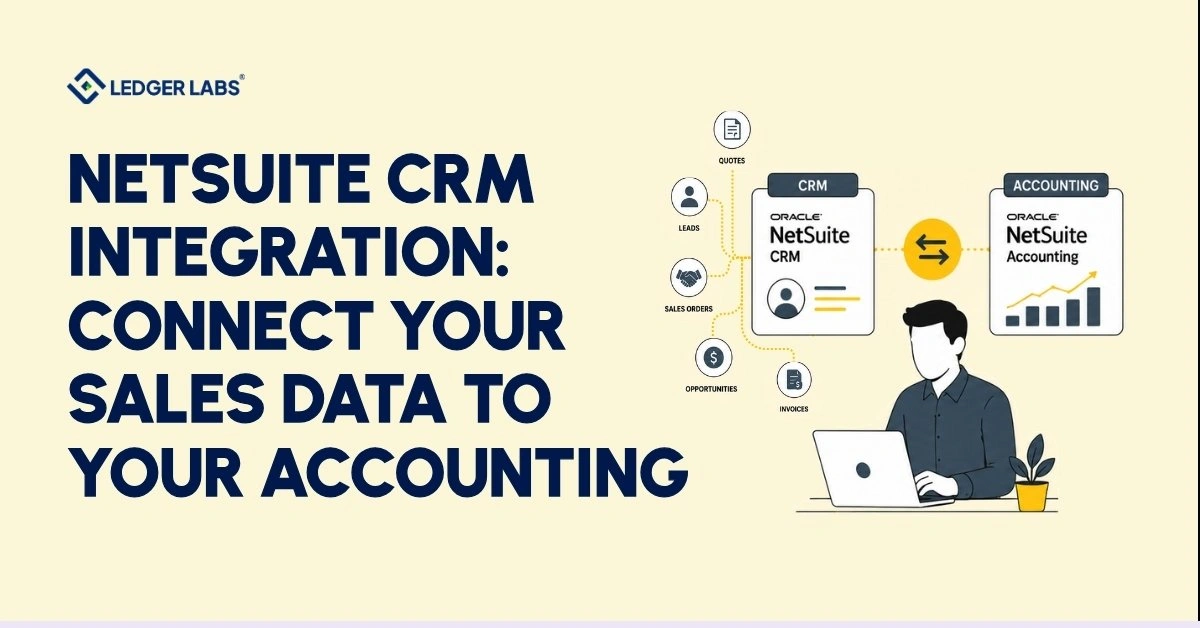
NetSuite CRM and your accounting module use the same database. When a sales rep marks a deal as closed-won, NetSuite automatically creates a sales order. This happens in the system that your controller uses for accounts receivable and revenue reporting. There’s no need to export, sync, or wait hours for updates.
In contrast, a third-party CRM connected through a connector has different issues. Your financial data quality relies on two things: how accurately fields are mapped and how well data syncs. If a connector runs every four hours, your controller’s cash position report will be four hours out of date. If the field mapping fails to capture deal-term details, your revenue recognition schedule will require manual adjustments each period.
Once you go live, you cannot fix these failures. Both issues are linked to the decisions you make before the initial record sync, which is why this section is important.
Revenue Recognition: Where the CRM-to-Accounting Link Matters Most
For businesses that offer software-as-a-service (SaaS) and subscription-based offerings, connecting your customer relationship management (CRM) system to your financial system is crucial for complying with ASC 606. NetSuite’s Advanced Revenue Management (ARM) module automatically creates revenue schedules based on the contract details you enter in your CRM.
These details include the close date, contract value, billing frequency, and performance obligations. When your CRM works directly with ARM, it generates compliant schedules without extra work.
If your CRM is not connected, finance staff have to enter those contract details manually. Each manual entry poses a risk of errors, which can lead to issues during audits.
For companies nearing a Series A funding round, preparing for an acquisition, or facing their first audit, relying on IT to manage this integration can become a costly mistake.
What Does Your CFO and Controller Gain?
A well-set-up NetSuite CRM integration gives your finance team three key benefits that a disconnected system can’t provide:
- Accurate cash flow forecasting: Your finance team can get a 90-day cash flow forecast directly from live NetSuite data. There’s no need to wait for updates from sales, deal with outdated exports, or manually reconcile data between CRM and accounting.
- Full account history for overdue invoices: Each overdue invoice comes with the complete sales and service history for that account. This makes collection conversations clearer and helps in making faster escalation decisions.
- Clear record of transactions: Every transaction, from the initial contact to the final payment, is stored in one system under a single user record. This means no year-end reconciliation across different platforms and no gaps for auditors to question.
This is where working with Ledger Labs pays for itself.
The technical choices we make, like how CRM fields connect to your chart of accounts, how we translate revenue terms into recognition schedules, and how we track the process from lead to invoice, are the same choices our CPAs use when closing your books and filing your taxes.
We do not leave these decisions to an IT team for later review. Instead, we make them using our accounting experience from the very beginning.
That’s the difference between an integration that works technically and one that produces financial data you can defend in an audit.
NetSuite CRM Integration Cost and Timeline
Integrating NetSuite CRM can cost between $2,000 and $50,000 or more. The price depends on the method used, the complexity of the data, and the level of customization needed. The integration process can take from one week to three months.
Here’s what affects those costs:
What Affects Integration Costs
Five factors influence the cost:
- Integration Method: Using a native setup is the least expensive, while custom API builds are the most expensive.
- Data Volume and Quality: If the data is dirty, migration takes longer. Conducting a pre-migration audit can lower overall costs, even if it incurs an upfront cost.
- Customization Scope: Each custom field, workflow, or dashboard increases the setup time.
- Number of Integrated Systems: Adding more platforms complicates field mapping and increases costs.
- Training Requirements: A larger team and less familiarity with NetSuite can lengthen the onboarding process.
Realistic Cost Ranges by Method
| Method | Implementation | Connector License (Annual) | Timeline |
|---|---|---|---|
| Native CRM setup | $2,000–$8,000 | None | 2–4 weeks |
| Pre-built connector | $5,000–$20,000 | $3,000–$12,000/year | 1–3 weeks |
| Custom API build | $15,000–$50,000+ | Custom maintenance | 6–12 weeks |
The single biggest cost reducer available before a project starts is a pre-migration data audit. Businesses that clean their source data before migration finish faster, go over budget less often, and spend significantly less on post-go-live support.
Best Practices for a Successful NetSuite CRM Integration
The businesses that finish NetSuite CRM integrations on time, on budget, and with clean data all do the same five things.
- Audit your data before touching the integration: Data quality is the single largest determinant of integration success. Source data problems cause more failures than technical misconfiguration.
- Document your field mapping schema: Every source field, every destination field, every transformation rule, version-controlled, shared with the full project team. This document becomes your recovery asset when something breaks six months post-go-live.
- Test in sandbox first, without exception: No deadline justifies skipping sandbox testing. A failed go-live always takes longer than testing would have.
- Set automated error alerting on day one: Sync errors discovered in 24 hours take an hour to fix. The same errors discovered in 60 days become a financial data integrity problem.
- Budget for training as a project deliverable: Training determines whether the investment pays off. It’s not an optional line item; it’s the final step between a configured system and a working one.
Conclusion
Your CRM and NetSuite accounting system can fall further apart with every transaction and report cycle you delay fixing. Integrating NetSuite CRM helps solve this problem. Your controller can use real-time data to make accurate forecasts.
Revenue recognition relies on actual contract terms. Accounts receivable aging reveals the true state of your business, rather than outdated information from days ago.
The technical steps for integration are straightforward. However, key decisions regarding methods, field mapping, data quality, and revenue recognition setup are crucial for a successful integration.
These decisions require knowledge of NetSuite and accounting. Making the wrong choices after going live can cost more than making the right ones beforehand.
Book your free consultation call for your NetSuite CRM integration assessment
Frequently Asked Questions
1. Does NetSuite have a built-in CRM?
Yes. NetSuite includes a native CRM module as part of the core ERP platform, no separate license, no third-party product required. It covers sales force automation, marketing automation, customer service management, and partner relationship management, all sharing the same database as NetSuite’s accounting and order management modules. For businesses already on NetSuite, activating CRM requires configuration work, not an additional purchase.
2. How much does NetSuite CRM integration cost?
Native CRM setup runs $2,000–$8,000 in implementation fees. Connector-based integrations run $5,000–$20,000 in implementation plus $3,000–$12,000 per year in connector licensing. Custom API builds start at $15,000 and scale with complexity. The biggest cost variable is source data quality; a pre-migration data audit typically pays for itself in reduced cleanup time.
3. How long does NetSuite CRM integration take?
Native setup takes 2–4 weeks once requirements are documented and data is clean. A pre-built connector typically goes live in 1–3 weeks after field mapping is complete. Custom API builds run 6–12 weeks. Data quality is the biggest schedule variable in every case; businesses that skip the pre-migration data audit consistently take 2–3× longer than projected. Our team gives specific timeline estimates after a scoping review.
4. Can I integrate HubSpot with NetSuite?
Yes, HubSpot and NetSuite are one of the most common integration pairings for SMBs in this revenue range. The standard approach uses a platform like Celigo to sync contacts, deals, and order data bidirectionally. Key configuration decisions include which platform holds the master contact record, how HubSpot deal stages map to NetSuite sales order statuses, and sync frequency.
5. What is the difference between NetSuite CRM and Salesforce?
NetSuite CRM is a module within an ERP; it shares a database with accounting, inventory, and order management in real time, with no sync required. Salesforce is a standalone CRM platform with deeper sales process customization and a larger app ecosystem. Choose NetSuite CRM when you want sales and financial data unified in one system. Choose Salesforce when you need advanced sales workflow functionality or already carry a Salesforce investment you won’t replace.
6. Do I need a NetSuite partner for CRM integration?
Not always. Native CRM setup works fine for teams with NetSuite admin experience and clean source data. For connector-based or custom API integrations, or for businesses without dedicated NetSuite expertise in-house, an experienced implementation partner reduces risk, compresses timelines, and protects data integrity during migration. The accounting-specific configuration decisions (field mapping to AR, revenue recognition setup, audit trail design) are where accounting expertise in NetSuite pays for itself most directly.