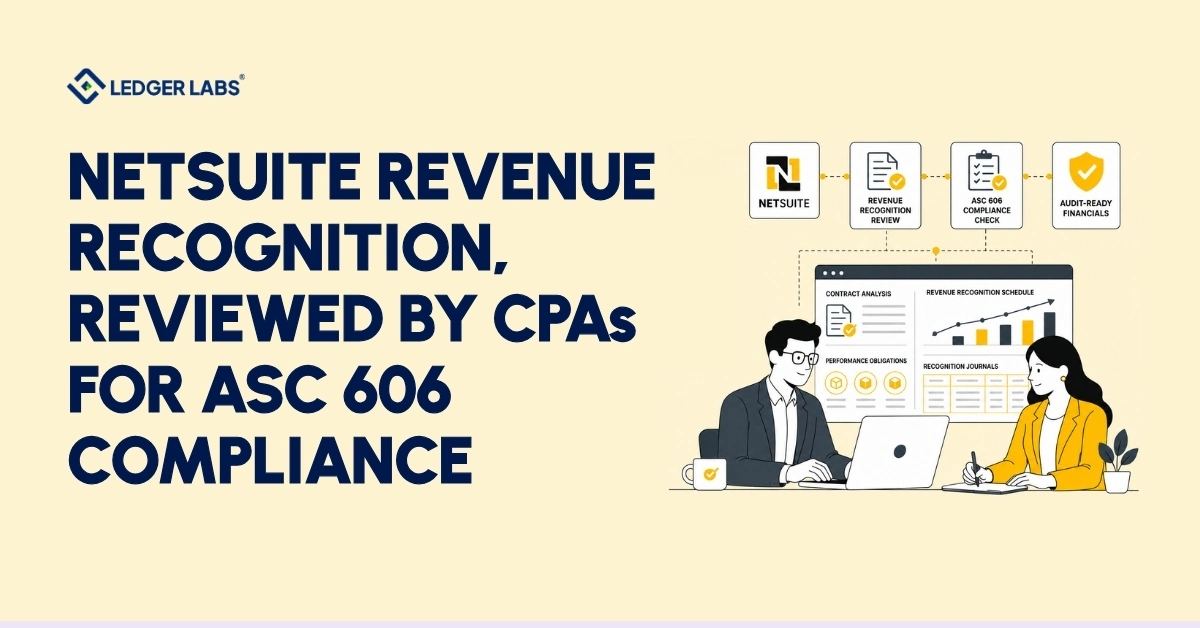
NetSuite revenue recognition records revenue as you earn it, not when you send invoices. The Advanced Revenue Management (ARM) module helps you create ASC 606-compliant schedules. ARM converts sales orders into revenue arrangements, posts revenue to your general ledger, and meets the required timeline. When set up correctly, it results in a schedule that auditors accept.
However, issues often arise with standalone selling prices. While your schedule may look correct, auditors may question the basis for these prices, revealing weak documentation. Many finance teams discover this during an audit rather than beforehand. The ARM module performs as intended but may not align with accounting rules without proper oversight.
This review emphasizes accounting judgment rather than software setup. As an accounting firm, we evaluate ARM like auditors, checking revenue recognition rules and contract modifications before others review the schedule. The implementer sets up the system, and we ensure its accuracy.
Getting this right speeds up financial closes, simplifies audits, and builds trust in revenue figures. This guide outlines how ARM works, where automation stops, and where your judgment is needed, focusing on the current view of NetSuite revenue recognition, as the old version is outdated.
Key Takeaways
- NetSuite revenue recognition is handled by the Advanced Revenue Management (ARM) module, which generates ASC 606 schedules from your sales transactions.
- Classic revenue recognition is retired for new NetSuite accounts, so ARM is now the only supported path forward.
- ARM automates the scheduling, but it cannot make the accounting judgments that determine whether the schedule survives an audit.
- Standalone selling price allocation is where auditors push hardest, and where most ARM configurations fail to hold up.
- A CPA review of your ARM setup catches contract-modification and SSP errors before they ever become costly restatements.
- Ledger Labs reviews the accounting behind your configuration to ensure your revenue schedule holds up under full ASC 606 scrutiny.
NetSuite Revenue Recognition and Advanced Revenue Management (ARM), Explained
NetSuite revenue recognition today means Advanced Revenue Management, or ARM: the module that recognizes revenue on your books as you earn it, in line with ASC 606. It replaced NetSuite’s older classic revenue recognition feature, which Oracle no longer enables for new accounts. If you run NetSuite now, ARM is your system.
Most teams still picture revenue recognition as a switch they can set to on. It is not. ARM is a full sub-ledger that sits between your sales transactions and your general ledger, and it decides when revenue hits your P&L on every order you process.
Here is the part that trips people up.
Why classic revenue recognition is no longer an option for new implementations
If you opened your NetSuite account in the last few years, you never had classic revenue recognition. Oracle retired it for new provisioning and moved everyone to ARM. Older accounts still running classic are on borrowed time, because new ASC 606 capability ships to ARM only.
That matters for a practical reason. Most NetSuite revenue recognition advice online still describes the old model. It will not match what you see on your screen, nor will it produce the schedule your auditor expects.
In our reviews, the teams in the most trouble are usually the ones who set up ARM using classic-era instructions. The records look similar. The accounting behind them does not.
Once you know ARM is the system, the next question is how it builds a schedule, because that is where your configuration decisions start carrying real accounting consequences.
The NetSuite Revenue Recognition Module: How ARM Is Actually Built
The NetSuite revenue recognition module builds every schedule from four linked records: revenue arrangements, revenue elements, revenue recognition rules, and revenue plans. An arrangement groups a customer’s obligations; elements represent each deliverable; rules define how and when revenue is recognized; and plans post the actual entries to your general ledger.
- Revenue arrangements and revenue elements come first. When you bill a customer, ARM creates a revenue arrangement that groups everything you owe them. Inside it, each deliverable becomes a revenue element: the software license, the implementation, the support contract. Each element carries its own value and its own timeline.
- Revenue recognition rules decide the pattern. A rule tells ARM how an element is recognized: ratably over 12 months, at a point in time on delivery, or by percentage of completion. Set the rule wrong, and every schedule built from it is wrong, quietly, until someone reconciles it.
- Revenue plans post the entries. The plan is the actual schedule. It holds the dated lines that move revenue from deferred to earned and pushes those entries to your general ledger. This is the record your auditor pulls first.
Here is what this looks like in practice:
A SaaS client came to us after their multi-element deals kept posting revenue too early. The cause was a recognition rule applied to every element in the arrangement, including the implementation fee, which should have been recognized upon delivery. We corrected the rule mapping, and the schedule fell back into line.
The records are not hard to understand. The judgment about which rule belongs on which element is where the accounting lives, and it is the first place we look.
What the ARM Automation Actually Does, and Where It Stops
NetSuite’s revenue recognition automation takes care of the routine tasks. It creates schedules, posts dated entries, reallocates revenue when a deal changes, and keeps your deferred revenue up to date without needing manual journal entries. However, it doesn’t decide the accounting rules. The Accounting Rules Management (ARM) system follows the policy you set up, but it doesn’t tell you if that policy is correct.
Once you define your rules and plans, ARM runs the schedule automatically. It only needs clean source data: accurate item records, correct contract dates, and the right rules for each element. When a customer upgrades mid-term, it recalculates the agreement and updates the remaining schedule. This saves your team days during each close. NetSuite’s revenue automation software works as promised. Whether it provides the correct numbers depends entirely on the accounting you set behind it.
However, ARM cannot determine whether your standalone selling prices represent fair value, whether a mid-year change is a new contract or a modification, or whether your percent-complete inputs are accurate. It applies whatever instructions you give it consistently every month.
This is often where misunderstandings happen. A team may think a clean, automated schedule guarantees correct accounting and never reviews the configuration. The schedule may post perfectly but still recognize the wrong number all year.
A CPA firm can help in this area. We don’t run the automation for you. Instead, we ensure the accounting behind it is solid, so you can trust the schedule ARM produces. The first place we test that judgment is how ARM works with different business models.
Recognition Methods and How ARM Handles Each Business Model
ARM recognizes revenue three ways, and the right method depends on your business model. Subscription and SaaS revenue is recognized ratably, spread evenly across the contract term. One-time deliverables are recognized at a point in time, upon delivery or acceptance. Project and construction revenue is recognized by percentage of completion, as you earn it against milestones or costs. Choose the wrong method, and you misstate revenue on every deal.
We closed the last section with a promise: your business model determines which method belongs to each element. Get that pairing wrong, and no amount of automation will save you.
Ratable and point-in-time recognition for SaaS and subscription
For a SaaS business, most revenue recognizes ratably. A twelve-month subscription earns one twelfth each month, regardless of when you billed it. ARM handles this cleanly once the rule and contract dates are correct.
The trap is the mixed deal. A subscription bundled with onboarding or a setup fee is not one ratable stream. The subscription recognizes ratably; onboarding recognizes on delivery; and if you apply one rule to the whole arrangement, you pull forward revenue you have not earned.
NetSuite revenue recognition for construction and project-based work
For construction and project-based businesses, revenue is recognized by percentage of completion. ARM releases revenue as you earn it, which keeps your P&L aligned with the work actually performed. The method is only as accurate as the inputs. Stale percent-complete figures at close recognize the wrong amount, and the variance surfaces as a restatement later.
Here is what this looks like in practice:
A project-based client recognized revenue based on outdated completion percentages because no one refreshed the inputs before the monthly run. We built the update into their close checklist, and their revenue tied back to project status again.
The method is an accounting decision. We confirm it matches how you actually earn, before it drives a single schedule.
Contract Modifications: Which ASC 606 Treatment Applies, and Why ARM Won't Tell You
When a customer changes a contract, ASC 606 gives you three possible treatments: account for it as a separate contract, apply the change prospectively across the remaining term, or record a cumulative catch-up adjustment. ARM can execute any of the three. It will not tell you which one is correct. That decision is yours, and it is where revenue recognition most often goes wrong.
Even with the right recognition method in place, one event undoes it faster than any other: a mid-term change to the deal.
Separate contract, prospective, or cumulative catch-up
The treatment depends on what actually changed. Add distinct new goods or services at their standalone price, and you often have a separate contract. Change the scope or price of what remains, and you usually apply the change prospectively across the rest of the term. Change something that affects revenue already recognized, and you may owe a cumulative catch-up adjustment in the current period.
These are not interchangeable. Each produces a different revenue number, and only one is right for a given change.
Here is the problem with automation. ARM applies whatever treatment your configuration implies. Point a renewal at the wrong workflow, and it reallocates revenue confidently and incorrectly, every period, until an auditor catches it. This is why “ERP for contract modifications and reallocation” is a search built on pain, not curiosity.
Here is what this looks like in practice:
A client treated every renewal as a modification of the original contract, when several were separate contracts entirely. Their revenue schedule never matched their bookings. We reclassified the changes and reset the arrangements.
Standalone Selling Price and Revenue Allocation: Where Auditors Push Hardest
Standalone selling price (SSP) is the price you would charge for a good or service on its own. Under ASC 606, when a contract bundles multiple deliverables, you allocate the total price across them in proportion to their SSPs. ARM runs this allocation using fair value formulas you configure. Auditors challenge SSP more than any other input, because it is the easiest number to get wrong and the hardest to defend.
Contract modifications get the attention, but a quieter number underneath every multi-element deal decides whether your NetSuite revenue recognition holds up: standalone selling price.
Here is why it matters. Allocate too much of a bundled deal to the deliverable that recognizes upfront, and you pull revenue forward. Allocate too little, and you defer revenue you have already earned. Either way, the total is right, and the timing is wrong, and timing is what ASC 606 governs.
ARM allocates using fair value formulas tied to your item records. Those formulas are only as good as the SSP evidence behind them. If your SSP is a stale list price nobody has revisited, your allocation is defensible on paper and indefensible in an audit.
A worked allocation example:
Say you sell a $150,000 bundle: a software subscription, an implementation, and a year of premium support. If the standalone prices are $100,000, $35,000, and $15,000, you allocate the $150,000 in that ratio, not evenly, and each element recognizes on its own timeline from there.
Get the SSPs right, and the allocation defends itself. Pull them from an outdated price sheet, and every schedule built on them inherits the error.
This is the review auditors care about most, and the one we run first. We document the SSP evidence, confirm the fair value formulas match it, and make sure the allocation ARM produces is one you can support line by line.
What a Revenue Recognition Error Actually Costs You?
Getting NetSuite revenue recognition wrong costs you in three ways: you may need to restate reports, pay higher audit fees, and waste time fixing errors that a review could catch. These problems can also delay raises, loans, or sales.
Mistakes often happen in contract changes and standalone selling price (SSP) allocation.
- Restatements are the highest cost. When you misstate revenue from a prior period, you must correct records, which takes time and raises auditor fees.
- Audit costs can increase if you don’t document your SSP and contract details properly. This situation leads to more testing and inquiries.
- Timing errors can harm your business. If an error surfaces during due diligence, it can stall financial activities, raising concerns for buyers and lenders.
These issues aren’t hypothetical. A single incorrect revenue recognition rule can misstate a year’s worth of revenue. Fixing the mistake is easy, but cleanup can be expensive.
NetSuite Revenue Management: An Honest Assessment of the Pros and Cons
For most subscription, project, and multi-element businesses, NetSuite revenue recognition through ARM is a strong, reliable engine, and it is the right tool for the large majority of NetSuite users. It is not flawless. ARM handles standard ASC 606 scenarios well and struggles with a specific set of harder ones. You should know both before you rely on it.
We recommend ARM to most clients, so treat what follows as an honest read from a firm that uses it, not a pitch against it.
What ARM does well
ARM automates the mechanical work that used to eat your close. It builds compliant schedules, reallocates revenue when deals change, keeps deferred revenue current, and gives your auditor a clean sub-ledger to test. For a business selling subscriptions, projects, or bundled deals, it removes the manual journal entries and spreadsheet schedules that break as you scale.
For most finance teams, that alone justifies it.
Where ARM falls short
ARM has real limits, and the honest ones rarely make the sales page:
- Usage-based and consumption revenue often needs workarounds ARM does not handle cleanly out of the box.
- Complex variable consideration, at high volume, strains the standard configuration.
- ARM recognizes revenue. It does not forecast it, so you still model future revenue elsewhere.
- Migrating legacy schedules from a prior system is manual and error-prone, not automated.
None of these make ARM the wrong choice. They make it a tool with edges, and the edges are exactly where configurations go wrong.
That is the difference we add. We tell you where ARM will serve you and where it needs a workaround, before you have built a year of schedules on an assumption it cannot support.
How Ledger Labs Reviews Your NetSuite ARM Configuration?
Ledger Labs reviews your NetSuite ARM configuration the way your auditor will, then fixes what will not hold up. We check your revenue rules, SSP evidence, fair value formulas, and contract-modification treatments against ASC 606, document the judgments behind each one, and confirm the schedule ARM produces is one you can defend line by line. You keep your implementer for the build. You get a CPA firm accountable for the accounting.
You have seen where NetSuite revenue recognition breaks and what it costs. Here is what it looks like to have it reviewed properly.
We are an accounting firm that lives in NetSuite every day, which means we sit in a spot most reviewers do not: we understand the module, and we own the accounting judgment behind it. Our team includes a licensed CPA and AICPA member, and that credential sits on the revenue opinions we give you.
A configuration review is straightforward. We assess your current ARM setup, flag the rules and allocations that will not survive an audit, correct them, and document the SSP and modification treatments so your support is ready before your auditor asks.
Here is what changes day one: your revenue schedule stops being a question mark and starts being something you can hand to an auditor without flinching.
If your ARM setup has never had a CPA read it against ASC 606, that review is the highest-leverage hour you can spend on your revenue this quarter.
Conclusion
Take the cost you worked out earlier: one misconfigured rule running across a year of deals, the restatement hours, the added audit fees. Multiply it by twelve. That is what you pay each year to leave your NetSuite revenue recognition unreviewed.
Nothing looks broken from the inside. ARM posts on schedule until an auditor asks how you set your SSP or classified a contract change, and by then the error has compounded for months.
Book a free consultation and have a CPA read your setup before your auditor does. Ledger Labs reviews your ARM configuration against ASC 606, fixes what will not hold up, and documents the rest.
FAQs
1. How much does it cost to set up revenue recognition correctly in NetSuite?
It depends on the complexity of your contracts and how your current ARM setup is configured. A single-product SaaS business costs far less to review than a multi-element or project-based business with layered modifications. The higher cost is almost always the error you have not found yet, not the review that finds it.
2. Can NetSuite ARM handle SaaS, subscription, and construction revenue?
Yes. ARM recognizes SaaS and subscription revenue ratably, one-time deliverables at a point in time, and construction or project revenue by percentage of completion. The capability is there. Whether your configuration applies the right method to each element is the part that needs review.
3. How long does an ASC 606 / ARM configuration review take?
Most reviews run a matter of weeks, not months, depending on contract volume and how clean your current records are. We assess first, so you know the scope before committing. Our review gives you a specific timeline based on your setup, not a generic estimate.
4. What is the difference between classic revenue recognition and Advanced Revenue Management?
Classic revenue recognition is NetSuite’s older, retired feature and is no longer enabled for new accounts. ARM is the current system and receives all new ASC 606 capability. If you are provisioning NetSuite today, you are on ARM.
5. Does NetSuite ARM keep us ASC 606 compliant on its own?
No. ARM automates compliant schedules, but only if the accounting behind the configuration is correct. It executes your SSP, rule, and modification decisions without judging them. Compliance depends on those judgments being right.