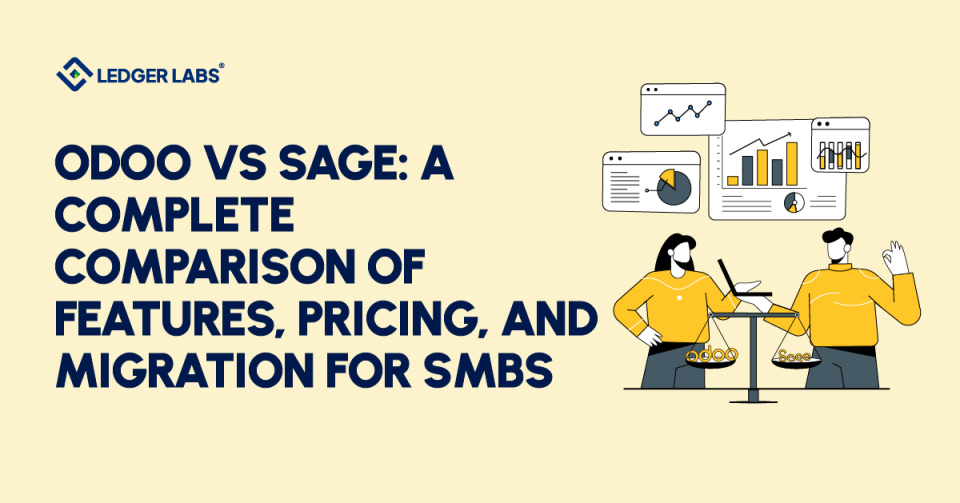
Choosing between Odoo and Sage shapes your next five years of accounting, reporting, and operational scale, and getting it wrong costs more than getting the accountant wrong.
According to Panorama Consulting’s most recent ERP Report, most ERP implementations fail to meet their original objective, typically because companies choose software that doesn’t align with how their businesses actually operate.
The stakes compound from there: a wrong choice means costly migrations, frustrated finance teams, and months of lost productivity rebuilding workflows that should have worked out of the box.
This guide compares Odoo and Sage across features, true pricing (including costs neither vendor advertises), scalability, migration effort, and real-world fit by industry, so you can decide upfront and avoid migrating again in 3 years.
Key Takeaways
- Odoo is a flexible choice for businesses that need CRM, inventory, eCommerce, manufacturing, and accounting, helping you avoid platform changes as you grow.
- Sage is ideal for regulated industries like healthcare, nonprofits, construction, real estate, food, and complex manufacturing.
- US small to medium-sized businesses with $2M–$50M in revenue can save 40–60% over three years by choosing Odoo, while Sage benefits businesses focused on compliance and those using Sage-certified partners.
- Consider migration early; moving from Sage later can be costly. Odoo’s open system makes future switching easier.
- Choose based on your needs for the next 3–5 years. Fast-growing businesses might outgrow Sage 50/100, while regulated industries may benefit from Sage’s depth and partner network.
- Both Odoo and Sage have hidden costs, such as implementation fees and third-party app subscriptions, which can add 30–50% to prices. This guide includes those costs.
Quick Comparison: Odoo vs Sage at a Glance
The table below summarizes how Odoo and Sage compare across the 10 evaluation criteria most US SMBs weigh during platform selection. Each row is expanded in detail in the sections that follow.
| Feature | Odoo | Sage |
|---|---|---|
| Cost (per user/month) | $24.90 Enterprise; Community Edition free | $25-$150+ depending on product (Sage 50 to Intacct) |
| Customization | Open-source code access; drag-and-drop Studio; 44,000+ apps | Pre-defined modules; a certified developer is typically required |
| Integration Ecosystem | REST API + Zapier + Make + native connectors (Stripe, Shopify, HubSpot) | Microsoft 365 native; limited third-party SaaS connectivity |
| UI/UX | Modern SaaS-style interface; mobile-responsive across all modules | Traditional finance interface (Sage 50/100); modern on Intacct |
| Scalability | Modular - add apps as you grow; deploy from 1 to 1,000+ users | Product-tiered upgrade path requires migration between products |
| Target Market | SMBs to mid-market; ecommerce, SaaS, manufacturing, services | SMBs to enterprise; construction, healthcare, manufacturing, regulated industries |
| Open Source | Yes, Community Edition is fully open-source | No, proprietary across all products |
| Support Model | Vendor support (Enterprise) + 5,000+ partners + active community | Certified-partner-led; strong US accountant network (40,000+ partners) |
| Deployment Options | Odoo Online (SaaS) / Odoo.sh / self-hosted on-premise | Sage Partner Cloud / on-premise (Sage 100) / full SaaS (Intacct) |
| Multi-Currency | 85 languages, 80+ countries, real-time FX automation | 10 languages, strong in regulated regional compliance |
The biggest patterns: Odoo wins on flexibility, integration breadth, and price point; Sage wins on industry-specific depth, US accountant familiarity, and compliance maturity. The sections below break down each capability with the trade-offs we’ve actually seen play out in client deployments.
Odoo vs Sage: Feature-by-Feature Comparison
Odoo and Sage serve different business types better than either does overall. We’ve seen clients succeed on one platform and struggle on the other based on how well the features fit their daily work.
Here’s how they compare on key points that affect deployment decisions
1. Core Accounting Features
The accounting modules are where most evaluations start, and where the two platforms diverge most clearly in philosophy.
Odoo provides an efficient accounting solution that supports multiple currencies across 85 languages and 80+ countries. Its AI quickly recognizes vendor bills in under 10 minutes and automates cost of goods sold (COGS) entries and deferred revenue management. It also supports SEPA direct debit for European payments.
Clients handling international invoicing or over 200 bills per month save their finance teams 8–12 hours per week within 60 days. This automation outperforms Sage’s offerings at a similar price.
For more details, check Odoo’s accounting module documentation.
Sage offers compliance-focused accounting with advanced VAT management, social declarations for French companies, detailed tax audit reports, and strong payroll support (especially Sage 100 Paie). It also provides effective fixed asset management, including Section 179 depreciation, and detailed analytical accounting.
Sage Intacct includes features for Section 179 depreciation, multi-entity consolidation under ASC 810, and complex revenue recognition under ASC 606. We spend fewer support hours on compliance setup with Intacct than with Odoo.
Winner: Sage for regulatory compliance and US payroll depth; Odoo for integrated automation, OCR, and international operations. For inventory valuation methodology, both platforms support FIFO and Average Cost methods per AICPA standards; the difference is operational, not methodological.
2. Sage CRM vs Odoo CRM
The CRM gap between these two platforms is wider than any other functional area we’ve evaluated.
Odoo’s CRM feels modern and advanced, with features such as visual pipeline management, lead scoring, automated email campaigns, and integrated ecommerce. Users can easily customize workflows with drag-and-drop tools and typically create follow-up sequences within the first week without IT help. Odoo CRM is included in Enterprise pricing at no extra cost per user.
In contrast, Sage’s CRM feels outdated, offering basic sales tracking and simple follow-up reminders. Clients moving from Sage to Odoo usually rebuild their lead workflows within 30 days. While Sage can track payments, it lacks modern features like marketing automation and lead nurturing.
Odoo CRM is included in the Enterprise plan, with the first user free and additional users at $12–15/month. Sage lacks a competitive CRM, requiring costly third-party solutions, which can equal Odoo’s licensing fees over three years.
Winner: Odoo by a significant margin (unless you literally only need quote-to-invoice functionality, in which case Sage’s bundled CRM is sufficient).
3. Inventory & Operations
Inventory is where Odoo’s modern roots show most clearly, but where Sage’s depth in specific verticals (X3 manufacturing, 300 construction) pulls ahead for the right business.
Odoo addresses modern warehouse needs with real-time tracking, mobile barcode scanning, and multi-warehouse management. It automates dropshipping and offers perpetual inventory valuation using FIFO, Average Cost, or Standard Price methods. In eCommerce, Odoo connects inventory to sales orders, simplifying reconciliations without spreadsheets. Its REST API allows for custom integrations when standard apps don’t suffice.
Sage excels in traditional inventory management. It features strong reporting, purchase order management with approval workflows, and a manufacturing module in Sage X3 for scheduling and control. Sage X3 is especially suited for food, beverage, and complex manufacturing, often requiring less customization than Odoo. Sage 300 provides rigorous financial inventory tracking, which is crucial for businesses that need audit-grade accounting rather than warehouse automation.
Winner: Depends on what you’re optimizing for. Modern warehouse automation, ecommerce sync, and integrated drop-shipping → Odoo. Detailed financial inventory controls, native MRP, and food/beverage manufacturing → Sage X3 or Sage 300.
4. Customization & Integration
This section highlights the differences between open-source and proprietary systems in terms of cost and timelines.
Odoo offers over 10,000 features and more than 44,000 apps. It provides open-source code for full customization and a REST API for easy integrations. You can also automate tasks with tools like Zapier and Make and use a drag-and-drop website builder. We have connected Odoo to services like Stripe and Shopify without needing a partner ticket, with most integrations taking days. In Odoo Studio, non-developers can create prototypes for custom fields or workflows before coding.
In contrast, Sage keeps you within its ecosystem. It has fixed modules with limited flexibility, and significant customization requires a certified developer. Its best integration is with Microsoft 365, and it has limited third-party connections. When clients want to connect Sage to tools like HubSpot, we usually quote $8K to $25K through a certified partner. Some quotes can be higher for real-time data syncing. The upside is that Sage deployments are less likely to break due to constrained customization.
Winner: Odoo for businesses with internal tech capability or willingness to work with non-certified partners; Sage for organizations that prefer certified-partner ownership of all customization risk.
5. Reporting & Analytics
Reporting is an area where Odoo and Sage Intacct differ significantly. Odoo focuses on easy reporting. It provides built-in dashboards for every module, tracks key performance indicators in real-time, and lets users create custom reports without SQL. Most small and medium-sized businesses find the standard accounting dashboard, which includes cash flow, profit and loss, and balance sheet views, sufficient. If clients need more, Odoo’s pivot table builder and graph view allow finance teams to create detailed reports with a simple drag-and-drop feature.
In contrast, Sage Intacct excels in depth of reporting. It offers multi-dimensional reporting (department, location, project, customer, vendor) without custom development, real-time consolidation across many entities, and an audit trail for every figure. Sage Intacct can handle complex reporting that requires extensive Studio work in Odoo.
Winner: Odoo for single-entity SMBs needing accessible self-service reporting; Sage Intacct for multi-entity organizations where audit-grade dimensional reporting is non-negotiable.
6. Deployment & Hosting
Choosing the right deployment method is key to controlling costs and ensuring satisfaction.
Odoo offers three options: Odoo Online, a quick, low-maintenance managed service with limited customization; Odoo.sh, a cloud platform for businesses with technical staff that supports custom features; and self-hosting, which offers full control over data and customization, ideal for those needing to meet regulatory requirements.
Sage also offers flexible options tied to specific products. Sage Partner Cloud provides managed hosting for Sage 100 and 300, while on-premise is best for Sage 100 users who prefer permanent licenses. Sage Intacct is fully cloud-based and suitable for cloud-focused companies, but not for those with strict data-residency requirements.
The right choice depends on business need, not deployment trendiness. We’ve placed clients on on-premises Odoo deployments because cloud-only options didn’t meet their data sovereignty requirements, and we’ve placed clients on Sage Intacct because cloud-first matched their distributed-team operating model. Match deployment to business need, not to what’s fashionable.
Odoo vs Sage Pricing Comparison
Odoo Enterprise pricing starts at $24.90 per user per month; Sage pricing ranges from $25/month (Sage Business Cloud) to $50,000+ (Sage Intacct enterprise). For a 25-user mid-market deployment, Odoo’s three-year total cost of ownership typically runs ~$90,000 vs Sage’s ~$145,000, a 38% difference driven mostly by implementation markups and certified partner requirements on the Sage side.
Now that we’ve explored the features that differentiate these platforms, let’s tackle the question that actually determines your decision: what will this cost us?
Odoo Pricing
Odoo Enterprise pricing starts at $24.90 per user per month with monthly billing, dropping to roughly $20 per user per month with an annual commitment. The pricing structure is modular; you pay for the apps you actually use, not the entire suite.
| Odoo Pricing Tier | Cost | Best For |
|---|---|---|
| Community Edition | Free, unlimited users, one app | Tire-kicking and proof-of-concept; not production-grade for accounting |
| Odoo Enterprise (monthly) | $24.90/user/month | Standard mid-market deployment |
| Odoo Enterprise (annual) | ~$20/user/month | Committed to multi-year deployments |
| Additional apps | $12-$15/user/month each | CRM, Inventory, Manufacturing, HR, etc. |
| Implementation | $5,000-$25,000 one-time | Depends on data volume, customization, and complexity |
Real-world Odoo deployment example:
A 10-user setup with Accounting, CRM, and Inventory runs approximately $450–$500 per month ($5,400–$6,000 annually), plus $10,000–$15,000 in first-year implementation costs.
Total year-one investment: $15,400–$21,000.
For 25-user and 100-user deployment scenarios, see the 3-Year Total Cost of Ownership Comparison table below.
Pricing verified April 2026, sourced from Odoo S.A. official pricing. Pricing changes annually; verify current rates before committing to a specific budget.
Sage Pricing
Sage pricing varies widely by product; there isn’t a single set price. Sage offers five different ERP products, each at its own price.
To understand Sage ERP pricing accurately, the first step is figuring out which Sage product is right for your business.
| Sage Product | Pricing Model | Cost Range |
|---|---|---|
| Sage Business Cloud | Subscription | Starts at $25/month for a single user; scales with users and modules |
| Sage 50 | Subscription | $50-$150/user/month depending on tier (Pro / Premium / Quantum) |
| Sage 100 | Perpetual license | $3,500-$10,000+ upfront + $1,500+/year maintenance |
| Sage 200 | Subscription (UK-led, limited US availability) | Quote-based; typically $100-$300/user/month |
| Sage 300 | Quote-based | $10,000-$50,000+, depending on modules and user count |
| Sage X3 | Custom enterprise pricing | Starts at $30,000; reaches $100,000+ for full implementations |
| Sage Intacct | Subscription enterprise pricing | Starts at $30,000; reaches $100,000+ |
| Implementation (all products) | One-time + ongoing | $10,000-$75,000+ Sage typically requires certified partners |
Critical Sage pricing dynamic
You cannot DIY a Sage 100 or Sage 300 implementation. Certified partners control implementation pricing, and we’ve seen quotes for the same deployment scope vary by $15K–$25K between partners. Always quote 3–5 partners before committing.
Pricing verified April 2026, sourced from Sage Group plc official pricing and direct partner quotes for current Sage 100, 300, and Intacct deployments. Pricing changes annually; Sage Intacct, in particular, has shifted upward roughly 8–12% per year over the past three years.
3-Year Total Cost of Ownership Comparison
For most small and medium-sized businesses (SMBs) in the US with 5 to 100 users, Odoo’s three-year total cost of ownership is 38% to 60% lower than Sage’s for similar deployments.
This difference is largest for businesses with around 25 users, as Sage requires certified partner implementation, while Odoo can be implemented by lower-cost partners or by the businesses themselves. The table below shows the three-year total costs for three common deployment sizes.
| Scenario | Odoo Total (Year 1) | Sage Total (Year 1) | 3-Year TCO Odoo | 3-Year TCO Sage | Sage Premium |
|---|---|---|---|---|---|
| 5 users, basic | $7,500 | $12,000 | $18,000 | $30,000 | +67% |
| 25 users, mid-range | $35,000 | $55,000 | $90,000 | $145,000 | +61% |
| 100 users, enterprise | $120,000 | $180,000+ | $300,000 | $450,000+ | +50% |
What’s included in these figures: licensing for all years, first-year implementation costs, ongoing support and maintenance, and standard third-party integrations (payment processors, payroll).
What’s not included: custom development beyond standard scope, data migration from legacy systems, training programs beyond initial team onboarding, and integrator markups beyond typical industry rates.
Sources: Panorama Consulting Group’s most recent ERP Report for industry implementation cost benchmarks; Odoo S.A. official pricing; Sage Group plc official pricing.
Hidden Costs Both Vendors Don't Advertise
The prices above are the minimum, not the maximum. Our Odoo and Sage deployments have always cost more than the vendor’s pricing page or initial quotes suggest.
Businesses that budget only for licensing fees routinely underestimate what an ERP will actually cost.
Here are the cost categories that drive that gap:
| Hidden Cost Category | Typical Range | Why It's Missing From Quotes |
|---|---|---|
| Data migration from legacy systems | $3,000-$15,000 | Scope depends on data volume and quality; vendors quote conservatively to win the deal |
| Training programs | $2,000-$10,000 | Often quoted as "included in implementation," but real proficiency requires additional structured training |
| Integrator markups (Sage) | 20-40% added to licensing line items | Certified Sage partners typically markup software they resell; Odoo partners markup less aggressively |
| Custom integrations | $5,000-$25,000 per integration | Connections to ecommerce, payroll, banking, or industry-specific tools beyond standard connectors |
| Ongoing customization maintenance | $500-$2,000/month | Every customization needs maintenance as the platform updates, often forgotten in TCO calculations |
| Third-party app subscriptions | $50-$500/month | Tools neither platform includes natively (advanced reporting, document management, niche industry apps) |
| Annual price increases | 5-12% per year | Sage Intacct, in particular, has trended upward 8-12% annually; Odoo is more stable but still increases |
Hidden costs can add up quickly. With Sage ERP, a $30,000 licensing fee can come with over $12,000 in partner fees that aren’t clear at first. For Odoo, custom integration costs often surprise clients as they try to connect it with their current technology.
When comparing costs, look at the total cost of ownership (TCO) for both Sage and Odoo, including all expenses. Considering hidden costs can show that Odoo saves you 38–60%. Ignoring these costs can make Sage seem more affordable than it really is for most small and medium-sized businesses in the U.S.
Pros & Cons: Odoo vs Sage
Comparing ERPs involves important trade-offs. We’ve seen both platforms succeed and face challenges in client deployments.
The pros and cons below highlight what really matters three months after deployment, not just what appears in demos.
Odoo at a Glance
Best for: Fast-growing SMBs in ecommerce, SaaS, professional services, and light manufacturing, businesses that value flexibility, integration breadth, and lower total cost over four-decade compliance polish.
What Odoo Gets Right
- Lower total cost of ownership: Three-year TCO is 40–60% lower than Sage for comparable deployments in the 1–100-user range. The cost gap widens as you add modules; modular pricing scales linearly, while Sage product upgrades trigger migration costs.
- Modular flexibility: Start with accounting and add CRM, inventory, manufacturing, ecommerce, or HR as you grow without forcing a platform migration. We’ve watched the same Odoo deployment scale from 5 to 75 users across three years without changing platforms.
- Modern, SaaS-style UI: Drag-and-drop pipelines, kanban views, and mobile-responsive design across every module. Sales teams adopt it faster than any Sage product we’ve deployed alongside.
- Integrated ecosystem: 44,000+ marketplace apps, REST API, native Zapier and Make support, and direct connectors to Stripe, Shopify, and HubSpot. Connecting Odoo to your existing tech stack is genuinely faster than connecting Sage.
- Open-source option: Community Edition is free and fully open source, with full code-level customization rights. Even Enterprise customers benefit from the open ecosystem when troubleshooting unusual edge cases.
Where Odoo Falls Short
- Steeper initial learning curve: Modular structure rewards configuration depth, but new admins typically need 2–4 weeks to navigate confidently. Finance teams used to traditional accounting software interfaces face the most adjustment.
- Complex implementations need a partner: Self-implementation works for straightforward accounting setups, but multi-entity, manufacturing, or heavily customized deployments require a qualified Odoo partner. The quality of partners varies more than in the Sage ecosystem.
- Less industry-specific compliance depth: Construction job costing, food/beverage manufacturing, and healthcare fund accounting are all possible but typically require custom configuration. Sage 300 CRE, Sage X3, and Sage Intacct ship with deeper out-of-the-box industry compliance.
- Smaller US partner network: ~5,000 Odoo partners globally vs. Sage’s 40,000+. Finding an Odoo specialist in your specific US metro can take longer, and Odoo-specialized US accounting firms are still relatively rare.
- Documentation can lag releases: Odoo ships major versions annually with significant feature changes, and official documentation sometimes trails by 2–3 months. Community forums fill the gap, but the experience is rougher than Sage’s mature documentation.
Sage at a Glance
Best for: Mid-market and enterprise organizations in construction, healthcare, food/beverage manufacturing, and other regulated industries, businesses where compliance depth and certified-partner reliability outweigh higher TCO.
What Sage Gets Right
- Compliance maturity: Four decades of refinement are evident across VAT handling, multi-state sales tax, Section 179 depreciation, ASC 810 multi-entity consolidation, and audit trail depth. For regulated industries, the compliance gap is real and consequential.
- Industry-specific products: Genuinely category-leading vertical solutions for construction, food/beverage manufacturing, and healthcare/nonprofit fund accounting, not marketing claims, but real product depth refined over decades.
- Strong US accountant familiarity: Most US accounting firms have at least one Sage-certified team member, and many run their own books on Sage. If your accountant already knows Sage, your implementation has a head start that’s worth real money.
- Deep multi-entity consolidation: Sage Intacct’s multi-dimensional reporting (entity × department × location × project × customer) without custom development is genuinely category-leading. Multi-entity organizations save weeks of monthly close time vs. replicating this depth in Odoo.
- Established partner ecosystem: 40,000+ certified partners worldwide, with deep US coverage. Finding a Sage Intacct or Sage 300 specialist in any major US metro is straightforward; the depth and stability of the partner network are real competitive advantages.
Where Sage Falls Short
- Higher total cost of ownership: Three-year TCO typically runs 40–60% above comparable Odoo deployments. Implementation markups through certified partners add 20–40% to the licensing line item, and ongoing customization maintenance compounds the gap.
- Product fragmentation complicates evaluation: “Sage” refers to multiple products: Sage 50, 100, 300, X3, and Intacct. Each of these has different features, pricing, deployment options, and partner networks. Just the cost to evaluate Sage is higher than evaluating Odoo.
- Slower innovation cadence: Sage Intacct ships meaningful updates quarterly, but Sage 50, 100, and 300 evolve much more slowly than Odoo’s annual major releases. Modern features (AI-powered OCR, behavioral CRM scoring, integrated ecommerce) arrive years later — if at all.
- Certified partner requirement adds cost: Sage 100, 300, X3, and Intacct effectively require a certified partner for implementation, and partner pricing isn’t negotiable in the way Odoo partner pricing is. The “you must work with us” dynamic limits buyer leverage.
- Dated UI on Sage 50 and Sage 100: Sage Intacct’s interface is modern and competitive, but Sage 50 and Sage 100 retain interface patterns from the early 2010s. Adoption velocity suffers, and younger finance team members consistently push back on the experience.
Sage to Odoo Migration: What to Expect
Switching ERP systems is often underestimated and can be costly. Many businesses migrate between Sage and Odoo each year, with plenty of resources available. However, actual costs and timelines depend on whether you’re moving to or from these systems and the state of your current data.
Here’s the high-level picture, with a link to our complete migration walkthrough for execution detail.
Sage to Odoo Migration: 6-Phase Process Overview
The standard Sage-to-Odoo migration runs 12–16 weeks for a typical SMB deployment. The process breaks into six phases, each with a specific deliverable and a clear handoff to the next:
| Phase | Timeline | What Happens |
|---|---|---|
| 1. Data Audit | Weeks 1-2 | Export Sage data to CSV, map your chart of accounts to Odoo's structure, document custom fields, and current workflows |
| 2. CSV Preparation | Weeks 2-4 | Clean duplicate customer/vendor records, adjust column headers for Odoo compatibility, and validate data against current operations |
| 3. Test Migration | Weeks 4-6 | Import data into an Odoo sandbox, reconcile account balances against Sage reports, run parallel operations to catch issues before go-live |
| 4. Customization Setup | Weeks 6-10 | Configure workflows, set user permissions, integrate third-party apps (payment processors, shipping carriers), and build custom reports |
| 5. User Training | Weeks 10-12 | Train department by department, starting with accounting, run parallel operations where staff use both systems, and create internal documentation |
| 6. Go-Live | Weeks 12-16 | Execute final data cutover (typically Friday afternoon), provide intensive post-migration support Monday morning, and fix issues that emerge with real-world use |
Total project cost typically runs $8,000–$40,000, depending on data volume, entity count, and customization complexity. For phase-by-phase task lists, cost estimates by Sage product (50, 100, 300, X3, Intacct), and the 5 signals it’s actually time to migrate.
Making Your Decision: Odoo vs Sage
You’ve seen the features. You’ve seen the pricing. You’ve seen the pros and cons.
Now comes the part that actually matters: which platform fits your business?
Here’s the truth most ERP comparisons won’t tell you: the wrong choice doesn’t just cost money. It costs 18 months of operational drag, finance team frustration, and the exact migration project you were trying to avoid by “choosing carefully” in the first place.
So let’s cut through the marketing.
The frameworks below will help you decide in three steps:
- Step 1: Match your business to one of two buyer profiles
- Step 2: Cross-reference against the use cases each platform actually wins
- Step 3: Answer five honest questions before signing anything
Ready? Let’s start with the easy part.
Choose Odoo If You...
Here’s the Odoo buyer profile in one sentence:
A growing SMB or mid-market business that values flexibility, integration breadth, and modular scaling over four-decade compliance polish.
Sound like you? Check the boxes below.
If you can say “yes” to 5 or more, Odoo is your platform.
✅ You’re a startup or fast-growing SMB with 1–100 employees who need an affordable entry point that scales without forcing a future migration
✅ You need CRM, ecommerce, and operations management in one unified platform, not a stack of integrated point solutions
✅ You want to start affordable and scale modularly, paying for what you use and adding modules as you grow
✅ You work with modern SaaS tools like Stripe, Shopify, HubSpot, and Salesforce, and need seamless integrations, not partner-led custom builds
✅ You value customization and developer-friendly APIs for building unique workflows tailored to how your business actually operates
✅ You operate internationally with multi-currency, multi-language, and cross-border tax requirements
✅ You have a tech-savvy internal team or budget to hire an Odoo implementation partner
✅ You’re in a non-regulated industry, ecommerce, SaaS, professional services, light manufacturing, or B2B services
Best Odoo use cases:
- Ecommerce businesses syncing inventory across online stores
- Digital agencies managing multiple client projects
- Tech startups building custom operational workflows
- B2B service companies with complex quoting needs
- Manufacturing operations with custom production requirements
If most of those describe your business, you have your answer.
If not, keep reading.
Choose Sage If You...
Here’s the Sage buyer profile in one sentence:
A mid-market or enterprise business in a regulated or industry-specific vertical where compliance depth and certified-partner reliability outweigh higher TCO.
Different business. Different platform.
If you can say “yes” to 5 or more of these, Sage is your platform:
✅ You’re in a highly regulated industry, construction, real estate, healthcare, food/beverage, or government contracting
✅ You need industry-specific features, out-of-the-box job costing, fund accounting, and compliance reporting without lengthy customization projects
✅ You require advanced payroll with country-specific compliance, multi-state tax handling, and audit-grade payroll reporting built into the core product
✅ You work with a Sage-certified accounting firm that already manages your books and is fluent in the Sage ecosystem
✅ You prefer desktop or hybrid software (Sage 100 on-premise) over fully cloud-based alternatives, often for data sovereignty or perpetual-licensing reasons
✅ You need enterprise-grade financial consolidation across 50+ entities or multi-dimensional reporting (entity × department × project × customer)
✅ You have a budget for premium implementation support and ongoing partner maintenance
✅ Your finance team values familiarity over modern UI most US accountants already know Sage, and that head start is worth real money
Best Sage use cases:
- Construction companies need Sage 300 CRE’s job costing
- Real estate management firms tracking properties and leases
- Mid-sized manufacturing using Sage X3 for production planning
- Healthcare and nonprofit organizations require Sage Intacct’s fund accounting
- Established SMBs with complex multi-entity accounting needs
Match? You’ve got your answer.
FAQs
1. Is Odoo cheaper than Sage?
Yes, Odoo is typically 40–60% cheaper than Sage for similar setups over three years. A 25-user deployment costs about $90,000 with Odoo versus $145,000 with Sage. The savings come from lower per-user fees, no perpetual license costs, and the option to self-implement. The cost gap widens with additional modules like CRM and inventory, since Odoo bundles them, whereas Sage often charges extra fees for third-party integrations.
2. Can Odoo replace Sage 50 or Sage 100?
Yes, Odoo can mostly replace Sage 50 and Sage 100 for small and medium-sized businesses (SMBs). This works best for companies needing customer relationship management (CRM), e-commerce, or inventory tools alongside accounting, where Sage 50/100 is weaker. Migrating takes 1 to 6 months, depending on your data and customization, with careful account mapping as the key first step. However, regulated industries that rely on specific Sage compliance reports may find Odoo lacking initially.
3. How long does a Sage to Odoo migration take?
A small and medium-sized business (SMB) deployment typically takes 12 to 16 weeks and includes six phases: data audit (weeks 1–2), CSV preparation (weeks 2–4), test migration (weeks 4–6), customization setup (weeks 6–10), user training (weeks 10–12), and go-live (weeks 12–16). Easier setups may finish faster, while complex setups or messy data can take up to six months.
4. Is Sage better than Odoo for accounting?
It depends on your industry. Sage is ideal for regulated industries such as construction (Sage 300 CRE), healthcare/nonprofit (Sage Intacct), and food/beverage manufacturing (Sage X3), where strong payroll compliance, multi-entity management, and specific audit trails are crucial. For most other small and medium-sized businesses, Odoo’s automation and CRM offer better accounting workflows at a lower cost. The right choice depends on your specific needs.
5. Does Odoo integrate with Sage?
Yes, you can connect the two platforms in several ways. You can use REST API connections, third-party connectors, or middleware like Zapier and Make. Many businesses run Sage for compliance reporting and Odoo for customer management during a transition. Some also use Sage for payroll while using Odoo for other tasks. Setting up the integration usually costs between $5,000 and $15,000, depending on the complexity.
6. Which is easier to learn - Odoo or Sage?
Both tools can be fully productive in 4 to 8 weeks with proper training, but they have different learning curves. Odoo has a steeper curve due to its modular design and modern user interface, while Sage features a traditional interface familiar to many finance professionals. However, customizing Sage needs certified partners, which can complicate things. Younger teams tend to adopt Odoo faster, while experienced finance teams with over 15 years of Sage or QuickBooks use often prefer Sage’s familiar setup.
7. Is Odoo good for US businesses?
Yes, Odoo is a strong option for US businesses. It meets US GAAP reporting standards, integrates with Avalara for multi-state sales tax, and collaborates with partners like Gusto and ADP for payroll and 1099 reporting. It’s particularly effective for ecommerce, SaaS, and manufacturing businesses with revenues of $2M–$50M. Although it has fewer US partners compared to Sage’s 40,000+, this gap is closing as Odoo’s network expands.
The Bottom Line
Choosing the right ERP shapes your next five years. Odoo wins for flexible, modular growth, fast-growing SMBs that need CRM, ecommerce, and operations alongside accounting, with 40–60% lower three-year TCO.
Sage wins for compliance-heavy industries, construction (Sage 300 CRE), healthcare (Sage Intacct), and food/beverage manufacturing (Sage X3), where four decades of regulatory depth outweigh cost.
The right platform isn’t the one with better pros. It’s the one whose cons you can live with.
If you’ve worked through the decision framework and have a clear answer, trust it. If you’re still uncertain, that uncertainty is itself a signal, and it usually resolves faster from a 30-minute conversation than another 10 hours of research.
Need help deciding? Schedule a free consultation call, and choose the right platform the first time. Comparing more systems? See Odoo vs NetSuite, Odoo vs SAP Business One and Odoo alternatives compared. If you choose Odoo, Ledger Labs provides outsourced Odoo accounting for $2M–$50M businesses.
Where we stand
Ledger Labs provides accounting services on Odoo and on Sage Intacct, one of the Sage products compared here, so we have a commercial interest in this comparison.
Comparing costs? Plans and what each one includes are on our pricing page.