
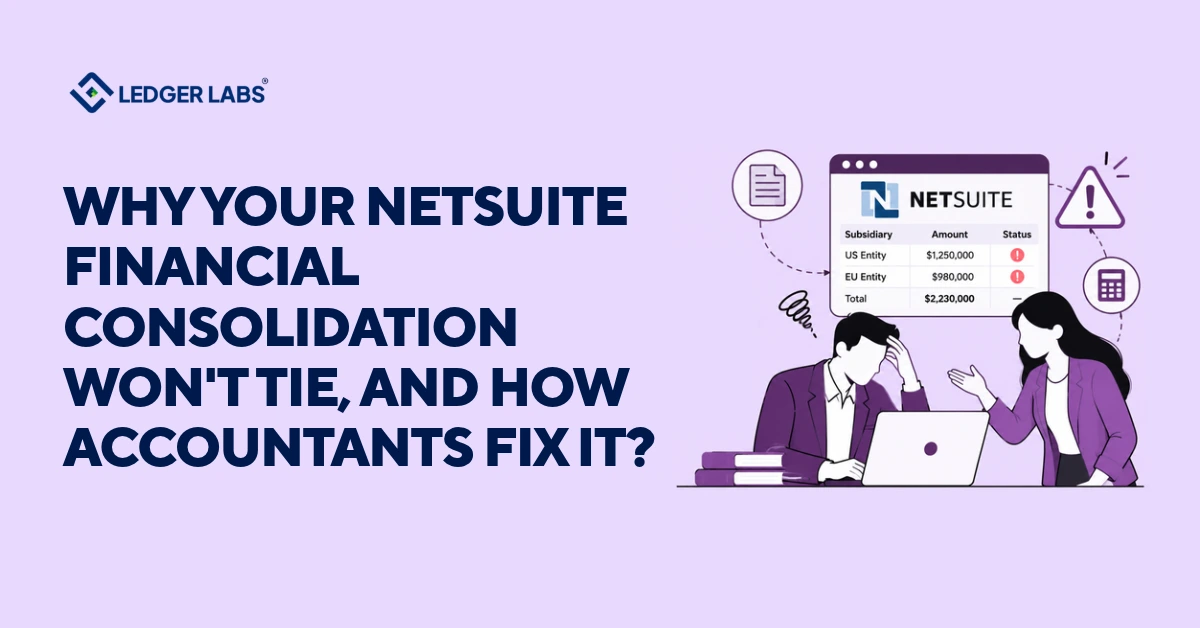
Your NetSuite financial consolidation might not match due to one of the following things is incorrect: the report, a subsidiary’s trial balance, an intercompany pair, an elimination, or a currency translation. Accountants usually rule out the report quickly, then check the other four in order.
Each company looks correct on its own. However, when you finalize the financial reports, the combined balance sheet doesn’t match. If someone adds a temporary solution to complete the report, the same issue will likely happen again next month.
In a survey by Vena in October 2026, 78% of 624 U.S. finance and accounting professionals reported that their team had to go back and correct numbers within the past year, even after marking the close as complete. Lenders, investors, and auditors review the consolidated statements, so an unexplained difference can delay the entire reporting package.
The solution is a structured process, not merely a journal entry. This guide outlines five essential checks from an accountant’s perspective, detailing ownership and when to engage a NetSuite expert.
Avoid plugging differences; clearly explain numbers to your lender or auditor to prevent recurring issues. Begin with a quick check that takes just two minutes.
Key Takeaways
- Consolidation breaks in five places: report, subsidiary ledger, intercompany pair, eliminations, currency translation. Rule out the report, then check in order.
- Reconcile every subsidiary’s balance sheet before you consolidate, because consolidation carries single-company errors straight into your group numbers.
- Agree intercompany balances by subsidiary pair before you run eliminations, or the elimination leaves a residual in the consolidated balance sheet.
- Expect a Cumulative Translation Adjustment balance when subsidiaries use other currencies, and investigate only the unexplained changes in it.
- NetSuite posts and translates; an accountant owns the reconciliations, and you approve the numbers. Name one owner for the consolidated result.
- Run the same close sequence every month: revalue, calculate consolidated exchange rates, eliminate intercompany transactions, then review against the entity totals.
Why don't your consolidated NetSuite numbers tie to the entity ledgers?
Your consolidated NetSuite numbers can go out of sync for five reasons: a report is run in the wrong subsidiary context, a subsidiary’s trial balance is incorrect, two companies recorded their intercompany transactions differently, an elimination did not run or ran incompletely, or currency translation is not done correctly into the parent’s currency. Start by checking the report first, then look at the other four reasons in that order.
Each check depends on the previous one. An elimination cannot fix an intercompany pair with discrepancies, and a correct elimination can still look incorrect if one subsidiary’s records are wrong.
Begin with the report. In the report footer, select an option in the Subsidiary Context field that ends with “(Consolidated).” This view includes the selected subsidiary, its child subsidiaries, and the elimination subsidiaries. A plain subsidiary view shows only its own data, and some reports show only one subsidiary at a time.
Once you confirm the report is correct, any remaining difference is real, so avoid making a journal entry. A plug can balance the report, but it masks the root cause, and the same difference will come back next month. Track the difference to the first record that is incorrect, and fix it at that point.
Before you start, write down the difference you are tracking, including the accounts and amounts. Note the report, the subsidiary context, and the filters you used, so a colleague can see the same results.
The next three sections serve as a checklist: check the subsidiary trial balances first, then intercompany pairs and eliminations, and finally, currency translation. If a check is successful, move on. If it fails, fix it before proceeding because later checks will carry the same error.
Do your subsidiary trial balances reconcile before you consolidate?
Yes, they need to reconcile. If a subsidiary has unresolved bank, receivable, payable, or inventory accounts, these errors will affect consolidation. Start by reconciling each company’s balance sheet. If you try to find differences in the consolidated report first, you’ll likely encounter problems with one specific subsidiary.
Skipping this step can make a small issue more complicated at the group level. The consolidated report shows one total amount without revealing which company is responsible for the discrepancy. To quickly identify the issue, check if the consolidated difference matches the unreconciled balance of a subsidiary.
Treat each subsidiary as if it stands alone. Match cash to bank statements, receivables and payables to aging reports, inventory to the subledger, and accruals to their documentation.
Run each trial balance for the subsidiary alone in the Subsidiary Context. NetSuite will show its data in its own base currency, so reconcile in local currency before translation complicates things. If you’re unsure what NetSuite handles for you, check which balance-sheet accounts NetSuite account reconciliation matches and which still need a person.
Pay extra attention to companies that close later or those run by a different person. Late books and books that aren’t closely reviewed are more likely to have errors that slip through.
Keep a short sign-off list, one line per company. This helps you know which ledgers you can trust before moving on. Set one rule: every subsidiary must sign off before consolidation starts, not during. A consolidated balance sheet is only as reliable as its weakest subsidiary.
Do your intercompany balances and eliminations agree?
Before eliminations, both subsidiaries must agree. Each intercompany transaction has two sides, and the elimination removes only matching amounts. Any unmatched amounts stay on the consolidated balance sheet, which causes consolidated receivables and payables not to balance to zero.
First, compare the pairs. Use NetSuite’s Intercompany Balance Overview to view open payables and receivables by subsidiary pair and currency, based on your general ledger. Then, run the Intercompany Reconciliation report for the period before elimination.
This report categorizes mismatches into unlinked orders, differing amounts, mismatched item quantities, differing billing, and standalone transactions.
Then look for the usual causes:
- One company posted its invoice, and the other hasn’t booked the bill.
- Someone posted to an intercompany account without the matching entry on the other side.
- A correction went into one company only.
- The two companies recorded the same amount in different currencies.
Confirm that the elimination has run. NetSuite performs intercompany elimination only through the Period Close Checklist. With Automated Intercompany Management enabled, it creates elimination journal entries for the selected lines.
If it’s not enabled, you must create and post these entries yourself. Then, run the Intercompany Elimination report to see each source transaction next to its elimination entry.
For example, if Subsidiary A invoices Subsidiary B for 10,000 on the last day of the month, and Subsidiary B books it the next day, Subsidiary A will show a 10,000 receivable while Subsidiary B will show no payable. Record Subsidiary B’s bill in the correct period and leave the consolidated report unchanged.
Agree on every transaction between subsidiaries before running eliminations, and set a single cut-off for intercompany entries to ensure both record them in the same period.
Is currency translation creating the difference?
When subsidiaries keep their financial records in different currencies, they may have a Cumulative Translation Adjustment (CTA) balance. This is normal and not an error. A problem arises only if the CTA changes for an unknown reason.
NetSuite converts each subsidiary’s financial figures into the parent company’s main currency using specific exchange rates. It uses the current exchange rate for balance sheet accounts, except for equity. For income statement accounts, it applies the average rate, and for equity accounts, it uses the historical rate. These different rates create a Currency Translation Adjustment (CTA) that balances the overall balance sheet.
Finish updating the exchange rates first. Once you check “Calculate Consolidated Exchange Rates complete” on the Period Close Checklist, NetSuite will not allow you to change those rates for that period.
Teams may see a CTA balance and try to post entries to clear it, but that only hides the issue. Instead, run the CTA Balance Audit report. This report shows how much each account contributed to the CTA for that period. You can access it by clicking on the CTA amount in the balance sheet or trial balance, then link any large contributions to a rate change.
Eliminations use a separate translation account: the exchange-rate differences between the original intercompany entry and the elimination entry post to Cumulative Translation Adjustment-Elimination (CTA-E).
If you are using Multi-Book Accounting, repeat these checks for each book.
Who owns each step of a NetSuite consolidation?
An accountant owns the reconciliations and the consolidated result. A technical specialist owns the NetSuite setup, and you own the final approval.
When nobody owns a step, the team does it late or skips it. The implementer knows NetSuite, the accountant knows the books, and the report sits between them.
| Step | Accountant | Technical specialist | You |
|---|---|---|---|
| Subsidiary close | Reconciles each balance sheet | Fixes broken imports | Supplies source records |
| Intercompany | Agrees both sides | Changes setup | Approve cut-off |
| Eliminations | Confirms they ran, reviews residuals | Configures the feature | Approves close timing |
| Currency | Checks rates, CTA, CTA-E | Adjusts rate setup | Confirms rates policy |
| Reporting | Reviews against entity totals | Builds custom reports | Sign off |
Some decisions belong to a NetSuite administrator. Oracle’s requirements for the Intercompany Framework explain why:
- If you don’t have an elimination subsidiary, you must create one as a child of the parent.
- You can’t disable Intercompany Framework or Automated Intercompany Management once you enable them.
- With Multi-Location Inventory and mandatory locations, each elimination subsidiary needs a default elimination location.
Involve your accountant before anyone enables a feature.
If one person reconciles, configures and approves, nobody checks the work.
What does a repeatable NetSuite financial consolidation close look like?
A repeatable consolidation close runs in the same order every month: close and reconcile each subsidiary, agree intercompany balances, revalue and set exchange rates, run eliminations, then review the consolidated statements against the entity totals. Each step has an owner and a cut-off, so you find a difference where it starts.
Without a fixed order, people run eliminations before the intercompany pairs agree, or they revalue currency after consolidating. Each shortcut creates a difference that next month inherits.
Follow the order NetSuite already enforces. Oracle’s closing task dependencies make Revalue Open Foreign Currency Balances a prerequisite for Calculate Consolidated Exchange Rates, and that task a prerequisite for Eliminate Intercompany Transactions. Create Period End Journals depends on elimination, and Close Period waits for every task before it. Oracle also says to finish all other closing tasks before you run elimination.
| Order | Step | Owner |
|---|---|---|
| 1 | Close and reconcile each subsidiary | Entity accountant |
| 2 | Agree intercompany balances by pair | Both entity accountants |
| 3 | Revalue open foreign currency balances | Close lead |
| 4 | Calculate consolidated exchange rates | Close lead |
| 5 | Eliminate intercompany transactions | Close lead |
| 6 | Review statements against entity totals | Controller |
| 7 | Approve and release | You |
Assign a due date to each step, working backward from your reporting deadline, and keep the dates the same every month. Set the intercompany cut-off before step 2. Put a controller in charge of the sequence.
After each close, log every difference you found and where it started. After three months, you’ll see which subsidiary or intercompany pair causes most of them, so you fix the process instead of just the month.
When should you hand your NetSuite consolidation to an accounting firm?
Hand it over when your close takes too long, the same intercompany differences happen every month, or no one on your team takes responsibility for the consolidated result. These signs show that the work needs a full-time owner. A typical handover moves the reconciliations, intercompany matching, and elimination review to the accountants, while you keep approval of the final numbers.
The number of entities matters too. In Vena’s October 2026 survey, teams with more than 10 entities took an average of 8.3 business days to close, compared to only 4.7 business days for teams with a single entity.
Keep the process in-house if you have a controller who takes charge of the consolidated result, if your intercompany pairs agree before the eliminations run, and if you close on a set schedule without any adjustments.
Outsource the process if your accountants spend too much time chasing differences instead of reviewing them, or if a late subsidiary delays the entire closing process.
When talking to a provider, ask these four questions:
- Do your accountants reconcile each subsidiary before they consolidate?
- Who takes responsibility for the consolidated result?
- How can you trace a difference back to its source?
- Does a CPA review every close?
Request specific answers. A good answer will name who reconciles, who reviews, and when each task happens in the closing process.
At Ledger Labs, we first reconcile each subsidiary, then match the intercompany pairs, and finally run and review the eliminations. Our NetSuite-certified team works within your NetSuite account.
Our standard monthly close takes 5–7 business days, and a CPA reviews every close. If you’d like us to handle this for you, see how an outsourced NetSuite controller can manage your close.
FAQs
1. Why is consolidation so difficult?
Consolidation is difficult because every company’s books must be right at the same moment, and then intercompany matching, eliminations and currency translation stack on top. A small error in one subsidiary becomes a consolidated difference that’s hard to trace. Check each company first, then intercompany, then eliminations and currency, and you can trace most differences.
2. What's the difference between consolidation and reconciliation?
Reconciliation proves that one account, or one company’s balance, agrees with an independent source such as a bank statement or the other company’s ledger. Consolidation combines several companies into one set of statements and removes the transactions between them. Reconcile first: a consolidation is only as reliable as the reconciliations underneath it.
3. Does NetSuite have a reconciliation tool?
Yes, several. NetSuite reconciles bank and credit card statements. For intercompany work, the Intercompany Reconciliation report flags unmatched transactions and the Intercompany Balance Overview compares open payables and receivables by subsidiary pair. NetSuite Account Reconciliation, for wider balance-sheet reconciliation, needs its own license.
4. What is multi-entity financial consolidation?
Multi-entity financial consolidation combines the books of several related companies, a parent and its subsidiaries, into one set of financial statements. Each company keeps its own ledger. Consolidation combines them, removes sales, balances and profits between the companies, and translates foreign currencies, so the group reports only its dealings with outsiders.
5.How do you automate financial consolidation tasks?
In NetSuite, the Automated Intercompany Management feature generates elimination journal entries from the lines you mark for elimination during period close, and consolidated reports translate subsidiaries into the parent’s currency for you. Without that feature, your team creates and posts eliminations by hand. Either way, judgment stays manual: reconciling each company, resolving intercompany differences and reviewing the result.