
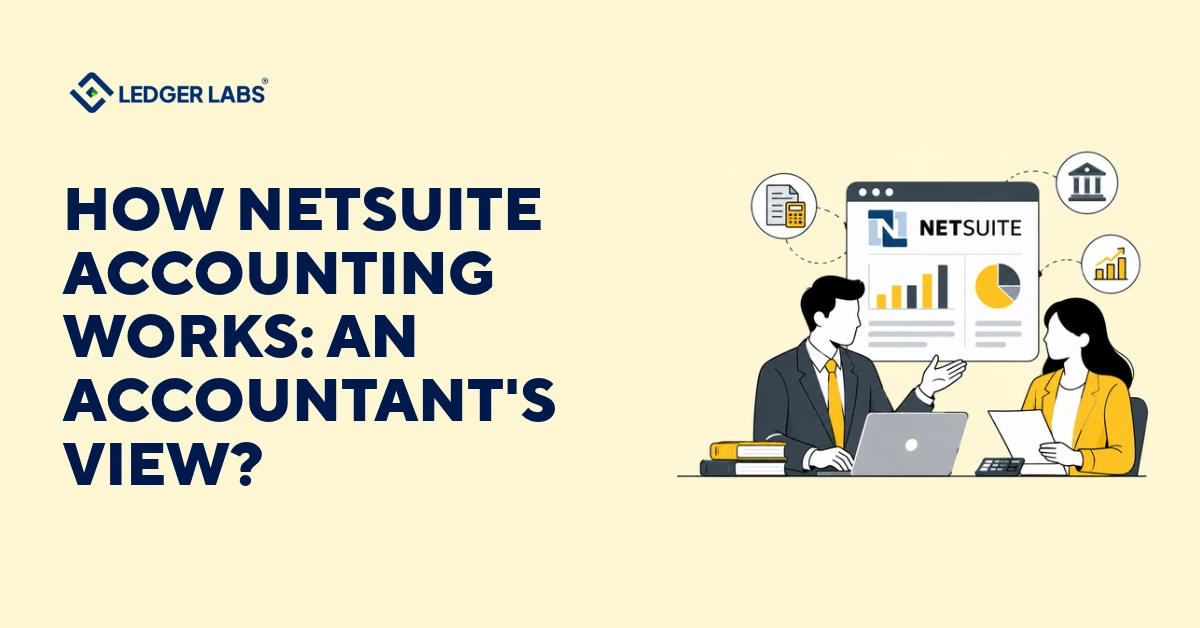
NetSuite accounting works as a system that divides tasks. It records transactions, suggests which bank entries match, and creates reports from one ledger. An accountant decides which account each charge belongs to, checks if balances are correct, and determines when a sale should be counted as revenue.
This is where mistakes can happen. If you rely too much on NetSuite, errors like assigning the wrong account, missing an accrual, or having an unmatched balance can carry over into the next closing period. These errors then show up in the reports you rely on for decision-making.
This guide outlines where NetSuite’s role ends, and the accountant’s duties begin. It uses Oracle’s documentation and our experience with NetSuite accounting. We have been using NetSuite since 2014 and have helped over 200 NetSuite clients.
You will learn to identify each step in your closing process as either a rule or a judgment and will clarify who makes each judgment.
Key Takeaways
- NetSuite keeps journal entries, periods, banking, and statements in one ledger, so every report reads from the same postings.
- NetSuite automates rule-based steps like posting, recurring entries, and bank match suggestions. It never sets the rule or checks the result.
- An accountant still owns account design, cut-off, reconciliations, revenue and inventory judgments, and the review before a period locks.
- An accountant’s day shifts from routine keying and matching to clearing exceptions, explaining unusual balances, and running period-end checks.
- Each step needs one named owner and one due date.
- Before you hire help, ask who prepares, who reviews, what evidence they check, and what happens when a balance does not agree.
What is NetSuite accounting?
NetSuite accounting is the general ledger, journal entries, accounting periods, banking, and financial statements inside Oracle’s NetSuite cloud ERP. Oracle groups these under a single accounting overview, and every bill, invoice, and payment posts once to that one ledger.
Reports read from those entries, so a mismatch points you to one bad entry instead of two competing records. The ledger can’t tell you whether the entry was right.
What does NetSuite finance and accounting cover?
What your account includes depends on what you bought and how it was set up, so confirm three things before you design a close around them:
- Exception management: Oracle says it isn’t available to all customers and depends on enough data volume and model training. If you can’t see it, the help page says to contact your NetSuite account manager.
- Fixed assets: Oracle’s accounting FAQ describes depreciation and asset retirement under a separate Fixed Assets Management bundle, so ask whether your account has it.
- Intelligent Close Manager: It shows only the tasks and KPIs tied to the features and preferences enabled in your account. A thin setup gives you a thin task list.
Ask your NetSuite administrator which features are switched on, and mark the ones your team uses.
What does NetSuite automate in the books?
NetSuite automates the rule-based steps: posting transactions, repeating recurring entries, matching imported bank lines, and listing open close tasks and exceptions. It doesn’t set the rules or check what they produce, and each automation below hands a decision back to you.
Bank matching
Once bank data is imported, Oracle’s bank data matching help says Intelligent Transaction Matching runs reconciliation rules against your account transactions.
You match the leftovers by hand or mark them cleared, and only submitted items reach the Reconcile Account Statement page. Newer releases add Match Suggestions, where you review each proposed match and decide how to proceed.
Your call: Oracle’s community guide says the Automatically Accept Exact Matches preference lets NetSuite accept eligible suggestions on its own. Check whether it’s on in your account and decide if that is what you want.
Recurring entries
Oracle describes a memorized transaction as one you set up to recur, such as a recurring journal entry. It has a template that defines what gets created and a definition that sets when and how often.
Your call: nothing in that setup re-checks the amount when a lease ends or a rate moves. Someone has to own updating the template.
Close tools
The Intelligent Close Manager gives a centralized view of tasks, estimated impacts, and AI-driven exceptions. Exception management learns from your past 18 months of transactions and raises an exception when activity looks “out of pattern.”
Your call: a flag asks a question. It doesn’t answer it, and because the baseline is your own history, an old uncorrected error can look normal. Decide who clears each exception and who records why.
Automating a broken close only makes the wrong result arrive sooner. Fix the workflow first, define the exceptions, then automate the repeatable steps.
What still needs an accountant in NetSuite?
An accountant oversees the chart of accounts, cut-off periods and accruals, reconciliations, revenue and inventory decisions, and reviews before closing a period. NetSuite can help match and flag items, but it cannot understand your contracts, timing, or what is unusual for your business.
An unchecked entry looks the same as a checked one in the ledger. The error will appear later when the close does not balance.
| Task | NetSuite Does | The Accountant Does | Who Reviews |
|---|---|---|---|
| Chart of accounts | Applies the accounts you define | Designs accounts so reports answer your questions | Controller or second accountant |
| Cut-off and accruals | Records what you post | Decides what belongs in the period and books accruals | Second accountant |
| Reconciliations | Suggests bank matches | Chooses accounts, sets what each balance agrees to, chases differences | A reviewer who knows the balance |
| Revenue and inventory | Posts by the method you set | Chooses the method, tests unusual items, ties valuation to the ledger | Controller |
| Period close | Lets you lock a period | Decides the period is ready, then locks it | Controller or owner |
Reconciliation shows the pattern best. NetSuite compares. You decide what to compare, what each balance should agree to, and who reviews it. Every NetSuite account reconciliation needs two people, one to prepare it and one to review it.
For instance, you receive 100 units at $50, so received-not-billed holds $5,000. The vendor bills 80 units, $4,000. NetSuite leaves $1,000 in the account and flags nothing. An accountant asks what the system can’t: is that 20 units still heading to a bill, a short shipment to dispute, or a receipt posted to the wrong period?
NetSuite for accountants: how does the daily work change?
The daily work moves from entering and matching to reviewing and explaining: clearing exceptions, explaining unusual balances, and running period-end checks. You question more entries and key fewer. Access also becomes a setup decision, because permissions decide who can change a locked period and who can reopen a closed one.
Start from the exception list, not a blank entry screen: Oracle describes the Intelligent Close Manager as a centralized view of tasks, estimated impacts, and AI-driven exceptions. That is where a review-led day begins.
Treat locking as a speed bump, not a wall: Per Oracle’s accounting period close help, a user with the Override Period Restrictions permission can still add and edit posting transactions in a locked period, and account administrators hold that permission.
A closed period is stricter. Oracle’s unlocking period transactions help says you can’t unlock transactions for a closed period and must reopen it first, which takes Edit or Full level of the Manage Accounting Periods permission, per Oracle’s accounting period management help. So your administrator list, plus whoever can reopen periods, is the real list of who can change last month. Decide who holds each permission, and write down why.
Your first week needs three answers:
- Which accounts reconcile every month, and who prepares each one?
- Which exceptions does the team clear, and which does it dismiss?
- Who can change a locked period, and who can reopen a closed one?
Those three answers set how far you can trust the numbers.
Who should own each step in NetSuite?
Every NetSuite account needs a named owner for four steps: who posts, who reconciles, who reviews and who closes. Your finance team can hold all four, or an outside accounting team can run the books end to end. Either way, each step needs one named owner and a due date, and your company still approves the final numbers and releases payments.
A step with no owner slips first, and nobody notices until the books will not tie out.
Posting belongs to whoever enters or approves the transactions. Reconciling belongs to a preparer who works from a named source for each account. Reviewing goes to a second person who knows what the balance should look like. Closing belongs to whoever decides the period is ready, then locks it.
When one person prepares and reviews the same balance, the review adds nothing. The fix is a second qualified person, whether you hire one or bring in an outside team.
| Model | Who Prepares and Reviews | Where It Can Break |
|---|---|---|
| In-house team | Your staff, if you have a separate preparer and reviewer | One person wears every hat, so the review has nobody to do it |
| Outsourced accounting team | The outside team owns the books and the review. You give access, approvals, and payment release | Slow answers from your side on transactions and approvals |
| Implementation partner only | The partner builds and configures the system | Can leave reconciliations, close, and reporting without an owner |
What should you ask a NetSuite accounting provider?
When talking to a NetSuite accounting provider, ask these six questions: Who does each reconciliation? Who checks it? What does the reviewer look for? How are exceptions resolved? Who can change a locked period? What do you get at the end of each closing period? A strong response will mention specific people, schedules, and evidence. A weak response will focus on software.
Many providers start by discussing software, team size, or price. None of these tell you who finds mistakes. You are hiring for judgment, not just a tool, so focus on their judgment.
- Who prepares each reconciliation, and who reviews it? The answer should name two different people.
- What does the reviewer check? Look for a bank statement, a subledger, or a source report, not a glance at the schedule.
- How do you handle exceptions? Someone clears them, someone dismisses them, and someone records why.
- Who can post to a locked period? The answer should name a person and a reason.
- What do I receive at each close? Expect reconciliations, an open-items list, and the reports, on a date you can plan around.
- What do I still own? You keep approvals, payment release, and final sign-off. A provider that promises to own those is promising too much.
Listen for specifics. A good provider can tell you, for a typical account, who prepared it last month, who reviewed it, and what they checked. If the answers stay general, ask to see a sample close package with client details removed. And ask an in-house hire the same six. The standard doesn’t change with the employer.
Conclusion
NetSuite handles the rule. You handle the call. The system posts, matches, and flags. A person decides, reviews, and stands behind the result, and your company approves the final numbers.
Mark each step in your own close as rule or judgment, and put a name next to every judgment. If nobody owns the last step, errors don’t stop at the ledger. They carry into the reports you use to make decisions.
Not sure who owns each step in your close?
Book a free 30-minute consultation call, and we’ll walk through how your NetSuite account divides the work.
FAQs
1. What is NetSuite in accounting?
NetSuite is Oracle’s cloud ERP, and its finance functions cover the general ledger, journal entries, banking, and financial statements. In accounting, it’s the system of record: transactions post once, and every report reads from the same ledger. Which features you have depends on your account.
2. Do accountants use NetSuite?
Yes, accountants and controllers post to NetSuite, reconcile in it, and close each month in it. Permissions usually separate entering, approving and reviewing. The work shifts toward review and exceptions because routine postings follow rules and need less keying.
3. How do you use NetSuite for accounting?
Start with structure, not screens. Confirm the chart of accounts and entities, set permissions and approval rules, then work in the order of the month-end close: bills and invoices first, then banking and reconciliations, then accruals, review and locking the period.
4. Is NetSuite difficult to learn?
Basic posting and reporting are manageable with training. Setup, multiple entities and revenue rules usually need an experienced accountant. The harder part is knowing why an entry belongs where it does, and that depends on how complex your business is, not on the screens.
5. Is NetSuite easier than QuickBooks?
It depends on how complex your books are. NetSuite takes more setup, and it earns that effort when you run several entities, inventory, or complex revenue. A simple set of books may not need it. If you’re weighing NetSuite against QuickBooks, the trade-off is setup effort against support for several entities, inventory, or complex revenue.
6. How much does NetSuite accounting cost per month?
NetSuite accounting cost depends on the type of service you need. Outsourced bookkeeping, managed accounting, and a fractional finance team are priced differently, and complexity, transaction volume, and the number of entities move the price further. Ask for a written quote that lists exactly what’s included.
7. Should you outsource NetSuite accounting?
Outsource when you need one team to own the books end to end and you don’t have a second qualified person to review them. Keep it in-house when you have a preparer and a separate reviewer who knows what each balance should be. Either way, write down the preparer and reviewer names before the next close.