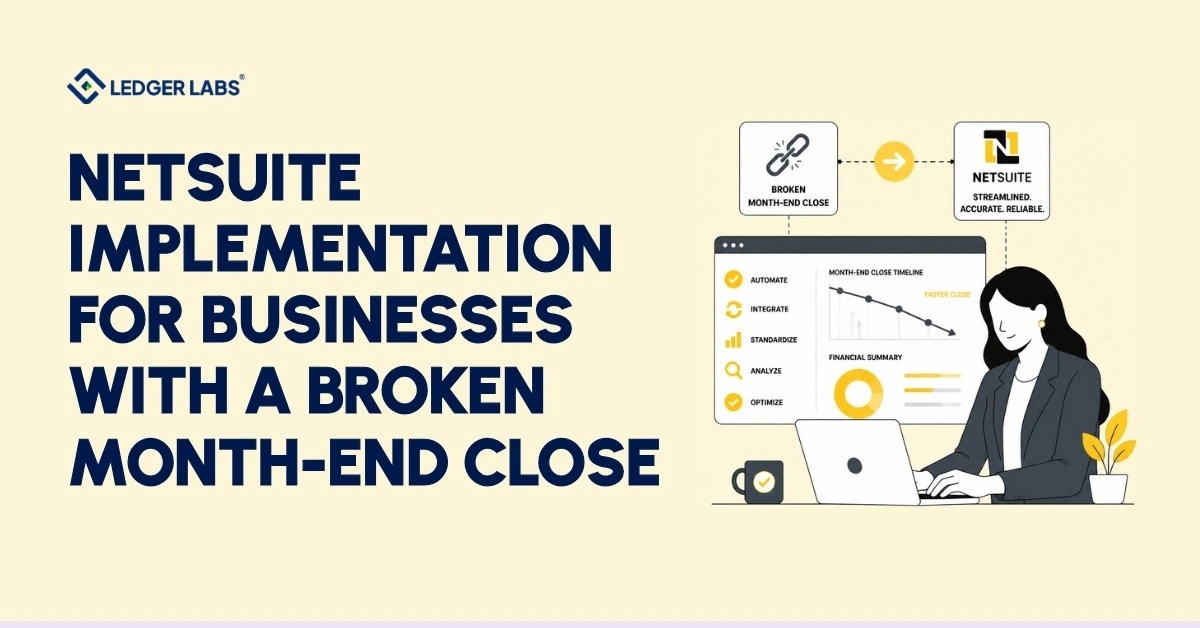
To fix a broken month-end close, prioritize your accounting setup before configuring NetSuite. If you do this correctly, you can reduce a fourteen-day close to three days. If you don’t, you might go live on schedule and pass technical tests, but your controller will still rely on spreadsheets from day one of the close.
You know which version you had last time. The system launched, and the dashboards looked good, but when it was time for the first close, nothing improved. Your team is still reconciling accounts manually that the new system should manage. Your profit and loss statement arrives three weeks late, so hiring, inventory, and pricing decisions are based on outdated information. The software works, but the reports do not, and the implementation team is gone.
The issue is structural. Implementing NetSuite is not just about software; it’s a financial setup decision. Your chart of accounts, revenue recognition rules, tax setup, and closing schedule get locked in during implementation, often by someone without real closing experience. No one tests these decisions until it’s too late to change them without high costs.
Before you sign anything, it’s important to understand the difference. This page explains what an implementation does for you, the costs of a broken close each month, and how to tell if a partner will take responsibility for your results or just give you a system. Focus on what an implementation includes and what many overlook.
Key Takeaways
- A NetSuite implementation fixes your close only when the accounting architecture is designed before the software gets configured.
- Your chart of accounts, not the system configuration, decides whether month-end close works once you go live.
- Most consultants configure the system, sign off, and leave before anyone attempts a genuine month-end close.
- A trial close run before go-live is the single strongest predictor of a fast first close afterward.
- Implementation overruns come from unreconciled balances and unmade accounting decisions, almost never from the software itself.
- A consultancy is accountable for the system working. An accounting firm is accountable for the numbers being right.
What a NetSuite Implementation Actually Involves (And What Most Firms Leave Out)
A NetSuite implementation covers five workstreams: discovery, system configuration, data migration, testing and training, and go-live. It leaves out the sixth: the financial architecture that decides whether your books actually close.
Check the scope document from your last implementation. Count the lines that describe software configuration. Then, count the lines that explain how your month-end close will work. The difference between these counts is not an oversight; it’s a decision made during scoping, and you’ll notice it during your first close.
The Five Things Every Scope Covers
The standard scope is technical, and the technical work is competent. When we review a new client’s implementation contract, we consistently see the same four deliverables in almost every contract.
- Discovery – mapping your workflows, users, and integrations
- Configuration – building the modules, roles, and permissions
- Data migration – moving customers, vendors, items, and open balances
- Testing and go-live – UAT, training sessions, and launch support
Each one gets delivered. Each one gets signed off. And not one of them asks whether the books will close.
The Three Things Almost None of Them Do
A consultant sets up the system based on your requirements document, not to generate your financial statements. The chart of accounts gets rebuilt to match the old one, revenue recognition is configured to meet a checkbox, and no one tries a real close until the month after everyone has gone home.
The project team has never closed a month in your business.
That’s the whole problem in one sentence.
Implementing NetSuite provides configured software, migrated data, and trained users, as specified in the project scope. However, it does not include a functional month-end close because that was not part of the agreement. Improving your month-end close is a separate project, and you only paid for the NetSuite implementation.
This is why your implementation is considered a success, but it doesn’t explain the slowdown in your close. The reasons for this issue are more specific and easier to address than many controllers realize.
Why Your Month-End Close Got Slower After Go-Live?
Your closing process is slower because the new system used your old chart of accounts without updating it for your current reports. NetSuite didn’t slow down your close; it followed a financial structure that wasn’t meant for a quick close. Now, it processes more modules and subledgers.
Three specific problems arise. They are not visible at launch but become clear by day four of the closing process.
The Chart of Accounts Nobody Designed
Many companies migrate their chart of accounts rather than create a new one. A consultant exports the old structure and maps it directly to the new system, often skipping the remapping of accounts. This omission happens because it requires understanding the reports you use and the decisions they drive.
As a result, your accounts reflect the founders’ perspectives rather than how NetSuite organizes transactions. Consequently, someone must manually adjust entries for the Profit and Loss statement during each closing period.
This manual adjustment leads to a two-week closing process.
Revenue Recognition Configured by Someone Who's Never Closed a Month
Revenue recognition is more than just technical know-how. A consultant might correctly set up NetSuite’s revenue recognition based on a requirements document, but it may not suit your business. This often happens because the document was created by someone who only described what you sell, not by someone experienced in dealing with auditors.
You often face these issues: schedules that recognize revenue at the wrong time, deferred revenue that doesn’t match the subledger, and a controller manually reconciling everything every month.
The Reconciliation Work That Didn't Exist Before
Many teams mistakenly believe that reconciliation work decreases after making changes. In fact, it often increases because there are more subledgers and integration points, leading to unexpected transaction placements.
For a smooth closing process, subledgers must properly connect to the general ledger without extra effort. If accounts are mismatched or revenue recognition is set up incorrectly, they won’t connect. This means a controller has to fix these issues, often late at night in Excel. If daily upkeep has fallen behind since go-live, our NetSuite bookkeeping team catches the books up first, as the first step of ongoing work, and then keeps the reconciliations current inside your account; cleanup is scoped separately from the monthly work.
Your implementation succeeded; it did what you planned, which did not include your closing tasks. Decisions about accounts, revenue recognition, and reconciliation were made by people who won’t have to deal with them. Now, you have to manage these issues every month.
Which raises the question nobody put a number on: what is that actually costing you?
What a Broken Close Actually Costs You Every Month?
A broken month-end close costs you three things every month: you pay for extra controller hours, you make decisions based on numbers that are three weeks old, and you risk audits that show up at the worst times. You can calculate two of these costs right now; the third one will only become clear when it’s already too late.
As you read, think about your own numbers. You will need them again later.
The Hours You're Paying For Twice
To find out how much manual work your controller does, first divide their total salary by 2,080. Then, multiply that number by the hours they spend each month on reclassifying entries and reconciling subledgers by hand. Most finance teams spend between 30 and 60 hours each month on this work, which the software is supposed to handle.
For example, if your controller earns $120,000 and spends 40 hours a month on these tasks, you effectively spend about $2,300 a month on manual work that your software was meant to replace. You have already purchased the software designed for this work.
Decisions Made on Numbers Three Weeks Old
Here’s where real costs often hide. When you close your books in fourteen days, you receive your profit and loss report for March in mid-April. By that time, you have already made decisions for April about hiring, inventory, and pricing without the latest data.
Delays in decision-making don’t appear on any bill, which is why you often overlook them. You may over-order inventory because the profit margin data is outdated. You might wait too long to hire someone because you can’t see the current performance. You don’t log these issues as costs; they show up later as a poorer quarter.
Ask yourself this question: what’s the last decision you would have made differently if you had trusted numbers?
The Exposure You Haven't Priced
A close that requires manual input relies on one person to remember the process. When revenue recognition schedules do not match the subledger, the team faces an audit concern that will need closer examination, not just a reporting issue. The cost remains zero until it isn’t: you may encounter a delayed raise, a re-audit, or an adjustment to a deal.
Any serious plan for implementing NetSuite ERP should account for this from the beginning. Many plans fail to address it at all.
Add up the costs you calculated: the hours your controller works, the decisions you made without clear information, and the risk you take without a solid number. This total shows your monthly cost of leaving things as they are. You keep paying this cost every month, regardless of your actions.
Every month you wait to fix the issue, you incur the same cost again. So, what does fixing it mean?
The NetSuite ERP Implementation Phases We Oversee
A NetSuite ERP implementation has six phases, and each phase involves an accounting decision that affects your financial closing. In our NetSuite consulting services, we follow a specific order, establishing the financial structure before we start working on the software.
We call this method the Close-First Implementation Sequence, which differs from the typical approach used by most consulting firms.
Here’s what you can expect from each phase:
Phase 1: Discovery - You Stop Guessing Which Reports You'll Actually Get
We begin by identifying your key reports instead of your workflows. We focus on the reports that affect your decisions, the people who approve them, what your board and lender need to see, and where last month’s numbers come from.
Next, we map your workflows as a second step. The reports determine the account structure, not the other way around. By the end, you will know exactly which financial statements the system will produce.
Phase 2: Design - You Get a Chart of Accounts Built for Your P&L
Many implementations overlook this crucial step, but it affects everything that follows. We will create the chart of accounts based on the reports you identified during discovery, not based on your previous QuickBooks or ERP system.
If you find problems with the accounts, you cannot fix them later using a report. You must rebuild them to correct the issues.
Phase 3: Configuration - You Get Revenue Recognition That Survives an Audit
A CPA configures revenue recognition, tax, and multi-entity setups instead of translating from a requirements document. You connect deferred revenue schedules to the subledger, and tax rules reflect your actual business activities. A customized NetSuite ERP implementation ensures the setup matches how your business earns revenue, not how the demo was designed.
Phase 4: Data Migration - You Get Balances You Can Actually Sign Off On
We reconcile our accounts before we move to a new system. We first close open accounts receivable and accounts payable, check inventory value, and ensure the trial balance is correct in the old system.
If we migrate messy data without cleaning it first, we still deal with dirty data; it just moves to a more costly place.
Phase 5: Testing - You Close a Trial Month Before You Go Live
We run a complete month-end close in the new system while we still use the old one. Then we compare the results.
If the trial close doesn’t match, we don’t go live. This rule helps our clients finish their first real close faster than their last, rather than taking four times as long.
Phase 6: Go-Live - You Get Your First Close Closed With Us
We don’t just give you the keys and walk away. We work with your team to finish your first month together.
NetSuite Implementation Best Practices (The Checklist We Run Before Go-Live)
To succeed in your new system, complete a trial month before going live. Everything on the checklist below helps you achieve this trial close. If you can’t pass it, you aren’t ready, no matter what the project plan says.
We run this process in three parts. Most implementations struggle with the second part.
Data Readiness - You Migrate Clean Balances, Not Clean-Looking Ones
Your data is ready when the balances in the old system match, not just when the export runs without errors. These are two different tests, and only one shows if the close is successful.
Before anything moves, we need to check four things in the old system:
- Open AR – aged, agreed to the customer subledger, with disputes flagged
- Open AP – matched to vendor statements, duplicates removed
- Inventory valuation – physical count tied to the ledger, not the warehouse app
- Trial balance – the closing TB agreed and signed off by whoever owns it
Migrating an unreconciled balance doesn’t hide the problem. It just moves it into a system you’re now paying more for.
Financial Readiness - You Go Live With Accounts That Produce Your Reports
Many implementations fail because, although the data is clear and the system is set up, no one checks whether the chart of accounts can generate the profit-and-loss report the board expects.
To ensure financial readiness, you must generate every report from the new account structure without making manual adjustments. Run those reports. If you need to fix a report before you can use it, that indicates the accounts are wrong, and these issues will carry over into the monthly closing process.
Team Readiness - You Know Who Signs Off on What
A close isn’t delayed due to software issues. It gets delayed when a person doesn’t realize the entry is theirs.
Before going live, assign a specific person to each close task, reconciliation, and approval. Don’t name a department; name an individual and set a deadline.
Best practices in NetSuite implementation come down to one test applied three ways: can you close cleanly, from clean balances, with people who know their role? Pass all three and go-live is uneventful. Fail one, and you’ll find out which, on day nine of your first close.
Once you’re ready, the next question is the one every CFO asks first: how long will this take?
How Long a NetSuite ERP Implementation Takes for SMBs
Implementing NetSuite ERP for small and medium-sized businesses (SMBs) takes most companies between 12 and 20 weeks if they earn between $2 million and $50 million in revenue. About 60% of this time focuses on tasks not directly related to the software. Businesses spend this time understanding needs, designing the chart of accounts, reconciling data, and preparing for the final review. Setting up the software rarely causes delays.
Here is what this process looks like based on different company profiles:
Timeline by Size and Complexity
| Profile | Typical Range | What Drives It |
|---|---|---|
| Single entity, one currency, clean books | 10–14 weeks | Straightforward chart-of-accounts rebuild and light data migration |
| Multi-channel or inventory-heavy | 14–18 weeks | Inventory valuation, costing methods, and channel reconciliation |
| Multi-entity or multi-currency | 18–26 weeks | Consolidation logic, FX policies, and intercompany eliminations |
| Rescue of a failed implementation | 8–16 weeks | Shorter, but harder: the project involves unwinding previous decisions rather than building from scratch |
Note the last row. Fixing a broken implementation is often faster than the original build, because the software is already there. What takes the time is rebuilding the financial architecture underneath it.
What Actually Causes Overruns
Overruns almost never come from the software. They come from data nobody reconciled and decisions nobody made. In the projects we assess, the same three delays recur:
- Unreconciled opening balances: The trial balance was never signed off, so the migration stalls while someone works out the real numbers.
- No decision-maker on accounting policy: Revenue recognition and costing method sit unresolved for weeks because nobody owns the call.
- Discovery that mapped workflows but not reports. The COA gets designed twice.
Every one of those is an accounting problem wearing a project-management costume.
NetSuite ERP implementation for small businesses can be quick if you prioritize financial tasks from the beginning. If you install the software first and adjust accounting later, the project will take longer. This applies to costs as well. We will cover implementation costs in detail later, but in brief, poor accounting decisions often lead to bigger budget overruns than licensing fees.
You know the sequence, the readiness test, and the timeline. What you don’t know yet is what happens on the first day after the go-live, when the consultants leave.
What NetSuite ERP Implementation Support Looks Like After Go-Live
Real NetSuite ERP implementation support provides you with someone to assist in closing your books during the first three months, not just someone who answers support tickets for thirty days. Most support agreements focus on the system and often exclude the closing process. This difference is important for determining the support’s value.
Review your current support contract. It likely covers bug fixes, user questions, and permission changes, but check if it includes a person to help during your first month-end closing. You probably won’t find that promise.
The First Three Closes
The first close brings all unresolved decisions to light. You may find issues like an account that should be a subaccount, an early revenue recognition schedule, or a subledger that is nearly accurate but lacks clarity.
These are not software bugs. The system operates as designed, so no ticket system will catch them.
We complete the first month’s close together in real time. In the second close, we review the process. For the third close, we provide support as needed. By the fourth close, your team handles it independently after completing three cycles with a CPA present.
This highlights the difference between support and accountability.
Where Your Controller or CFO Picks Up
Many businesses overlook key areas when they go live. After go-live, the finance team’s tasks change, and the role you needed before may no longer fit.
A cleaner system requires different people, not fewer. With less manual reconciliation, you shift your focus to review and analysis. This is where fractional controller and CFO support becomes essential. We don’t treat implementation as a project with an end date.
If support ends at go-live, it stops just when you need it most. The closing process represents an accounting task, not just a technical task. You need someone accountable for the numbers present during the first close.
You understand the sequence, the readiness test, the timeline, and what happens after launch. One question remains: why do you need an accounting firm instead of a consultancy?
Why an accounting firm Runs a Different Implementation Than a Consultancy?
A consultancy ensures the system works. An accounting firm verifies that the numbers are correct. These roles are different and lead to different results.
An accountant is responsible for producing accurate financial statements. A systems integrator does not have this obligation. When a software design decision simplifies the process but affects financial accuracy, the two roles will disagree.
Ledger Labs is an outsourced accounting firm whose team includes licensed CPAs.
What sets us apart is that we manage your accounts after we set them up. The firm that designs your chart of accounts also manages it every month. We don’t give you a structure that looks good in a demo but fails in real use because we are the ones living with it.
An integrator provides you with a working system. We ensure a successful month-end close.
Conclusion
Every broken close traces back to the same inversion: the software went in first, and the accounting was retrofitted around it. The configuration was competent. The chart of accounts was inherited rather than designed. Nobody ran a close in the new system until the month after the consultants left.
A NetSuite implementation does not fail loudly. It succeeds on every technical measure and leaves you closing in fourteen days instead of three.
Go back to the number you worked out earlier. Multiply it by twelve. That is what the current arrangement costs you per year, and it recurs whether or not you act.
If your close is slower now than before you implemented, that is an architecture problem, not a software problem. It is fixable, and the first step is a 30-minute call where we find out which of the three failure points is yours.
Tell us where your close breaks. Book a free 30-minute consultation call, and we will tell you whether it is a configuration or architecture problem, and what it takes to fix it.
FAQs
1. How much does a NetSuite implementation cost?
Most NetSuite implementations for businesses with $2M–$50M in revenue fall between $25,000 and $100,000, excluding licensing. The range is wide because the cost driver is rarely the software. It is the state of your books: unreconciled balances, an undesigned chart of accounts, and unresolved accounting policy add weeks that no scope document anticipated. We break down implementation cost in full separately. Run the 24-point readiness checklist first, because the items you cannot tick are the ones that will move your number.
2. Are ERP systems easy to implement?
No, and the difficulty is almost never technical. NetSuite is well documented and its configuration is a solved problem. What makes implementation hard is the accounting work underneath it: deciding how your chart of accounts should be structured, how revenue gets recognized, and how subledgers tie to the general ledger. Those decisions require judgment, not software skill.
3. What factors should I consider when choosing a NetSuite partner for implementation?
Ask one question: who on your team has closed a month? A partner can hold every NetSuite certification and still have nobody on the project who has produced a financial statement. Check whether they design your chart of accounts, whether a credentialed accountant reviews revenue recognition, and whether anyone will be present at your first close.
4. How long does it take to implement NetSuite?
A NetSuite implementation for a business between $2M and $50M in revenue typically runs 12 to 20 weeks. Single-entity businesses with clean books land at the shorter end. Multi-entity or multi-currency businesses run longer. Most of that time goes to accounting work, not configuration, which is why unreconciled opening balances are the most common cause of overrun.
5. Is it necessary to customize NetSuite ERP to fit my small business needs?
Usually less than you think. A customized NetSuite ERP implementation makes sense when your revenue model or reporting genuinely differs from standard practice. It becomes a problem when customization compensates for a chart of accounts that was never designed properly, because you end up hard-coding a workaround into the system permanently. Fix the accounting structure first.
6. What is the key to a successful NetSuite implementation?
Run a full trial close in NetSuite before you go live, while the legacy system is still running, and compare the two. If the balances do not tie, you are not ready to launch. This single test catches nearly every problem that would otherwise surface during your first real month-end, when the implementation team has already left. The 24-point checklist covers everything that must be true before the trial close can pass.
7. What is NetSuite implementation?
NetSuite implementation is the process of configuring, migrating data into, and deploying NetSuite ERP inside a business. It covers five workstreams: discovery, system configuration, data migration, testing and training, and go-live. What it typically omits is the financial architecture, meaning the chart of accounts, revenue recognition, and close calendar that determine whether your books actually close after launch.