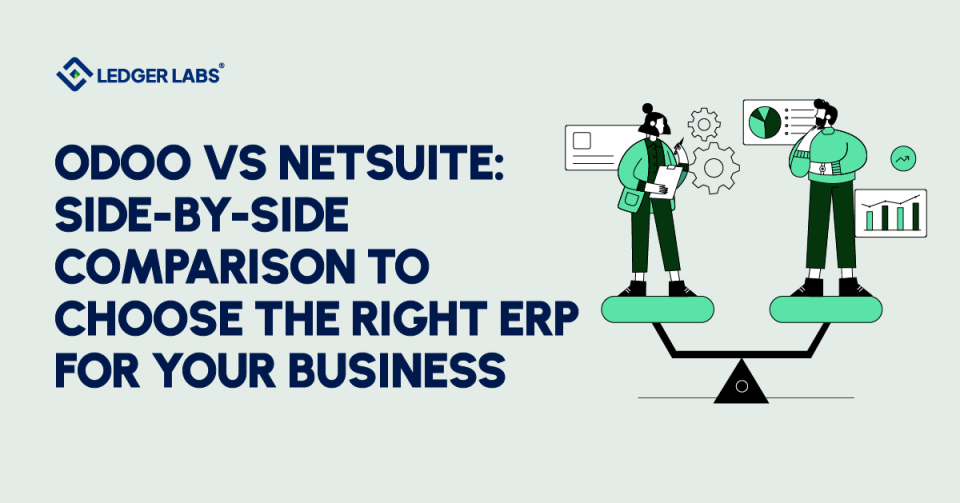
You’ve narrowed your ERP choice to Odoo or NetSuite. Both promise to fix the same problems: manual data entry across systems, finance teams spending the close cycle reconciling instead of analyzing, no real-time visibility into the numbers that drive decisions. But pick the wrong one, and you spend 18 months and six figures discovering the platform was built for a different size of business than yours.
This guide tells you which fits your business in 2026, based on what we have actually seen on real implementations, not vendor brochures.
Use Odoo if you run a single-entity business under roughly $10M in revenue, with budget pressure and either internal technical resources or a willing implementation partner. Use NetSuite if you run a multi-entity, multi-currency, or audit-ready operation in the $5M–$20M+ range or expect to be there within 18 months.
Key Takeaways
- Odoo wins on cost and flexibility. Subscription pricing is lower, the open-source Community edition is free, and you can add modules as you grow.
- NetSuite wins on a multi-entity scale. OneWorld handles multi-currency, multi-subsidiary, and consolidation natively; Odoo gets there only with significant custom work.
- Implementation timelines are similar, but the risk profiles differ. Odoo: 10–16 weeks but heavily dependent on configuration discipline. NetSuite: 14–24 weeks, but more predictable under SuiteSuccess.
- The decision usually comes down to five questions: entity count, revenue recognition complexity, transaction volume, internal technical ownership, and 3-year TCO. Most buyers know the answer after question two.
Odoo vs NetSuite at a Glance
| Dimension | Odoo | NetSuite |
|---|---|---|
| Deployment model | SaaS, self-hosted, or on-premise (Community is open-source) | SaaS only (Oracle-hosted) |
| Pricing model | Per-app, per-user; Community free | Bundled SuiteSuccess + per-user licensing |
| Target company size | $1M–$10M revenue, single-entity | $5M–$200M+, multi-entity capable |
| Core modules covered | 30+ modules à la carte | Full ERP suite included |
| Customization approach | Open-source Python; deep flexibility | SuiteScript + SuiteCloud Platform; controlled |
| Multi-entity support | Possible with configuration | NetSuite OneWorld native |
| Implementation timeline | 10–16 weeks typical | 14–24 weeks under SuiteSuccess |
| 3-year TCO band | $25K–$120K all-in | $90K–$400K+ all-in |
What Is Odoo?
Odoo is an open-source modular ERP platform that runs accounting, CRM, inventory, manufacturing, HR, and 30+ other business functions on a single database.
You buy what you need and add modules as your operations grow, no all-or-nothing licensing, no waiting for the vendor to release a feature your team already built. Odoo runs on three deployment models: Community (free, self-hosted), Enterprise (paid, hosted by Odoo), and on-premise.
What makes Odoo distinctive is the combination of modular architecture and source-code access. You configure what you need, customize what you want, and own the result.
Key Strengths of Odoo
Modular architecture is Odoo’s structural advantage. Most ERPs force you into a bundled license whether you use the modules or not. Odoo lets you turn on Inventory without paying for Manufacturing, or run Accounting standalone before adding CRM later. You pay for what you use.
The platform handles five operational pillars well at the SMB scale:
- A centralized database that links sales, inventory, accounting, and customer records, with no parallel systems to reconcile
- Demand forecasting and replenishment logic for businesses managing physical inventory
- Built-in ticketing and helpdesk for customer service operations
- Production planning and MRP for light-to-mid manufacturing workflows
- Standard accounting functions, invoicing, AP, AR, bank reconciliation, and multi-currency handling at the single-entity level
Odoo’s open-source codebase is a key advantage, allowing teams or implementation partners to modify the platform directly.
This flexibility enables custom inventory rules, proprietary reporting, and integration of niche tools, unlike closed ERP systems. However, extensive customization can make upgrades and support challenging if your implementation partner leaves.
Who Odoo Is Best For?
Odoo for small business is a strong fit when three conditions line up. First, you operate as a single legal entity, one country, one currency, one chart of accounts, with revenue typically under $10M.
Second, you have either internal technical resources or budget for a competent Odoo partner; the platform rewards configuration discipline and punishes shortcuts.
Third, you value modular pricing: pay for Inventory and Accounting now, and add Manufacturing or HR when you’re ready.
Industry patterns we see most often: ecommerce brands needing tight inventory and order management integration, light manufacturing businesses running MRP, and professional services firms wanting CRM plus accounting in a single stack.
Odoo Community works for budget-constrained operators with internal Python capability; Odoo Enterprise is the right call when you want vendor-hosted infrastructure and official support.
Pros and Cons of Odoo
| Pros of Odoo | Cons of Odoo |
|---|---|
| Modular pricing - pay only for the apps you use, add modules as you grow | Heavily customized deployments become harder to upgrade and maintain |
| Open-source codebase (Community edition) - full source-code access for unlimited customization | Multi-entity, multi-currency, and consolidation reporting require significant configuration |
| Lower entry cost - Community is free; Enterprise starts around $31/user/month | Community edition is free to license, but not free to run; hosting, security, and upgrades are your responsibility |
| Tight native integration across CRM, sales, inventory, accounting, and helpdesk on one double-entry accounting system database | Audit-readiness and US GAAP compliance need add-on configuration vs. NetSuite's defaults |
| Strong fit for ecommerce, light manufacturing, and professional services under $10M revenue | MRP and inventory engines strain under high-volume manufacturing and 3+ warehouse operations |
| Active global community with 12M+ users and a large partner ecosystem | Quality and pricing of Odoo implementation partners vary significantly, vetting matters |
| Quick to deploy for single-entity SMBs (10-16 weeks typical) | Configuration debt accumulates fast, skipping discovery to save time almost always backfires |
What Is NetSuite?
NetSuite is a cloud-native SaaS ERP by Oracle, used globally. Unlike Odoo, it operates as a single hosted product with no on-premise or self-hosted options. Oracle manages the platform, providing two major updates annually. Users can configure, but not modify, NetSuite.
NetSuite stands out for mid-sized businesses with its unified system and built-in financial controls. Most of these companies want their ERP ready to use right away, without customization.
Key Strengths of NetSuite
NetSuite’s unified data architecture is its key strength. Every transaction, customer payments, vendor invoices, and journal entries, flows into the same general ledger and uses the same chart of accounts, automatically maintaining a complete audit trail. With everything on one platform, there are no integration points to manage between accounting and operations.
The platform handles five operational pillars at the mid-market scale:
- Time tracking and project profitability for service-based businesses billing hourly or by milestone
- Email marketing and campaign management are built natively into the CRM module
- AP and AR workflows with approval routing, three-way matching, and electronic payment processing
- Real-time dashboards customizable per role, CFOs see consolidated P&Ls; controllers see close progress; ops sees order pipelines
- Financial reports compliant with US GAAP, supporting revenue recognition under FASB ASC 606, and audit-ready financial statements
SuiteSuccess helps buyers implement NetSuite smoothly and predictably. It offers Oracle’s tailored methods for different industries like ecommerce, software, manufacturing, and professional services. You start with pre-made workflows, account structures, dashboards, and key performance indicators (KPIs), then adjust as needed.
However, deep customizations require SuiteScript and the SuiteCloud Platform, which are powerful but can be slower and more expensive than modifying open-source code directly.
Who is NetSuite best for?
NetSuite is the right call when three conditions line up. First, you operate as, or are scaling toward, a multi-entity, multi-subsidiary, or multi-currency business; NetSuite OneWorld handles consolidation, intercompany eliminations, and currency translation natively, which Odoo gets to only with significant configuration.
Second, your revenue sits in the $5M–$200M+ range, and you have either an audit on the horizon or revenue recognition complexity that demands defensible financial controls.
Third, you want out-of-the-box functionality your finance team can use on day one, not a platform your developers customize for six months.
Industry patterns we see most often when this fit lines up: SaaS companies preparing for a Series B audit, ecommerce brands rolling up multiple DTC entities, and manufacturers consolidating subsidiary operations. If you’re a single-entity SMB under $5M, NetSuite is usually overbuilt for what you actually need today.
Pros and Cons of NetSuite
| Pros of NetSuite | Cons of NetSuite |
|---|---|
| Unified architecture - one general ledger, one chart of accounts, one source of truth | List prices are not published; every contract is negotiated, which complicates budgeting |
| Native multi-entity, multi-subsidiary, multi-currency support via NetSuite OneWorld | Higher entry cost, typical SMB/mid-market subscriptions start at $2,500-$4,500/month |
| Audit-ready by default, full audit trails, segregation of duties, and FASB ASC 606 revenue recognition built in | Closed ecosystem customization runs through SuiteScript, requiring certified developers |
| SuiteSuccess methodology delivers predictable, industry-tailored implementations | Add-on modules (SuiteAnalytics, Demand Planning, WMS) and per-warehouse user fees stack quickly |
| Real-time, role-based dashboards and SuiteAnalytics reporting layer ship as standard | Overbuilt and over-priced for single-entity businesses under $5M revenue |
| Twice-yearly automatic upgrades and customizations carry forward cleanly | Standard licensing covers basic W-2 forms and US payroll inputs, but advanced payroll often requires the SuitePeople add-on |
| Strong fit for $5M-$200M+ businesses with growth trajectory or multi-entity operations | Implementation timelines run 14-24 weeks longer than Odoo, though more predictable |
Odoo vs NetSuite: Feature-by-Feature Comparison
Both platforms cover the standard ERP feature set. What separates them is how each handles those features at scale, and where each starts to break down once your business outgrows the configuration.
The next six dimensions are where buyers most often discover that the platforms aren’t as similar as the marketing pages suggest.
1. CRM Capabilities
Odoo’s CRM works well with sales, inventory, accounting, and helpdesk, all using the same customer record. It includes features like pipeline management, lead scoring, automated email follow-ups, and quote-to-cash workflows. This makes it fast to set up and suitable for ecommerce and small to medium-sized businesses (SMBs).
NetSuite’s CRM is designed for larger businesses. It offers features such as territory management, multi-channel campaign tracking, partner relationship management, and built-in marketing automation. However, most businesses choose NetSuite for its accounting functions instead of its CRM. They often use Salesforce or HubSpot for sales.
At Ledger Labs, we analyze how CRM integrates with NetSuite, focusing on the proper setup of existing Salesforce or HubSpot systems. Issues often arise in this area.
2. Sales Management
Odoo and NetSuite offer similar sales management features, including quote creation, order management, pricing rules, discount approvals, and invoice conversion. Odoo is quick to set up, allowing a functional sales pipeline in days. NetSuite, while more complex, integrates closely with financial controls for audit-ready businesses.
The key difference is in approval workflows. NetSuite supports complex multi-tier approvals and role-based escalations out of the box, while Odoo requires more setup for detailed rules.
For small and medium-sized businesses using standard quote-to-cash processes, Odoo meets 90% of needs at a lower cost. NetSuite justifies its higher price for those needing strong audit trails and complex commission structures.
3. Accounting & Financial Management
NetSuite has a clear advantage in accounting with built-in features. It offers US GAAP-compliant financial reporting, automatic revenue recognition under FASB ASC 606, multi-book accounting, and full audit trails, all without needing add-ons.
Odoo’s accounting module is effective for single-entity businesses with simple financial needs, handling invoicing, accounts payable, accounts receivable, bank reconciliation, multi-currency transactions, and standard reports. However, it struggles with multi-entity consolidation, intercompany eliminations, and audit readiness for regulated industries.
At Ledger Labs, we’ve seen Odoo work well for $3 million ecommerce brands. However, it can become a bottleneck for $15 million businesses adding a second subsidiary, often prompting discussions about switching systems.
4. Inventory Management Comparison
NetSuite is designed for businesses with multiple warehouses and locations. It offers tools for demand planning, automated replenishment, lot and serial tracking, landed cost calculations, and inventory reporting. This makes it ideal for companies with three or more fulfillment locations or complex inventory needs.
Odoo’s Inventory module is effective for ecommerce and light manufacturing, featuring barcode scanning, pick-pack-ship workflows, and basic forecasting. Its Manufacturing module adds MRP, work orders, and BOM management for assembly or production work.
However, there are trade-offs:
- Odoo’s MRP can struggle with high-volume manufacturing due to complicated BOMs and production processes.
- NetSuite charges extra for advanced features and per-user licensing.
- Odoo lacks the depth of demand planning and forecasting that NetSuite provides.
- NetSuite is too complex and costly for single-warehouse businesses.
At Ledger Labs, we configure Odoo for ecommerce clients shipping over 5,000 orders monthly from one or two warehouses. For higher volumes or more than three locations, we usually recommend NetSuite.
5. Reporting & Analytics
NetSuite SuiteAnalytics is the platform’s reporting tool, featuring saved searches, customizable dashboards, and scheduled reports. Dashboards provide real-time data based on user roles: CFOs view financials, controllers track closing progress, and operations see order pipelines, all within NetSuite. It’s built for audit-ready financial reporting and consolidation.
Odoo uses Odoo Studio for custom reports and the Spreadsheet module for quick analysis. While it has standard financial reports and allows some flexibility, Odoo struggles with multi-entity consolidation reporting and complex audit trails.
Ledger Labs notes that Odoo’s reporting is suitable for single-entity small and medium-sized businesses (SMBs), as many clients export reports to Google Sheets or Excel for board meetings. However, Odoo falls short of NetSuite in delivering audit-ready consolidation across multiple entities without extensive custom work.
6. Integrations & Customization
Odoo customization uses Python and an open-source codebase. This allows your team or implementation partner to modify the platform by adding custom fields, creating new modules, or connecting with APIs. Common integrations include Shopify, Amazon, Stripe, HubSpot, Mailchimp, and major shipping carriers.
NetSuite customization uses SuiteScript and the SuiteCloud Platform. You can create custom workflows, validation rules, and records. However, it is a closed system. Similar integrations are available through certified SuiteApps.
The key differences are:
- Odoo offers deeper customization, but upgrading can be harder when heavily modified.
- NetSuite restricts changes, but customizations can be upgraded easily.
Odoo development usually costs less per hour, while NetSuite requires certified expertise. Heavily modified Odoo may become unsupported if your partner leaves, but NetSuite customizations are transferable.
At Ledger Labs, we believe it’s better to ask which customization model fits your team’s needs: open and flexible or controlled and easy to maintain.
Odoo vs NetSuite Pricing Comparison 2026
Pricing is where most comparison pages get vague. We won’t.
Both vendors regularly update their prices. NetSuite negotiates contracts, while Odoo’s low initial cost may rise with customization. The figures below reflect subscription, per-user, implementation, and three-year ownership costs for businesses with $1 million to $20 million in revenue, based on recent deals.
Odoo Pricing Breakdown
Odoo’s pricing is based on the apps you choose and the number of users. Odoo Community is free to use, but there are costs for infrastructure, setup, and support. Odoo Enterprise, hosted by Oracle and with official support, costs around $31 per user per month as of 2026. You also pay extra for each app.
For a 10-user Enterprise setup with Accounting, Inventory, Sales, and CRM, expect monthly subscription costs of $700 to $1,200. Hiring a third-party implementation partner is often necessary, adding setup costs for the first year that range from $25,000 to $80,000, depending on customization and data migration.
While Odoo Community is free to license, it requires ongoing costs for hosting, security updates, and support, which can accumulate over time.
NetSuite Pricing Breakdown
NetSuite pricing consists of a SuiteSuccess subscription and a fee for each user, with negotiable quotes. Oracle doesn’t publish list prices, so online figures are estimates.
For small to mid-sized businesses, subscriptions generally start at $1,200 to $2,500 per month, plus $100 to $200 per user each month. A 10-user mid-market setup typically costs $2,500 to $4,500 monthly.
Implementation, covering setup, data transfer, training, and support, usually ranges from $40,000 to $150,000 for businesses with $5 million to $20 million in revenue. Costs vary based on entity count and integration complexity.
NetSuite prices are negotiable, and end-of-quarter deals can often provide 15 to 25% off list prices.
Total Cost of Ownership Over 3 Years
The total cost of ownership picture is closer than the sticker price suggests. Most buyers compare monthly subscription costs and stop there. That’s the wrong lens, implementation, customization, ongoing support, and version-upgrade work account for 50–70% of the real 3-year spend on either platform.
Working through the math for a typical $5M–$15M business running 10–15 users:
- Odoo Enterprise 3-year TCO: $25K–$120K all-in, including subscription, implementation, customization, hosting (if Community), and ongoing support
- NetSuite SuiteSuccess 3-year TCO: $90K–$400K all-in, including subscription, implementation, integration work, and ongoing administration
- Where Odoo TCO escalates: heavy customization, multi-entity workarounds, version upgrades on customized deployments
- Where NetSuite TCO escalates: add-on modules (SuiteAnalytics, Demand Planning, WMS), incremental user licenses, and advanced revenue recognition
The difference between the two platforms is significant, but your costs depend more on the number of entities, customization level, and project scope clarity than subscription rates. An Odoo project that costs $80K can be more cost-effective than a $90K NetSuite project if ongoing customization costs increase. The key factor is not the platform, but your implementation discipline.
Implementation, Onboarding & Support
You’ve reviewed the pricing details. Next, consider how long the implementation really takes and what can cause delays.
Ignore the vendors’ claims of quick setups; they measure from contract signing to the first login. In reality, a proper ERP rollout takes longer, from signing to a successful go-live with clean data, trained users, and a finance team ready to close the books in the new system, usually adding 8 to 12 weeks.
The numbers below reflect the time frames we’ve seen in real Ledger Labs projects over the past 24 months.
Odoo Implementation Timeline & Requirements
Odoo Enterprise implementations usually take 10–16 weeks for businesses with $1M–$10M in revenue, assuming a clear scope with Accounting, Inventory, CRM, and Sales modules, plus standard integrations like Shopify, Stripe, or QuickBooks data migration. Adding Manufacturing or HR modules extends it to 14–18 weeks, and deep customization can push it over 20 weeks.
The phases break down predictably:
- Discovery and configuration: 2–3 weeks
- Data migration and module setup: 3–5 weeks
- User acceptance testing and training: 2–4 weeks
- Go-live and stabilization: 2–4 weeks
Odoo projects can face delays due to configuration debt. Teams often skip the discovery phase to save time and start configuring before properly mapping the chart of accounts. After a few months, they might realize the general ledger can’t support the CFO’s reporting needs, which usually results in a rebuild that adds 6 to 10 weeks to the timeline.
Successful implementation requires a dedicated finance lead, operations lead, and project manager to manage timelines from day one. If these roles aren’t filled early, the project is likely to fall behind. The Odoo implementation guide details milestones for each phase.
NetSuite Implementation Timeline & Requirements
NetSuite SuiteSuccess implementations take 14 to 24 weeks for businesses with $5 million to $20 million in revenue. This method offers tailored solutions with pre-set workflows, account charts, and dashboards, speeding up setup compared to starting from scratch.
For multi-entity OneWorld deployments, add 4 to 8 weeks for consolidation, intercompany rules, and currency translation testing.
The phases under SuiteSuccess are more rigid by design:
- Discovery and SuiteSuccess configuration mapping: 3–4 weeks
- Data migration, integration build, and module activation: 5–8 weeks
- User acceptance testing and finance team training: 3–5 weeks
- Go-live, parallel close, and stabilization: 3–6 weeks
Complex integrations delay NetSuite projects. Most stay on schedule until the integration phase, such as connecting Shopify or using the NetSuite Salesforce Connector. Unexpected field mapping issues or API limits can lead to delays of 4 to 8 weeks.
Compared to Odoo, NetSuite takes longer but is more predictable. The process is structured, milestones are clear, and risks are known. The complete NetSuite implementation guide outlines what each SuiteSuccess phase delivers.
Factors to Consider When Choosing Between Odoo and NetSuite
You don’t pick an ERP based on which one looks better in a demo. You pick the one whose trade-offs align with your business, today and in 3 years. The four factors below are the ones we walk every client through before we give a recommendation.
1. Flexibility & Customization
Flexibility splits in two directions: how much you can change, and how survivable the change is.
Odoo offers extensive customization through its open-source Python code, enabling developers to modify processes, create custom modules, and integrate with various APIs. However, this flexibility may require rework with each major version update.
NetSuite provides a more controlled customization environment through SuiteScript and SuiteCloud Platform, ensuring that customizations remain intact during Oracle’s semi-annual updates.
The key consideration is whether your business requires deep modifications (Odoo) or stable customizations (NetSuite).
2. Total Cost
Many buyers mistakenly focus on subscription pricing, which is just a small part of the total three-year spend. Odoo’s Community version is free, and the Enterprise version starts at about $31 per user per month, making it appealing for basic use. However, customization, hosting, and support can drive costs higher.
NetSuite has higher subscription prices but allows for negotiation and may offer 15-25% discounts. Although its upfront implementation costs are steeper, its total cost over three years tends to be more predictable than Odoo’s.
When evaluating, focus on the total cost of ownership over three years rather than just the monthly prices.
3. Complexity & Technical Expertise
The complexity question is fundamentally about staffing. Odoo Community requires strong technical skills in Python, server administration, and version management, rewarding disciplined configuration. Odoo Enterprise minimizes infrastructure needs since it’s hosted by Oracle, but still needs Odoo-certified developers for custom work.
NetSuite, as a fully managed SaaS platform, eliminates infrastructure concerns but introduces a learning curve with SuiteScript and SuiteAnalytics. NetSuite administrators typically command higher salaries than Odoo admins, and certified SuiteCloud developers are hard to find.
In summary, if you have internal Python capabilities, Odoo is a viable option. If not, consider the premium for NetSuite’s managed-service model.
4. Scalability & Long-Term Value
Scalability is about whether a platform’s architecture supports future business needs, not just its ability to handle more transactions. Odoo excels in single-entity, single-currency operations with strong multi-entity consolidation and financial reporting, while NetSuite is designed for significant growth, supporting multi-subsidiary consolidation natively.
NetSuite can accommodate businesses scaling from $5M to $200M+ without needing architectural changes, albeit at a higher cost and complexity. Choose Odoo for operational scaling; choose NetSuite for structural scaling.
When We've Recommended Each - Real Engagements
Two examples illustrate how the platform decision works in practice.
Case 1: A $4M ecommerce brand we kept on Odoo.
A direct-to-consumer brand with one US entity and two warehouses, handling about 3,500 monthly orders, considered migrating to NetSuite after seeing a competitor’s setup. Their Odoo Enterprise system managed all accounting, inventory, and orders for around $14,000 a year.
Switching to NetSuite would cost an additional $80,000 to $120,000 for implementation and over $40,000 annually. We recommended they stay with Odoo, improve their close process, and fix three custom inventory rules causing reconciliation issues. This reduced their month-end close from 12 days to 5 days without changing platforms.
Case 2: An $11M SaaS company we migrated from Odoo to NetSuite OneWorld.
A SaaS business that grew on Odoo Enterprise added UK and Australian subsidiaries within 18 months. The finance team used Excel for consolidations, manually entering intercompany adjustments, and struggled to meet audit-trail requirements during a Series B due diligence cycle.
We compared the costs of staying on Odoo (over $90,000 for a custom build and ongoing maintenance) with migrating to NetSuite OneWorld ($110,000 for implementation and $45,000 annual subscription). We decided NetSuite was the better choice. As a result, they achieved a clean four-day consolidation close across three entities, had audit-ready financials for their Series B raise, and eliminated Excel-driven entries.
The lesson across both: the platform isn’t the variable. The fit is.
Conclusion
Choosing between Odoo and NetSuite depends on your business, not on which platform is better. Odoo is a good choice for single-entity businesses with budgets under $10M and some technical skills. NetSuite works best for businesses with multiple entities, currencies, or those needing to be audit-ready, especially in the $5M–$20M+ range. Usually, by the second question in our five-question assessment, it’s clear which platform fits better.
What matters more than the platform is how well you implement it. We have seen Odoo projects for $80K perform better than $90K NetSuite projects, and the opposite can happen, too. The key is finding the right fit and executing well.
If you’re still unsure, we offer a free 30-minute ERP fit assessment. This assessment will help you match your situation to the right platform or honestly tell you if neither option is right for you at this time.
FAQs
Is Odoo cheaper than NetSuite?
Yes, at the subscription level, Odoo Community is free, and Enterprise starts around $31 per user per month, versus NetSuite’s typical $2,500–$4,500 per month for mid-market deployments. The three-year total cost of ownership often converges once Odoo customization and partner fees compound. Our ERP fit assessment maps your specific TCO under both platforms.
Is NetSuite worth the cost compared to Odoo?
For multi-entity businesses needing audit-ready financial controls and proven scalability, yes, NetSuite OneWorld handles consolidation natively, whereas Odoo only does so through significant configuration. For single-entity businesses prioritizing affordability, Odoo delivers comparable value at a quarter of the cost. Our ERP fit assessment shows whether NetSuite’s premium is justified for your business.
Which is better for small businesses, Odoo or NetSuite?
Odoo fits single-entity small businesses under $5M revenue better, with modular pricing, lower entry cost, and open-source flexibility. NetSuite makes sense when you’re scaling rapidly, planning multi-entity operations within 18 months, or need audit-ready controls from day one. Our ERP fit assessment runs your revenue and growth trajectory through that exact decision logic.
Which is better for inventory management, Odoo or NetSuite?
NetSuite handles multi-location, multi-warehouse, and demand planning more robustly out of the box. Odoo’s Inventory and Manufacturing modules work well for ecommerce shipping under 5,000 orders monthly and light manufacturing with simple BOMs. Beyond that volume or three locations, NetSuite typically wins. Our ERP fit assessment quantifies that tipping point against your order volume.
Can Odoo replace NetSuite?
For single-entity businesses with standard accounting needs, yes, businesses do migrate from NetSuite to Odoo, usually for cost reasons. Replacement gets harder with multi-subsidiary, multi-currency, or complex revenue recognition under FASB ASC 606, where NetSuite OneWorld is difficult to replicate. Our ERP fit assessment tells you whether your NetSuite footprint can be replaced cleanly.
How long does it take to implement Odoo vs NetSuite?
NetSuite SuiteSuccess implementations typically take 14–24 weeks (3–6 months) for $5M–$20M businesses; multi-entity OneWorld adds 4–8 weeks. Odoo Enterprise runs 10–16 weeks (2–4 months) for basic configurations, longer with heavy customization. Our ERP fit assessment gives you a specific timeline based on your current setup — not a generic vendor estimate.
Who is qualified to advise on Odoo vs NetSuite selection?
An ideal advisor holds CPA credentials, AICPA membership, and direct delivery experience on both platforms. Ledger Labs combines all three: CPA-led, 12+ years of US outsourced accounting practice, and hands-on Odoo and NetSuite implementation experience for $1M–$20M businesses. Our ERP fit assessment is led by a CPA who has actually delivered both platforms.