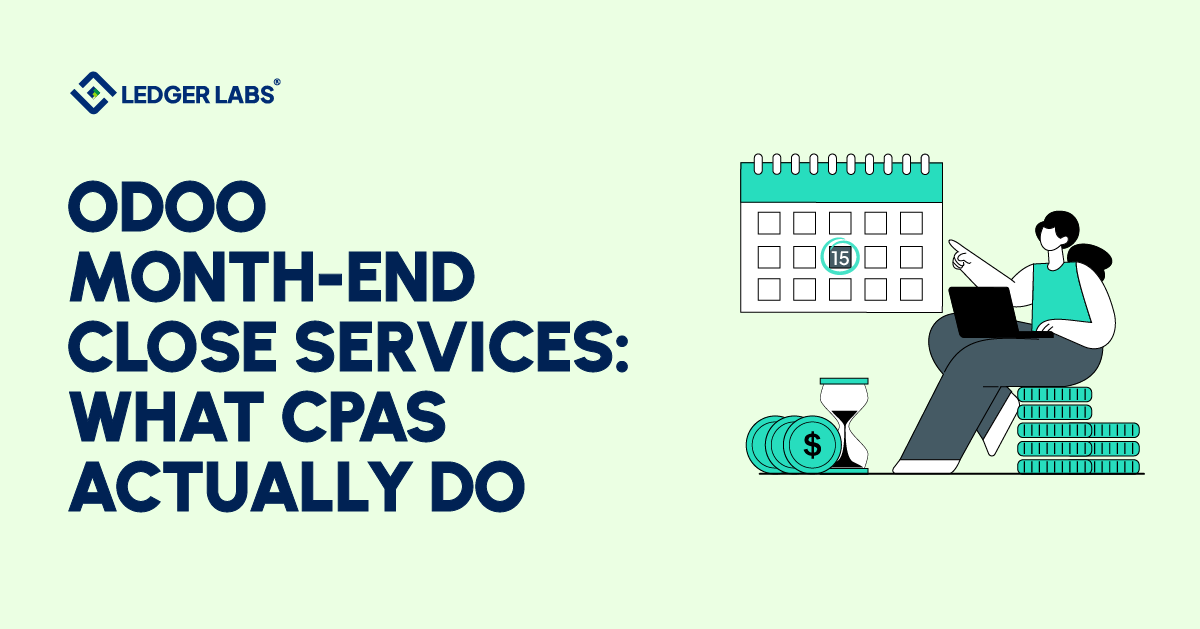
Your Odoo month-end close is technically done.
The P&L is out. The books are “closed.” Your accountant said everything looks fine.
But it ran well into the next month. The bank reconciliation was one of the last things finished. Two accruals got skipped because there wasn’t enough time.
That’s not a closed month. That’s a deferred problem.
Here’s the thing: many growing businesses on Odoo are running a partial close and calling it complete. Some steps get done. The rest get skipped. And the financial reports that come out the other end? They look right. They’re just not confirmed.
This guide covers exactly what a rigorous Odoo month-end close involves, the signs your current process isn’t working, and what professional Odoo month-end close services include, the deliverables, the timeline, and the accountant review layer that turns reported numbers into trusted numbers.
If your close keeps running late, this is where to start. Written for Odoo 17 and 18.
Key Takeaways
- A complete Odoo month-end close involves five steps: bank reconciliation, Accounts Payable and Accounts Receivable tie-out, adjusting entries, locking dates, and reviewing financial reports. Missing any of these steps may mean your reported numbers are inaccurate.
- Here are six signs your closing process needs attention: it keeps running late, bank accounts are unreconciled before reports, the Profit and Loss statement varies, accruals are missed, reconciliations are done outside Odoo, and no one is responsible for the process.
- Skipping adjusting entries doesn’t break Odoo, but it means your Profit and Loss statement doesn’t reflect the true activity of the month.
- Locking dates is often overlooked in Odoo. If you don’t do this, all periods remain open, and entries from previous periods can silently affect your financial reports.
- A bookkeeper checks that the reports balance, while an accountant confirms their accuracy. This difference is especially important during the adjusting-entry and financial-report review stages.
- Outsourced Odoo month-end close services can provide draft financials by day five and lock the general ledger by day seven. This is faster than the usual ten to fourteen-day cycle for in-house teams.
What does a Month-End Close in Odoo actually involve?
Month-end close in Odoo is the process of verifying, reconciling, and locking the completed fiscal period so that the financial reports produced are accurate, final, and audit-ready. It’s not a single button or an automated event; it’s a five-step sequence that has to be completed in order. Miss a step, and the numbers you’re reporting on aren’t confirmed.
Every Odoo business does some version of a month-end close. The question is whether their version produces numbers they can actually trust.
Here’s how Odoo works: it runs on a continuous-entry model. Transactions post in real time, invoices issued, bills received, and payments matched. That’s the system’s strength. But real-time entries don’t equal verified entries. The close process is what turns a continuous stream of transactions into a locked, confirmed financial snapshot of a single period.
A complete Odoo month-end close has five components, always in this sequence:
- Bank reconciliation – every cleared transaction matched, ending balance confirmed against the bank statement
- AP/AR tie-out – subledger balances confirmed against the general ledger, dollar for dollar
- Adjusting entries – accruals, deferrals, and prepaid amortization posted for the period
- Lock dates – GL locked for the period, prior-period entries prevented
- Financial report review – P&L, Balance Sheet, and Trial Balance reviewed and signed off before the close is called final
Most businesses running Odoo without a dedicated accounting team complete only some of these five steps. The gaps remain invisible until a tax filing, an audit, or a cash-flow decision exposes them.
The output of a correct close is specific: a locked general ledger, a reconciled bank account, posted adjusting entries, and draft financials reviewed by someone with accounting authority over the numbers.
That’s the standard. The sections below walk through each step and explain where the process typically breaks down.
Signs Your Odoo Month-End Close Is Broken
A broken Odoo month-end close does not make itself obvious. It happens gradually. Each shortcut, skipped accrual, stale bank feed, or lack of lock dates seems easy to handle at the moment. However, this amounts to a financial record that appears current but is not reliably accurate.
Each shortcut seems reasonable at the moment. There isn’t enough time to record everything, the bank feed is delayed, and the lock dates are not set up. However, over time, this creates a problem: a financial record that appears accurate but isn’t.
Here’s what a broken close looks like in practice:
- Your close keeps running into the middle of the next month. When the numbers arrive too late to use, that is usually a process problem, not a complexity problem: no close calendar, no owner for each step, no hand-off rules.
- Your bank account is never fully reconciled before reports go out. Unreconciled transactions mean the cash balance on your Balance Sheet does not reflect reality. Reports built on an unreconciled bank are unreliable by definition.
- Your P&L looks different depending on when you pull it. If the numbers shift after the fact, because someone posted to a prior period, your lock dates aren’t set. Prior-period entries corrupt comparative reporting silently.
- Your accruals get skipped “until next month.” Skipped accruals mean expenses and revenue land in the wrong period. A P&L that doesn’t reflect what actually happened isn’t useful for decisions.
- Your accountant is reconciling in spreadsheets outside Odoo. When the reconciliation work happens outside the system, the audit trail disappears, and the process isn’t reproducible.
- No one owns the close. No defined timeline, no checklist, no named person responsible for each step. The close happens when whoever has time gets around to it.
Any one of these is fixable. All six together describe a business whose financial reporting is running significantly behind its operational reality.
Here’s the good news: these are process failures, not system failures. Odoo can run a clean, locked, accountant-reviewed close. Most businesses just haven’t defined what that looks like for them yet.
Bank Reconciliation: The Foundation of a Clean Close
Bank reconciliation is always the first step in a correct Odoo month-end close. It confirms that every transaction recorded in Odoo matches what your bank actually cleared, and that the cash balance on your Balance Sheet is real. Everything else in the process depends on this being done first and completely.
Reconciliation isn’t a formality. It’s the verification step that certifies your cash position is accurate before you build anything else on top of it.
Here’s what a complete reconciliation certifies:
- Every cleared debit and credit in Odoo has a matching bank transaction
- The ending book balance in Odoo matches the ending bank statement balance
- Timing differences, outstanding checks, and deposits in transit are identified and documented, not ignored
- The bank feed is current to the close date, with no gaps in the transaction import
Here’s the most common reconciliation failure at the growth stage: a stale bank feed.
When the bank feed stops syncing and goes unnoticed, the month-end reconciliation starts in Odoo, and the bank is out of sync, often for non-accounting reasons. Finding this at the end of the close costs far more time than finding it at the start.
In an efficient close, bank reconciliation is completed first, as everything that follows, such as accounts payable, accounts receivable, adjusting entries, and lock dates, depends on a confirmed cash position.
Additionally, Odoo’s lock dates are important. Once the close is confirmed, a lock date prevents changes to the reconciled period, maintaining the verified balance. This step is vital.
A reconciled bank account isn’t the finish line. It’s the starting condition for everything that follows.
AP/AR Review and What the Aging Reports Are Actually Telling You
At the end of each month, you need to check your accounts payable (AP) and accounts receivable (AR) to make sure they match your general ledger. This means the total of all unpaid invoices in your AR accounts should equal the AR amount on your Balance Sheet, and the same goes for AP. If these numbers do not match, it indicates a posting error, which makes the Balance Sheet incorrect.
Many businesses use aging reports to help with collections and scheduling payments, which is fine. However, these reports are not meant for month-end reconciliation.
Here’s what the aging reports are actually telling you:
The aged receivables report shows:
- Which invoices are outstanding, but also which ones shouldn’t be (credits not applied, payments posted to the wrong invoice, duplicated invoices distorting the balance)
- Whether your AR subledger ties to the GL, if it doesn’t, there’s a posting error in the period
- Which receivables are likely to collect and which need allowance consideration, a judgment call that requires accounting knowledge, not just a report run
The aged payables report shows:
- What you owe and when it’s due, plus unapplied vendor credits sitting idle, duplicate bills posted, and payments that cleared the bank but weren’t applied against the bill in Odoo
- Whether your AP subledger ties to the GL, the same reconciliation standard as receivables
- What your 30-day cash requirement looks like, the operational output of a correct AP close
Here’s where most small-team close processes lose ground: the aged receivables report gets reviewed for collections, the aged payables report gets used to schedule payments, and the subledger-to-GL tie-out never happens. The Balance Sheet carries an AR or AP balance that quietly drifts from reality over months.
In a managed Odoo close, Odoo accounts payable services include a full subledger tie-out at every period-end, not just a balance check, but a line-by-line confirmation that the system’s records match the ledger.
Accruals, Deferrals, and the Adjusting Entries Most Odoo Businesses Skip
Adjusting entries, accruals, deferrals, and prepaid amortization are the step that corrects what should have been recorded but wasn’t. Accrual-basis accounting requires revenue and expenses to be recognized in the period they are earned or incurred, not when cash is exchanged. Odoo records transactions when they happen in the system. Those two dates aren’t always the same, and adjusting entries are how you fix the difference.
Subledger reconciliation confirms what you recorded. Adjusting entries correct for what you should have recorded but didn’t.
This is where most growing Odoo businesses have the largest gap. Not because they don’t know it matters. Because no one has time to do it before the deadline hits.
The three adjusting entries that matter most at month-end:
- Accrued expenses: A vendor performed a service in March, but their invoice hasn’t arrived yet. The expense belongs in March. Without an accrual entry, it shows up in April, and your March P&L understates costs.
- Deferred revenue: A customer paid upfront for a 12-month subscription. You received the cash, but you haven’t earned all the revenue yet. Recognizing the full amount in the month of payment overstates revenue and violates matching principles. Odoo natively handles scheduled deferral entries, but someone has to set them up.
- Prepaid expense amortization: You paid 6 months of insurance upfront. Each month, one-sixth of that payment should be recognized in the P&L as an expense. Without the amortization entry, the prepaid balance sits on your Balance Sheet indefinitely, and monthly expenses are understated.
Here’s what this looks like in practice:
A subscription business receives a $360,000 annual prepayment in January. Without a deferral schedule, January’s P&L shows $360,000 in revenue. February through December show zero. Every single month’s P&L is wrong, and any decision made on those numbers is built on a distortion.
Cut-off entries, making sure expenses and revenue land in the right period, not the period when the paperwork crossed your desk, are what separate a technically complete close from an accurate one.
Skipping adjusting entries doesn’t break Odoo. It just means your P&L is measuring something other than what actually happened in the month.
Lock Dates: The Step That Protects Everything You Just Closed
Lock dates in Odoo prevent anyone from posting transactions to a period that’s already been closed and verified. Without them, every period remains permanently open, meaning a transaction entered today can be dated into any earlier month without the system stopping it. Setting lock dates is how you protect the work you just completed.
You’ve reconciled the bank. You’ve tied out the subledgers. You’ve posted the adjusting entries. Everything in the period is confirmed.
Now here’s the risk: someone posts a transaction dated last month. Or a bill gets entered with the wrong date. Or an automated sync pushes a prior-period entry without anyone noticing.
All of that undoes the close silently, without notification.
That’s exactly what lock dates prevent.
Odoo’s lock dates are under Accounting ‣ Accounting ‣ Lock Dates. Their names changed between versions, and the sequence matters:
- Journal Entries Lock Date (Odoo 17) prevents creating or changing journal entries dated on or before the lock date. Users in the accountant access group can still create and modify entries, so the review can continue.
- All Users Lock Date (Odoo 17) is the final layer. It applies to everyone, including the accountant group. Once this is set, the period is effectively final.
- Lock Everything date (Odoo 18) prevents changes to posted entries, and the posting of new entries, dated on or before the lock date. A new entry dated inside the locked period is moved to the day after the lock date. Only a user with Administrator access rights to Accounting can create an exception, for themselves or for everyone and for a set time, with a reason, and Odoo logs it in the company record’s chatter.
- Tax Lock Date (Odoo 17) / Lock Tax Return date (Odoo 18): tax values of new transactions dated before it are moved to the next open tax period. Set this once your sales tax return for the period is confirmed.
The correct sequence is:
- Post the adjusting entries, then set the first lock: the Journal Entries Lock Date in Odoo 17, or the Lock Everything date in Odoo 18
- Complete the financial report review
- Make the lock final: set the All Users Lock Date in Odoo 17; in Odoo 18, make sure no exception is left open. The period is now locked for everyone
Why does the sequence matter? Locking everyone out before the final review is complete forces you to unlock the period (or, in Odoo 18, open an exception) to make corrections, creating audit trail issues and adding unnecessary steps.
Here’s the most common lock date failure: no configuration at all.
Businesses that have never set lock dates in Odoo are running with every period permanently open. Anyone on the team can post a transaction dated six months ago, and the system won’t flag it. The Q1 P&L you published may change in Q3 without notice.
Moving the lock date forward is a short step at the end of every close. Not setting it is an ongoing risk.
Financial Reports: What an Accountant Reviews Before Calling the Month Closed
Before the final lock goes on and the month is called final, there’s a report review step that distinguishes an accountant-managed close from a self-managed one. The financial reports aren’t just the output of the close. They’re part of the verification process. Four specific reports need to be reviewed in order before any period is locked.
Here’s the distinction most businesses miss:
Running reports and reviewing reports are two different things.
A bookkeeper confirms the report’s balance. An accountant asks whether the reports reflect what actually happened, and investigates when they don’t.
Four reports reviewed before the close are final:
- The Profit & Loss statement shows if revenue and expenses were recorded correctly and if the results make sense. An accountant looks for reasons behind significant changes from last month, checks for unrecorded expenses, and compares gross margins to past periods.
- The Balance Sheet confirms that each line links to reconciliations, including the bank balance, accounts receivable, accounts payable, and prepaid/deferred balances. An unreconciled line raises questions about the whereabouts of the money.
- The Trial Balance checks if total debits equal total credits. If not, it usually signals a posting error.
- The General Ledger is reviewed for unusual items, such as large round-number entries, non-zero balances in zero-balance accounts, and duplicate entries. This is where hidden errors often appear.
Here’s the bottom line: the month isn’t closed when the reports run. It’s closed when someone with accounting authority has reviewed them, confirmed they’re accurate, and signed off on the numbers.
That’s the accountant review layer. And it’s the step no software platform can replace.
What Outsourced Odoo Month-End Close Services Include
Outsourced Odoo accounting covers month-end close in five steps: bank reconciliation, confirming accounts payable and receivable, making adjustments, locking the general ledger, and reviewing reports. At Ledger Labs, you’ll receive a draft Profit and Loss statement and Balance Sheet by day 5, and a locked general ledger by day 7, every month.
So what does that actually look like, day by day?
Here’s the exact scope:
Day 1–2: Bank reconciliation and transaction review
Every cleared transaction matched. Bank feed confirmed current. Ending book balance tied to the bank statement. Timing differences documented. Outstanding items flagged for client review if needed.
Day 2–3: AP/AR subledger tie-out
Aged receivables and payables reviewed. Subledger totals confirmed against GL balances. Unapplied payments, duplicate postings, and misapplied credits were identified and corrected.
Day 3: GL locked for non-advisers
Journal lock date set. Staff-level posting to the closed period is prevented. The close is protected while the accountant review continues.
Day 3–4: Adjusting entries posted
Accrued expenses, deferred revenue, and prepaid amortization entries were reviewed and posted. Cut-off items confirmed. All adjusting entries documented with supporting notes.
Day 5: Draft financials delivered
Draft P&L, Balance Sheet, and GL detail delivered to client, with a variance note flagging any line item that moved more than 10% versus prior month, with explanation.
Day 7: Final financials and adviser lock
Final financial package delivered. Client questions from the draft have been resolved. Adviser lock date set. Period is final.
What’s not included (unless separately scoped): tax return preparation, payroll processing, sales tax filings. The close service covers the books, not the downstream compliance work.
What you stop doing on day one:
- Manually reconciling the bank yourself
- Chasing down whether the accruals were posted
- Running reports and wondering if they’re right
- Waiting until day 14 to see last month’s numbers
Want the full sequence in a single reference? The Odoo Month-End Close Checklist covers every step and is formatted for your team.
In-House vs. Outsourced Odoo Close: How to Know Which One You Actually Need
The decision between in-house and outsourced Odoo month-end close comes down to one question: Is your current setup producing numbers you trust, on a timeline that’s useful for decisions? If your close runs past day 7, your bank isn’t reconciled before reports go out, or no accountant is reviewing the GL before the month is final, those are the clearest signals that outsourcing makes sense.
Outsourcing the close isn’t the right call for every business. Here’s an honest framework for deciding.
| Factors | In-House DIY Close | Ledger Labs Managed Close |
|---|---|---|
| Close cycle time | Typically 10–14 days | One week after month end |
| Accountant oversight | Depends on who you have internally | Accountant review on every close, every month |
| Adjusting entries | Often skipped or inconsistent | Posted every period, accruals, deferrals, and prepaids |
| Lock dates | Frequently not configured | Set by day 3 (non-advisers), day 7 (adviser) |
| Financial report review | Whoever has time | Named accountant review with variance notes |
| Cost structure | Controller/bookkeeper salary + overhead | Fixed monthly fee |
| Scales with volume | More transactions = more manual time | Process scales, fee adjusts at defined thresholds |
Outsourcing makes sense when:
- Your close consistently runs past day 7
- Your bank reconciliation is never fully done before reports go out
- You don’t have an accountant reviewing the GL before the month is called final
- You’re making hiring, inventory, or cash flow decisions on monthly numbers you’re not fully confident in
- Your accountant is spending a close week in spreadsheets rather than in Odoo
It probably doesn’t make sense when:
- You have an in-house controller with dedicated close bandwidth
- Your transaction volume is low enough that the close takes 2–3 days consistently
- Your financial reports are already trusted internally and reviewed before distribution
Here’s the honest version: if you’re reading this and your close runs two weeks, the bank isn’t reconciled before reports go out, and no one is reviewing the GL before the adviser lock, those aren’t edge cases. Those are the three most common starting points we see in new Odoo engagements. And all three are fixable within a single closed cycle.
Conclusion
Here’s what the close timeline you saw in the comparison above actually costs:
Take your controller’s or accountant’s hourly rate. Multiply by the hours a 12-day close burns. That’s your monthly number. Multiply by 12. That’s the annual cost before you factor in any decisions made based on numbers that weren’t verified before they went out.
A 7-day close with an accountant review doesn’t just save time. It produces numbers that are trusted before they’re used.
If your current Odoo close is running past day 7, the bank isn’t reconciled before reports go out, or adjusting entries are being skipped, those are specific, fixable problems with a defined sequence for resolving them.
You now know what that sequence looks like. The question is who’s running it.
Book your free consultation call
No commitment. We’ll review your closing process, identify gaps, and show you what a 7-day close looks like for your business, whether you work with us or not.
FAQs
What does an outsourced Odoo month-end close cost?
Outsourced Odoo month-end close services are typically priced on a fixed monthly fee based on transaction volume and scope. Our plans and what each includes are on our pricing page. That includes bank reconciliation, AP/AR tie-out, adjusting entries, lock dates, and draft financials, not tax filings or payroll. The most accurate way to get a number is a close review that maps your current transaction volume against the work required. Our free month-end close review does exactly that.
Can you outsource the month-end close for an Odoo business?
Yes, it’s simpler than many businesses think. An accounting firm with Odoo experience can access your account, complete the closing process, and deliver financial statements on time without interrupting your operations. When choosing a provider, look for a clear timeline with daily tasks and experience with Odoo’s lock-date system. If a provider can’t explain their closing process with specific deadlines, they are just delaying bookkeeping.
What does an accountant do during Odoo's month-end close that a bookkeeper doesn't?
A bookkeeper confirms that the entries balance. An accountant determines whether the entries are correct. At month-end, that distinction matters most at the adjusting entry and financial report review stages. An accountant will identify that a large expense belongs in the prior period, that a deferred revenue balance hasn’t been amortized correctly, or that a Balance Sheet line has been carried forward without reconciliation. For decisions like hiring, inventory, or financing, based on monthly numbers, the difference between technically balanced books and accurate books is material.
How do you close the books in Odoo?
Closing the books in Odoo follows five steps: (1) reconcile the bank account and confirm the ending balance, (2) review AP/AR aging and confirm subledger balances tie to the GL, (3) post adjusting entries: accruals, deferrals and prepaid amortization, (4) set a lock date under Accounting ‣ Accounting ‣ Lock Dates to prevent prior-period postings (the Journal Entries Lock Date in Odoo 17, the Lock Everything date in Odoo 18), (5) review the P&L, Balance Sheet, and Trial Balance, then make the lock final (the All Users Lock Date in Odoo 17; in Odoo 18, no exception left open). Odoo doesn’t have a single close button; the close is a managed sequence of verification steps. How long it takes depends on your volume and the state of the books; what matters is a set close calendar with a named owner for each step.
How long should an Odoo month-end close take?
There is no single right number of days, and Odoo does not set one. Close length depends on transaction volume, the number of bank accounts and entities, and how much cleanup the books need. A useful standard is a written close calendar, agreed in advance, that delivers reviewed numbers early enough to use for decisions. When a close runs late, the delays often start in bank reconciliation and adjusting entries. What drives the timeline isn’t complexity. It’s whether each step has a defined owner, a defined deadline, and a confirmation before the next step starts.
Does Odoo automatically close accounting periods?
No, Odoo allows you to post transactions to any open period unless lock dates are set. A month is only “closed” when lock dates stop earlier postings: the Journal Entries Lock Date and All Users Lock Date in Odoo 17, or the Lock Everything date in Odoo 18. Without these lock dates, periods remain open, so you can post transactions with dates from past months without any system warnings.
What's the difference between Odoo bookkeeping and Odoo month-end close services?
Bookkeeping keeps the transaction record current, invoices posted, bills recorded, and payments matched. Month-end close services verify that the transaction record is accurate, complete, and locked for the period. A bookkeeper ensures Odoo is up to date. A close service ensures what’s in Odoo is right. Both matter, but they’re different scopes. When we engage on a managed close, we identify the gaps and deliver verified financials, not just current ones. If you’re unsure which scope you need, the free close review maps exactly that.