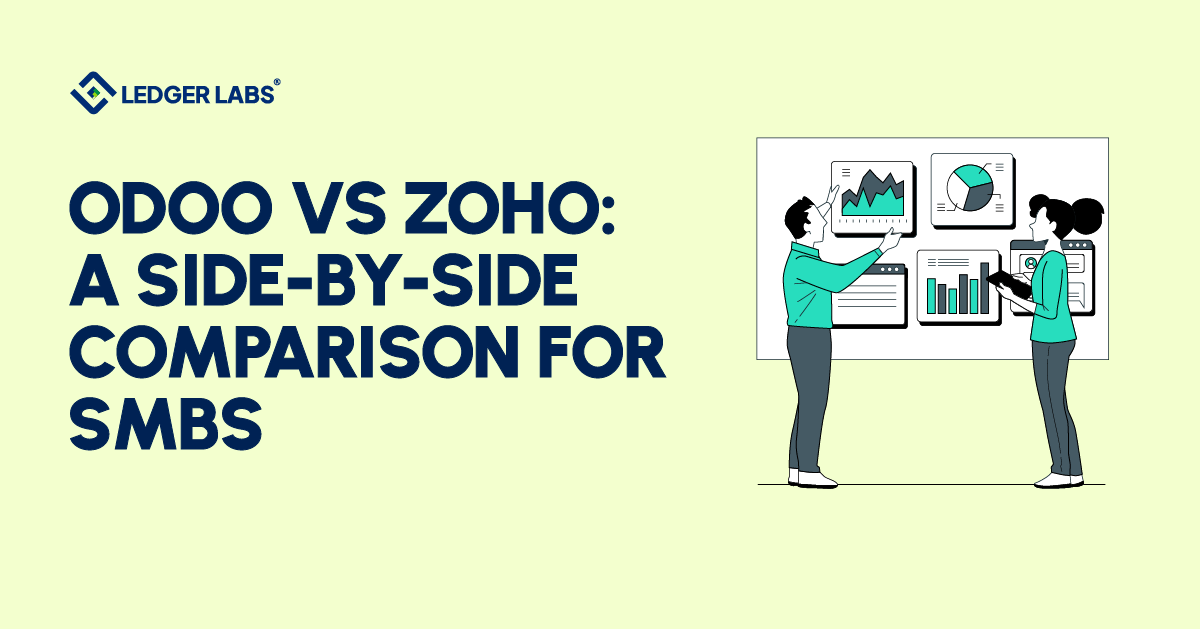
Choosing between Odoo and Zoho is one of the most common platform decisions US SMBs face when outgrowing QuickBooks or evaluating their first real ERP. The two platforms compete in the same conversation but solve different problems.
Odoo is a full ERP platform with an accounting module; Zoho Books is a focused accounting application within a broader business app ecosystem. That difference shapes pricing, implementation time, scalability ceiling, and which businesses each platform fits best.
This comparison covers what most buying decisions actually turn on: pricing reality after implementation, depth of the accounting module, ERP scope, US tax compliance, and the specific company profiles where each platform wins.
- Zoho Books fits sub-$5M single-entity SMBs; Odoo fits $2M–$50M multi-entity or manufacturing businesses.
- Odoo Enterprise Standard costs $31.10/user/month annually with all apps included.
- Zoho Books costs $15–$240/month per organization, with $2.50/user add-ons above included seats.
- Real-world cost runs 30–40% above published pricing on both platforms after implementation.
- Odoo wins decisively on multi-entity consolidation; Zoho Books wins on native US tax filing.
- Zoho Books reaches working state in 2–6 weeks; Odoo typically takes 6–12 weeks.
- Industry fit matters as much as company size when choosing between the two platforms.
- A evaluation matters more than the comparison itself for complex deployments.
Odoo vs Zoho at a Glance: Quick Comparison Table
US small and medium-sized businesses (SMBs) often compare Odoo and Zoho. Odoo is a complete ERP platform, while Zoho Books is a focused accounting app.
The table below outlines their differences and summarizes the common SMB types at Ledger Labs.
| Dimension | Odoo | Zoho Books |
|---|---|---|
| Entry pricing | Free (Community edition); paid Enterprise from ~$25/user/month per app, scaling up with module count | $20–$275/month per organization across published tiers; predictable per-user add-ons |
| Best-fit company size | $2M–$50M+ revenue, 25–150 employees, often multi-entity | Sub-$5M revenue, single entity, predictable accounting needs |
| Accounting module strength | Strong, multi-entity consolidation, deep customization, and audit trail depth | Strong for single-entity US SMBs, clean UI, good standard reports, and native US tax filing |
| ERP breadth | Full ERP across 30+ modules (manufacturing, inventory, CRM, HR, ecommerce) | Limited to Zoho ecosystem add-ons (Inventory, CRM, Zoho One bundle) |
| US tax compliance readiness | Workable but typically requires Avalara/TaxJar for multi-state sales tax | Native US tax filing on Books; multi-state sales tax still benefits from third-party tooling |
| Implementation time (typical) | 6–12 weeks for SMB deployment with partner support | 2–6 weeks for accounting-only setup |
| Ongoing support model | Partner-led for non-trivial deployments; partner quality varies in the US market | Vendor support + Zoho-certified consultants; lower complexity ceiling |
What Is Odoo?
Odoo is an open-source business platform built around a modular architecture. Companies adopt it as a full ERP suite or pick individual apps (accounting, inventory, CRM, manufacturing, HR, and ecommerce) and add more as they grow.
It’s actively used in the US, with a partner network handling implementation and support, and ships in two editions: the free, open-source Odoo Community Edition and a paid Enterprise edition with additional features for US businesses.
What Odoo Does Well?
Odoo’s modular design is a key strength, allowing businesses to start with just accounting and then add Inventory and Manufacturing as needed, without changing platforms or moving data. For multi-entity businesses, Odoo’s consolidation features are genuine, and its audit trail is detailed, yet much more affordable than top-tier ERPs.
Odoo also offers flexibility for businesses with unique workflows. Manufacturers, e-commerce companies, and professional services can customize Odoo to suit their operations, rather than changing how they work to fit the software.
Additionally, Odoo provides a strong balance between features and cost. A mid-sized business can access full ERP functions from Odoo Enterprise for a fraction of the price of similar services from NetSuite or SAP. While setup can be complex, businesses that invest the time often see long-term benefits.
When to Choose Odoo?
Odoo works best for US SMBs that match at least two of the following:
- $2M–$50M+ revenue with 25–150 employees. Below this scale, Odoo’s setup overhead doesn’t pay back; above it, businesses usually need a true enterprise ERP.
- Multi-entity operations. Holding companies, multi-LLC structures, and businesses spanning multiple legal entities benefit most from Odoo’s native consolidation.
- Manufacturing, distribution, or inventory-heavy operations. Odoo’s manufacturing and inventory modules are among its strongest, and businesses that use them as a core get disproportionate value.
- Non-standard workflows. Custom approval chains, unusual costing methods, project-based revenue recognition, anything off-the-shelf SaaS can’t accommodate cleanly.
- Internal technical resources or a strong implementation partner. Odoo rewards businesses that can drive customization; it punishes those that can’t.
What Is Zoho?
Zoho Books is an online accounting software designed for small and mid-sized businesses. It can file US taxes and integrates well with other Zoho applications, such as CRM, Inventory, Projects, Mail, and the full Zoho One package.
Unlike Odoo, which is an all-in-one ERP system with accounting features, Zoho Books focuses specifically on accounting. It becomes a more comprehensive business tool when used with other Zoho apps. This focus is both its greatest strength and its main limitation, depending on what the business needs.
What Zoho Does Well?
Zoho Books is quick to set up, making it ideal for small US businesses. You can start using it for invoicing, expense tracking, bank feeds, and financial reports within two to four weeks without needing help from an implementation partner. It offers useful reports and has more reliable bank feed connections than Odoo’s. The user interface is also friendly for non-accountants.
The pricing is clear and predictable, which benefits founders and finance directors planning budgets. The costs remain stable as the business grows.
For businesses using several Zoho products, the Zoho One bundle is often cheaper than purchasing each app separately. Adding features is also affordable, making platform expansion easier.
Zoho Books provides built-in support for US tax filing, including federal 1099 reporting and sales tax handling, making it easier to use than Odoo Community.
When to Choose Zoho?
Zoho Books works best for US SMBs that match at least two of the following:
- Sub-$5M revenue and single-entity operations. This is the sweet spot, the platform matches the complexity, and the alternatives (Odoo, NetSuite) are typically over-engineered for the scale.
- Predictable accounting needs. Standard chart of accounts, standard approval flows, standard reporting cadence, businesses without unusual workflow requirements get the most value.
- Limited internal technical resources. Without an in-house IT or finance systems lead, Zoho’s lower setup ceiling is a feature: less to configure, less to break, less that requires a partner to fix.
- Already inside the Zoho ecosystem. Businesses running Zoho CRM, Zoho One, or other Zoho apps benefit from genuinely tighter integration than Odoo-to-non-Odoo connections.
- Single-warehouse ecommerce or service operations. Zoho Books + Zoho Inventory handles single-warehouse and simple-service businesses cleanly; multi-warehouse or multi-location complexity hits a ceiling.
Odoo vs Zoho ERP: Full Platform Comparison
The Odoo vs. Zoho comparison is most helpful when a business considers which platform to choose for the next 5 to 10 years. Odoo and Zoho offer very different options at this level.
1. Module breadth
Odoo runs roughly 30+ first-party modules covering accounting, inventory, manufacturing, CRM, HR, recruitment, project management, marketing automation, ecommerce, point-of-sale, and field service, under one platform with shared data.
Zoho’s equivalent is the Zoho One bundle, which covers a comparable set of functionality (CRM, Books, Inventory, Projects, Desk, People, Mail, Campaigns, plus 30+ more), but as a suite of separately built apps that share the Zoho identity layer rather than a single unified data model.
2. Integration depth
This is where the architectural difference shows up. Odoo’s modules share the same database; adding Inventory automatically populates Accounting; Manufacturing automatically updates inventory and financial postings.
Zoho’s apps integrate well with each other but are independently architected; Zoho Books and Zoho Inventory communicate via configured sync rather than shared data. For most SMBs, the difference is invisible; for businesses running tightly coupled operations (for example, manufacturing → inventory → accounting in real-time), Odoo’s unified model is materially smoother.
3. Customisation
Odoo is built to be customized, from low-code studio tweaks to full developer-level extensions. Zoho’s customization surface is narrower: form-level edits, workflow rules, and Deluge scripting are powerful for most needs but hit a ceiling that Odoo’s open-source architecture doesn’t.
4. Scalability ceiling
Both platforms scale well into the lower mid-market; both hit ceilings before NetSuite or SAP. Odoo’s ceiling is generally higher for businesses with greater operational complexity (e.g., manufacturing, multi-entity, custom workflows). Zoho’s ceiling is generally higher for businesses with marketing/sales-and-service complexity (where CRM + Desk + Marketing Automation depth matters more than ERP depth).
The module-level differences below are summarised here, with the full breakdowns living on the dedicated comparison pages:
What About CRM? Odoo CRM vs Zoho CRM
Zoho CRM is the more mature CRM platform; it’s been Zoho’s flagship product for years, and the depth shows in lead scoring, sales process automation, and the ecosystem of CRM-specific add-ons.
Odoo CRM is improving, particularly with recent releases, but still lags in advanced sales-team workflows and depth of reporting.
For sales-driven businesses where CRM is the primary system of record, Zoho is usually the right call. For full-platform deployments where CRM is one of many modules, Odoo’s unified data model is the better trade-off.
There’s also a third scenario that neither CRM is built around: many SMBs make most of their sales on social media and messenger apps. In this case, SendPulse’s social CRM might be the better choice. It brings chats from WhatsApp, Instagram, Telegram, and even TikTok into one workspace with contacts and deals, and lets teams create deals and send payment links right in the conversation. A free plan covers up to 5 team members; paid plans start at $18/month.
What About Inventory? Odoo vs Zoho Inventory
The two inventory modules diverge sharply at scale. Zoho Inventory handles single-warehouse operations cleanly, with strong ecommerce integrations (Shopify, Amazon, eBay), and works well for distribution businesses and simple light manufacturing.
Odoo’s inventory module is built for operational complexity, multi-warehouse operations, multi-step routing, lot/serial tracking, and integration with Odoo’s manufacturing module for businesses building physical goods.
For ecommerce or distribution under $5M, Zoho is usually sufficient; for manufacturing or multi-warehouse operations, Odoo wins.
What About the Full Suite? Odoo vs Zoho One
Zoho One is the bundled suite play; a per-employee monthly fee unlocks 45+ Zoho apps, making it economical as soon as a business uses 4–5 of them.
Odoo’s equivalent isn’t a bundle; it’s per-app pricing with the option to add modules incrementally.
For businesses adopting many functional apps quickly, Zoho One’s bundle economics typically beat Odoo’s per-app pricing. For businesses adopting a smaller set of modules deeply, Odoo’s per-app model can come out lower.
Odoo vs Zoho Pricing: Side-by-Side Cost Breakdown
The pricing on Odoo and Zoho is a starting point, but the real cost for US small businesses is often higher due to implementation and add-on fees.
| Pricing Dimension | Odoo | Zoho Books / Zoho One |
|---|---|---|
| Pricing model | Per user, per month, with all apps included at every paid tier | Per organization per month with capped seats (Books); per employee per month (Zoho One bundle) |
| Free tier | One App Free: $0/month, unlimited users, single app only. Odoo Community is also free (self-hosted, open-source) | Zoho Books Free: $0/month, 1 user + 1 accountant, capped at $50K annual revenue |
| Entry paid tier (annual) | Standard: $31.10/user/month ($24.90/user/month first 12 months); all apps included | Standard: $15/organization/month; 3 users included |
| Entry paid tier (monthly) | $38.90/user/month | $20/organization/month |
| Mid-tier (annual) | Custom: $61.00/user/month ($49.00/user/month first 12 months); adds Studio, multi-company, external API, on-premise option | Professional: $40/month (5 users); Premium: $60/month (10 users) |
| Top published tier (annual) | Custom, $61.00/user/month | Ultimate: $240/month (15 users) |
| Top published tier (monthly) | $76.20/user/month | $275/month |
| Bundle option | No bundle, single all-apps price model | Zoho One All Employee: $37/user/month annual ($45 monthly); Flexible User: $90/user/month annual ($105 monthly); 45+ apps |
| Bundle breakeven | N/A | ~4–5 paid Zoho apps used = Zoho One typically cheaper than buying standalone |
| Additional user add-on | N/A — already per-user | $2.50/user/month annual ($3/user/month monthly) above included seat count |
| Monthly billing premium | ~25% above the annual rate | ~25% above the annual rate |
| Most common real-world cost driver | User count, per-user-per-month scales linearly with team size | Plan-tier upgrades for higher seat caps; Zoho One per-employee scaling above ~50 employees |
| What's NOT in the published price | Implementation, customization, partner support, Odoo.sh hosting (Custom plan), third-party integrations | Implementation, payment-gateway transaction fees, Avalara/TaxJar for multi-state sales tax, third-party connectors |
| Outbound source | Odoo official pricing | Zoho Books official pricing and Zoho One pricing |
Zoho Books vs Odoo Accounting: Which Module Wins?
For finance teams where accounting is the primary use case, the right comparison is Odoo’s accounting module versus Zoho Books as standalone applications. Both are mature; both reach genuine ceilings in different places. Four dimensions drive most decisions in our client work.
Chart of Accounts Depth
Odoo treats the CoA as a configurable hierarchy with no practical depth limit; multi-level analytic accounts, project-tagged GL postings, and custom account groupings are all native.
Zoho Books ships a structured CoA template appropriate for most US SMBs out of the box, with straightforward UI-level customization but a real ceiling on multi-level analytics.
Verdict: For complex CoA needs (project profitability, custom revenue recognition), Odoo wins. For standard SMB CoA depth, Zoho Books’ faster setup tilts the recommendation in its favor.
Multi-Entity Consolidation
This is where Odoo pulls decisively ahead. Odoo’s Custom plan ($61/user/month annual) supports multi-company structures within a single database, automated consolidation, inter-company entries, and currency conversion at the consolidation layer are first-class features.
Zoho Books handles multi-entity through separate organizations with manual export-and-merge consolidation; workable for 2–3 entities, painful above 5.
Verdict: Odoo wins decisively. The threshold where Zoho Books becomes a constraint is roughly 3–5 entities.
US Tax Compliance and 1099 Handling
Zoho Books wins here. Federal 1099-NEC and 1099-MISC e-filing is built into the Standard tier ($15/month annual), with W-9 management and contractor tracking native to the platform.
Odoo’s 1099 reporting is workable but requires configuration. Multi-state sales tax is subject to the same Avalara/TaxJar ceiling on both platforms; see the IRS small business tax guidance for filing obligations.
Verdict: Zoho Books wins for native US tax compliance, particularly for single-state SMBs and 1099-heavy contractor businesses.
Audit Trail and Reporting
Odoo logs every change to every record with queryable, exportable detail, valuable for SOC 2 audits or M&A due diligence. Zoho Books captures user-level changes at SMB-appropriate depth and ships a broader standard report library (50+ on Standard, 200+ on Professional and above) with cleaner default formatting.
Verdict: Odoo wins for audit-trail depth. Zoho Books wins for breadth of standard reports and faster month-end close.
Conclusion
For sub-$5M single-entity SMBs with predictable accounting needs, Zoho Books is usually the right answer, with faster setup, simpler operation, and predictable pricing from $15/month. For $2M–$50M businesses with multi-entity, manufacturing, or custom workflow requirements, Odoo wins on consolidation depth and customization flexibility, despite the higher implementation overhead.
Businesses already running 4+ Zoho apps should stay in the Zoho ecosystem; businesses approaching SOC 2 readiness or multi-state tax complexity need expert guidance before the platform decision. Industry matters too; Odoo fits manufacturing, distribution, and multi-entity services; Zoho fits SaaS, single-state services, and 1099-heavy contractor work.
If you’d like a documented platform recommendation for your specific situation, book a free consultation, and we’ll review your entity structure, transaction volume, and tax compliance needs, and tell you straight which platform fits best. See also Odoo vs Xero, Odoo vs Salesforce and Odoo alternatives compared. If you choose Odoo and want the books run for you, Ledger Labs provides outsourced Odoo accounting for $2M–$50M businesses.
Where we stand
Ledger Labs provides accounting services on Odoo, so we have a commercial interest in this comparison.
Who we are the right fit for, and what each monthly plan includes, are on our pricing page.
FAQs
1. Which is better, Odoo or Zoho?
For SMBs with revenue under $5 million, Zoho Books is a strong choice. It’s quick to set up and easy to use without outside help. For businesses with multiple entities or custom needs, Odoo is better. Its complexity and customization options justify the extra setup time. The right software depends on your industry and existing technology, as well as company size.
2. What is the difference between Odoo and Zoho Books?
Odoo is an ERP platform with over 30 modules for accounting, inventory, manufacturing, CRM, HR, and ecommerce, all using a single data system. In contrast, Zoho Books is a dedicated accounting tool within the Zoho ecosystem, which includes products like Zoho CRM and Zoho Inventory. Odoo’s accounting module operates in a broader platform, while Zoho Books stands alone and offers optional add-ons.
3. How much does Odoo cost vs Zoho Books?
Odoo Enterprise Standard costs $31.10 per user per month annually ($38.90 monthly) and includes all apps. Odoo Community is free but self-hosted. Zoho Books starts at $15 per month for the Standard tier (3 users) and goes up to $240 for the Ultimate tier (15 users). Actual costs may be higher due to implementation, customization, and integration. Check the Odoo vs Zoho Pricing section above for details.
4. Is Odoo or Zoho better for small businesses?
For sub-$1M revenue SMBs, Zoho Books is usually the right answer, with a faster setup, simpler operation, and predictable pricing starting at $15/month. Odoo’s customization flexibility typically doesn’t pay off for companies with revenue below $ 1 M. The exception is sub-$1M businesses with manufacturing complexity, multi-entity legal structures, or non-standard workflows. Without those complications, Zoho Books is the lower-friction choice.
5. Can Odoo and Zoho integrate with QuickBooks?
Both platforms offer migration tooling for moving FROM QuickBooks, not bidirectional sync. Zoho Books has built-in QuickBooks migration for the chart of accounts, transactions, and customer records; Odoo provides a partner-led migration path. Bidirectional ongoing sync isn’t a typical use case; most businesses moving to either platform are leaving QuickBooks, not running it in parallel.
6. How long does it take to migrate from QuickBooks to Odoo or Zoho?
Full migration to either platform typically takes 6–10 weeks for a US SMB, structured as four phases: Days 1–10 (audit), Days 10–25 (configuration), Days 25–45 (migration and parallel run), and Days 45+ (ongoing support). Zoho Books migrations tend to land at the shorter end of the range; Odoo at the longer end, given the additional module configuration. Timelines vary with entity count, transaction volume, and customisation depth.
7. What's the difference between Zoho Books and Zoho One?
Zoho Books is Zoho’s accounting application, priced per organization per month from $15/month annually. Zoho One is the bundled-suite plan unlocking 45+ Zoho apps, including Books, CRM, Inventory, and People, priced per employee per month, $37/user/month annual on the All Employee plan or $90/user/month annual on the Flexible User. The breakeven is roughly four to five Zoho apps used.