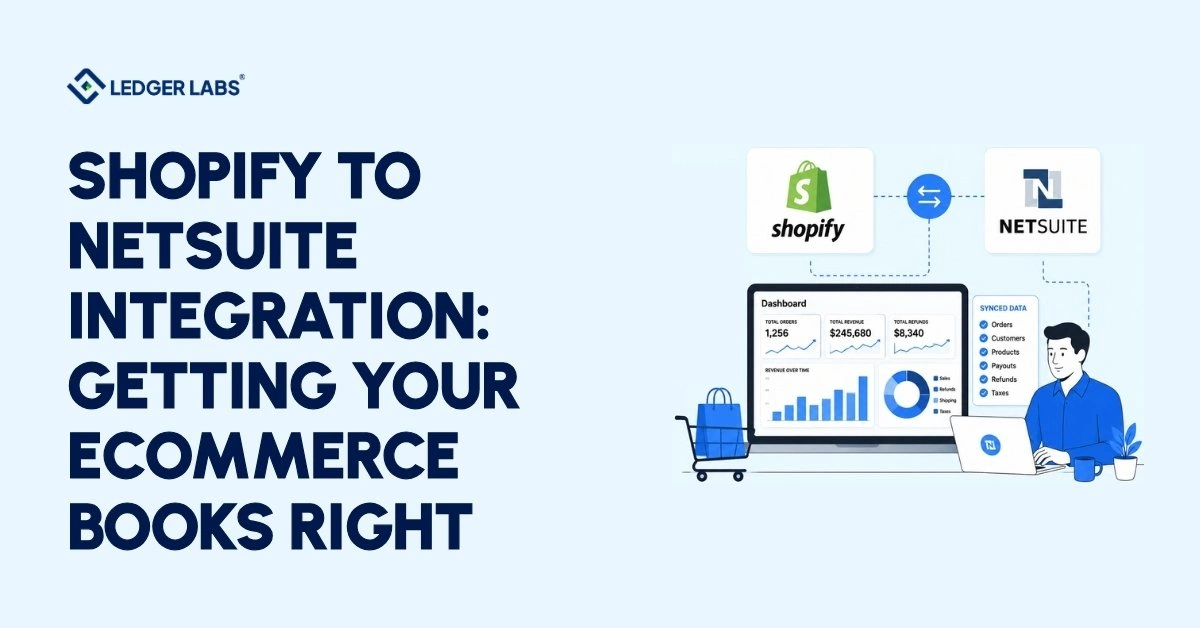
A Shopify-to-NetSuite integration syncs your data between the two systems, but it doesn’t make your books correct. Accurate books come from how you map revenue, COGS, payouts, and sales tax in NetSuite, not from the connector itself.
You’re still keying in manual journal entries every month to get Shopify to match your bank. Your close runs days long, and you don’t fully trust the P&L at the end of it. The sync is “working,” yet the numbers won’t tie out.
The fix isn’t a better connector; it’s the accounting layer underneath it. When revenue, COGS, payouts, and sales tax are mapped correctly in NetSuite, the manual cleanup stops, and your books come out right on their own.
This guide shows you exactly where they break and how to fix each one.
Key Takeaways
- A Shopify-to-NetSuite integration moves your data, but it won’t make your books correct.
- Connectors sync orders and inventory; mapping revenue, COGS, payouts, and tax correctly is your job.
- Shopify Payments deposits net, so use a clearing account to reconcile gross revenue to net.
- Fix COGS with landed cost, set one inventory source, and map sales tax by jurisdiction.
- For multi-channel brands, give each channel its own clearing lane into one consolidated NetSuite ledger.
- Choose your connector on accounting fit, then let an accounting team own the books.
Why does your Shopify-NetSuite sync not fix your books?
Syncing moves transactions, but it doesn’t control how they get recorded. Your orders come into NetSuite, but you still need to assign revenue, discounts, shipping, fees, and tax to the right accounts for each order. Many connectors skip this important step.
Are you entering manual journal entries every month to make Shopify match your bank? That’s a sign something’s off.
When the integration works with the data but fails with the accounting, it looks the same every time: someone on your team manually fixes the books at every closing.
We often see this with ecommerce clients. Their books are not empty; they are wrong in ways that nobody noticed for two quarters.
Refunds may be posted to the wrong account, overstating revenue. Cost of Goods Sold (COGS) becomes a placeholder because the cost never syncs. The Shopify deposit shows up in the bank, but the difference between gross and net sits in an account labeled “figure it out later.”
None of these issues throws an error. They just lead to a slow closing process and a Profit and Loss statement you can’t trust.
The connector’s job ends when the record moves. Your accounting work starts at that point. If no one takes responsibility for that handoff, you end up with extra manual work. Taking on that handoff, from posting each order to the month-end close, is the job of a NetSuite accounting firm.
So, having a working sync and clean books are not the same. One is about moving data, while the other is about properly setting up your accounts and closing entries.
What a Shopify to NetSuite integration sync (and what it doesn't)?
It syncs orders, customers, items, and inventory counts well. However, you still need to manage accounting. This means converting the information into correct revenue, cost of goods sold (COGS), fees, and taxes. This is where your costs can rise.
Here’s what it handles and what it doesn’t:
- It handles orders, but it doesn’t show how revenue, shipping, and discounts are split across accounts.
- It tracks inventory counts but doesn’t include landed cost, making COGS uncertain.
- It recognizes customers, but it doesn’t account for tax rules in different areas.
- It shows payout totals, but it doesn’t match gross fees with net amounts or refunds.
Each gap means extra manual work every month, and that labor is the real cost.
To find this cost, first calculate the hours your team spends each month on Shopify reconciliation. Next, multiply those hours by your total hourly rate. Finally, add any costs that come from closing late.
| Hidden Cost | How to Size It | Notes |
|---|---|---|
| Manual Reconciliation | Monthly hours × loaded hourly rate | Calculate time spent matching transactions, fixing discrepancies, and reviewing records |
| Late Close | Days late × cost of delayed decisions | Measures the impact of slow financial reporting on business decisions |
| Fixing Errors | Hours fixing miscoded revenue/COGS per quarter ÷ 3 | Includes time spent correcting accounting mistakes and reclassifying entries |
| Tax Exposure | Risk of wrong sales-tax liability depends on your nexus | Review state tax obligations to avoid penalties and compliance issues |
The cost isn’t the connector fee. It’s the labor and risk left behind. And it grows as your orders grow.
How should Shopify orders post in NetSuite?
Each order should be divided into separate categories: product revenue, shipping, discounts, and refunds. You only need to set this up once, and every order will be organized correctly. If you don’t do this, you’ll have to manually sort the revenue each month.
Get this right, and the manual journal entries stop.
Here’s what “right” looks like:
1. You stop reclassifying revenue by hand:
Map product revenue, shipping income, and discounts to their own accounts one time. After that, every order arrives already split. No lump-sum “Shopify sales” account to unpick later.
The failure mode is the single-line order. When the total lands in a single account, you can’t see shipping margin or discount leakage without rebuilding it yourself.
2. You stop guessing where refunds went
Send refunds to a contra-revenue account tied to the original order. Now your revenue nets down the right way. Miss this, and refunds either inflate your top line or vanish into a suspense account.
This one mapping decision drives everything downstream.
A clean order is one you can trace from the storefront to the financial statement without a spreadsheet in the middle. That’s what makes your close defensible. And once orders post clean, the next leak is the money itself.
How to reconcile Shopify Payments payouts in NetSuite?
Shopify pays you after fees and refunds are processed, not before. If you make a $100 sale, you’ll receive about $97.
To handle this, use a clearing account: record the total sale and the fees separately, and let the payout clear the account to zero. This way, your bank reconciliation matches in one step.
This is a common issue in ecommerce. When a customer pays $100, Shopify deducts its fee and any refunds, then deposits the remaining amount based on its own schedule. Both numbers are accurate, but they don’t match up on their own.
Instead of matching deposits one by one, record the total revenue in a Shopify clearing account and the fees in an expense account. Keeping that clearing account tied to every payout, month after month, is the ongoing work of a NetSuite bookkeeper. When the payout arrives, it will clear the clearing account to zero, making the difference already accounted for. Your bank reconciliation will only require one line.
Be mindful of timing. A payout that begins on the 31st and settles on the 1st will count across two months. The clearing account will handle this without causing confusion.
You won’t lose track of fees in your profit and loss statement. When fees are hidden within the deposit, your processing costs, often a major expense, don’t appear where you can see and manage them. By making these fees visible, you can improve both your accounting and your profit margins.
Reconcile the payout in one line, with fees clearly shown, and your bank reconciliation will take only minutes instead of half the day. Next, look at your actual order costs.
Getting COGS, inventory, and sales tax right
Quantity-only syncs leave three accounts wrong: COGS (no landed cost), inventory (no single source of truth), and sales tax (no jurisdiction mapping). Fix all three, and your margin and tax filings become defensible.
These are the accounts that decide whether your P&L holds up:
- Stop making guesses about your profit: The system knows you sold three units. It doesn’t know that each one costs $14, including shipping and taxes, unless you set up your costs correctly in NetSuite. Choose your costing method (average, FIFO, or standard) once, and let NetSuite calculate the cost of goods sold for each order. This way, your profit is a number you can trust, not just an estimate.
- Stop managing nonexistent stock: When Shopify, your warehouse partner, and NetSuite each think they have the correct inventory numbers, you risk selling more than you actually have. This can lead to unplanned stock shortages. Choose one reliable source for your inventory data. For accounting, that source is NetSuite.
- Stop worrying about sales tax accuracy: Shopify calculates sales tax at checkout. NetSuite needs to record this tax liability properly so that your tax filings match what you collected.
Be aware that rules about taxes and filing can differ by state and your business activities. Treat your tax setup as something to review regularly, not just a one-time change.
If you do this correctly, your Cost of Goods Sold (COGS) will reflect actual costs, your inventory will be accurate, and your taxes will match your filings. The next challenge is applying this approach across all your sales channels at once.
How to tie out revenue across Shopify, Amazon, and wholesale?
Each sales channel has its own way of settling payments: Shopify pays out after each sale, Amazon deposits funds every two weeks, and wholesale payments are settled on invoices. It’s important to create separate revenue and clearing accounts for each channel within one NetSuite ledger. This setup allows you to see your total revenue and true profits for each channel.
When you only have one channel, tracking revenue becomes easy. But when you add channels like Amazon or wholesale, the challenge is ensuring your total revenue is consistent across all channels. If each channel has its own structure in your accounts, it will match up. If they use generic accounts, it’s hard to determine which channel is actually profitable.
This issue gets worse as your business grows. More channels mean more ways to track payments, and there’s a greater risk of counting revenue twice or losing it entirely.
We use the approach called “one ledger, many lanes.” This means every channel has its own path in one shared ledger. This setup simplifies consolidation, helping you see which channel is earning its keep. You only need to close the books once, not once for each channel. It all starts with one important choice: the connection.
How to choose a Shopify-NetSuite connector?
Choose a connector that fits your chart of accounts, not the one with the most features. Focus on your accounting needs, not just your order volume, because mapping is what can fail, not the volume of orders.
IT teams often prioritize features, but we emphasize accounting compatibility. This changes the options on the shortlist. We are flexible and have set up the accounting for various connectors.
Each one serves a different need:
- Native/SuiteApp connectors: These work closely with NetSuite and are ideal for standard accounting.
- Celigo: This offers flexible mapping and error handling, making it great for custom GL logic or multi-channel setups.
- NetScore and similar SuiteApps: These are designed for e-commerce and suit mid-complexity catalogs.
- Jitterbit/iPaaS: This option provides the most flexibility and is useful for unique settlement or multi-system setups.
Choose a connector that fits your accounting needs. A brand with high sales in one channel and simple costs usually needs fewer features than a $4 million brand that sells through multiple channels and uses consignment inventory.
Keep in mind that no connector is a complete accounting solution. Each option transfers records, but you still need someone to manage the general ledger. The tool makes work easier but doesn’t replace the need for an accounting manager.
Focus on the right fit, and you’ll create a solid foundation. If you only look at features, you may end up with more cleanup work later.
5 ways the integration breaks your books
The five most common failures: single-line revenue, refunds with no contra account, net payouts with no clearing account, quantity-only inventory, and unmapped sales tax. Most brands we inherit have three of the five.
Know these going in, and you avoid two quarters of cleanup.
- Single-line revenue: The total for the order is recorded in a single account. Shipping margin and discount leakage disappear.
- Refunds with no contra path: Returns hit revenue or a suspense account, overstating your top line every month.
- Net payouts with no clearing account: Gross revenue and net deposits never match, and fees vanish from the P&L.
- Quantity-only inventory: COGS becomes a plug because landed cost never syncs. Your margin is a guess.
- Unmapped sales tax: Tax collected doesn’t match tax filed. That exposure shows up at audit, not at close.
Each is fixable. Together, they explain how an integration can be “live” for a year while the books drift underneath it.
Based on our experience, brands usually have more than one issue. We’ve seen this happen often enough that we’ve created our own onboarding audit to identify all five issues before they affect your finances. The key question is who will address these issues and take responsibility for them.
Should you set up the integration yourself or hire a CPA?
If you have an accountant who knows NetSuite and has time to handle the mapping, clearing accounts, and monthly closing, you can set it up yourself. If you prefer to have the accounting done for you, hire an accounting team. This way, your books will be accurate without your team needing to manage them every month.
Here’s the honest way to decide:
DIY makes sense when one condition is true: someone on your team already knows NetSuite accounting and has time to own it. If that’s you, the connector docs plus this guide get you most of the way.
The risk is concentration. The setup lives in one person’s head, and your books inherit whatever they miss.
A build makes sense when you’d rather own the outcome than the project. From day one, you stop keying reconciliation entries, stop hand-matching payouts, and stop closing on numbers you can’t trace.
Here’s what we handle for you:
- The GL mapping, so every order posts to the right accounts
- The clearing accounts, so payouts reconcile in one line
- The costing and tax setup, so COGS and sales tax hold up
- The monthly close – we run it, or hand it back already correct
Qualified accountants lead the work. So your revenue and tax treatment is built to defend, not just to reconcile.
And we’re not a connector vendor or reseller. We’re the accounting team that makes the connector’s output correct; half the software was never going to work for you.
Pricing depends on your channels, volume, and connector. We scope it after a short look at your setup. Timeline depends on the state of your current mapping.
Ask yourself one question: who is responsible for the accounting part of your integration? If no one is, then you are automatically the owner. This means you are currently facing the cost of the manual closing process.
What does doing nothing cost you?
To find your annual cleanup cost, take the monthly cleanup cost from the cost section and multiply it by 12. This is the amount you pay each year to maintain your current closing process, and it increases as your order volume grows.
You calculated that monthly cost earlier, including the reconciliation hours, late closes, and correction labor at your current volume. Multiply that amount by 12 to find your annual cost of doing nothing.
This cost is not zero or just a minor detail. It adds up over time. Each month that the mapping is incorrect, your workload and risk increase.
The connector fee stays the same, but the cost of leaving the accounting unmanaged will continue to rise.
Conclusion
A Shopify to NetSuite integration is worth doing, but only if someone owns the accounting behind it. The sync moves your data. Correct revenue, COGS, payouts, and sales tax come from how you map and close, not from the connector.
You’ve seen where the books break: single-line revenue, unreconciled payouts, plug-figure COGS, and unmapped sales tax. Each one is fixable. Together, they’re why a “working” integration can still leave you closing by hand every month.
So the real decision isn’t which connector to buy. It’s whether the accounting layer has an owner, your team, or a one.
Get that right, and your close gets shorter, your margins get clear, and your numbers tie out on their own.
That’s the difference between an integration that moves data and one that gives you books you can trust.
FAQs
1. How much does a Shopify to NetSuite integration cost?
It depends on two things: the connector subscription and the accounting setup behind it. Connector pricing scales with order volume and channels. The accounting work scales with your mapping complexity. The bigger cost most brands miss is the manual labor a bad setup leaves behind. Our integration accounting review prices it for your real volume.
2. Will the integration keep my books accurate, or just move data?
Just move data, on its own. A connector transfers orders, inventory, and payouts. It doesn’t decide how revenue, COGS, fees, and tax post to your ledger. Accuracy comes from the mapping and clearing accounts you build on top. Our review shows which of those your setup already handles and which still land on your team.
3. Does this work for Shopify Plus and multi-channel setups?
Yes, correct accounting is especially important here. Each sales channel settles differently and needs to roll up into one overall record. You must have separate accounts for each channel to ensure the total amounts match. If you are adding Amazon or wholesale sales, we will check if your chart of accounts can manage them.
4. How long does setup take?
It depends on your current mapping; a clean build is faster than fixing a year of drift. The connector installs quickly. The accounting setup is where the time goes. Our review gives you a specific timeline for your setup, not a generic one.
5. Does Shopify integrate with NetSuite natively?
Not in a full, accounting-ready way out of the box. You connect them with a native SuiteApp, a connector like Celigo or Jitterbit, or an iPaaS, and each still leaves the GL treatment to whoever sets it up. The connector is the start of the project, not the finish. Our review helps you pick the one that fits how your revenue behaves.