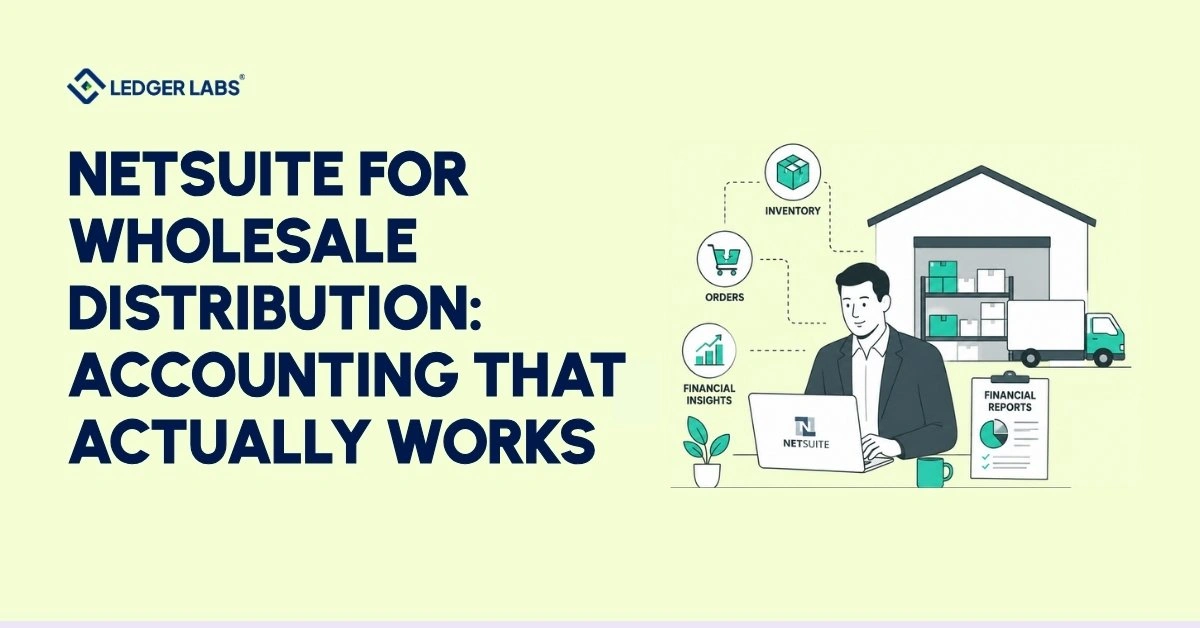
NetSuite for wholesale distribution helps businesses manage inventory, purchasing, finances, and reporting, but it requires an accurate accounting setup.
If your NetSuite has been running for eight months and the warehouse team uses it daily, but your month-end close still takes two weeks, your gross margin by product line doesn’t match your buyers’ expectations, and your accountant still relies on spreadsheets to explain COGS discrepancies, the problem isn’t NetSuite. It’s the accounting setup inside it.
Most wholesale distributors only use 40% of what NetSuite can do because the implementation focused on operations and left the accounting incomplete. Costs are not assigned correctly, costing methods are not set up correctly, and financial reports don’t pull from the appropriate accounts.
At Ledger Labs, we manage NetSuite accounting for wholesale distribution clients every day. We’re the CPA firm that steps in after NetSuite goes live to fix what the implementation missed.
Key Takeaways
- Most wholesale distributors use only 40% of NetSuite’s capabilities because the accounting architecture was never properly configured after implementation.
- Landed cost misallocation is the leading cause of inaccurate COGS and inflated gross margins in wholesale distribution businesses.
- Choosing the wrong inventory costing method, FIFO or WAC, distorts your balance sheet, tax position, and every margin report you run.
- A correctly configured NetSuite accounting setup closes the books in 3–5 days, not the typical 10–15 days.
- Implementation partners configure NetSuite operationally, and a CPA firm builds the accounting architecture that makes financial data trustworthy.
- If gross margin by product line requires an Excel export, your NetSuite accounting foundation needs to be rebuilt, not patched.
What Is NetSuite for Wholesale Distribution?
NetSuite for wholesale distribution is a cloud-based ERP that manages inventory, purchasing, accounts payable, financial close, and reporting within one system, built specifically for product-based businesses that have outgrown QuickBooks.
But here’s the distinction most people miss.
NetSuite is a platform. The accuracy of your financial data, the speed of your closing process, and the reliability of your gross margin reports depend on how the platform’s accounting system is set up. It’s not about which modules you bought.
For a wholesale distribution business at $2M–$50M in revenue, NetSuite covers four core areas:
- Inventory Accounting: Track the cost of each product from purchase order through sale. This includes all costs, such as freight, duties, and handling, that make up the true cost of the product.
- Purchasing and Accounts Payable: Manage the process from vendor purchase orders through goods receipt, invoice processing, and payment. Use controls to avoid duplicate payments and catch pricing mistakes before they appear in your records.
- Financial Close: Complete tasks like bank reconciliation, end-of-period journal entries, and handling transactions between different company entities. Follow a workflow that can shorten your closing process from 14 days to just 3.
- Reporting: Focus on four key numbers: gross margin by product line, cash flow by period, aging accounts receivable and payable, and inventory turnover. These are essential for CFOs or owners in wholesale distribution to make informed decisions.
If you’re using NetSuite but not getting reliable data, or if you’re considering it for your business, pay attention. The solution lies in how you set up your accounting, not just in the software itself.
The Real Accounting Challenges Wholesale Distributors Face
Wholesale distributors consistently face five accounting problems: landed cost errors that understate the true product cost, inventory valuation inconsistencies, a slow financial close driven by manual reconciliation, no gross margin visibility by product line, and QuickBooks breaking down under transaction volume.
These aren’t software problems. They’re accounting architecture problems, and they exist whether you run NetSuite, QuickBooks, or anything else.
Here’s what they look like in practice:
1. Landed Cost Errors Eroding True COGS
You buy a product for $50. It costs $8 to ship it to your warehouse, $3 in customs duties, and $2 for handling. Your actual product cost is $63. However, if you don’t allocate the landed cost correctly in NetSuite, your Cost of Goods Sold (COGS) shows $50. This makes your gross margin appear 26% better than it really is.
In our work with wholesale distribution clients, we find that failing to properly account for landed costs is the most common reason reported margins don’t match actual profits. With $5 million in revenue, a 5% understatement in COGS means $250,000 in false profit. As a result, decisions are based on numbers that aren’t real.
2. Inventory Valuation Chaos
FIFO and weighted average cost (WAC) produce different COGS figures for the same products. Most wholesale distributors either haven’t intentionally chosen a costing method or have a costing method set that doesn’t match their inventory flow.
The result: inventory value on the balance sheet drifts from reality, COGS fluctuates without explanation, and period-over-period comparisons no longer make sense.
3. Manual Reconciliation Driving a Slow Financial Close
The average wholesale distributor running a manual close spends 10–15 business days on month-end. Bank reconciliation is manual. Inventory counts don’t match the system. Purchase order receipts are still outstanding at the start of the close.
A correctly configured NetSuite accounting setup closes in 3–5 days. The gap between those two numbers is the direct cost of a poorly structured accounting architecture.
4. No Gross Margin Visibility by Product Line
You can see the total revenue and total COGS, but you can’t see the gross margin by SKU, product category, or customer segment without exporting the data to Excel and spending a long time building a model.
This number is essential for knowing which products to promote, which to change prices on, and which to stop selling. Operating a wholesale distribution business without it means making product decisions based on gut feeling.
5. QuickBooks Breaking Under Volume
At 200 transactions a month, QuickBooks works fine. At 1,500 transactions across multiple warehouses, multiple vendors, and multiple entities, it breaks. Reports slow down. Multi-location inventory isn’t supported. Inter-company accounting becomes a manual nightmare.
This is usually the trigger that brings wholesale distributors to NetSuite, but switching platforms doesn’t solve the underlying problems in their accounting architecture. It just moves them to a more powerful system where they cause more damage.
How NetSuite Solves Wholesale Distribution Accounting?
NetSuite solves wholesale distribution accounting through four integrated systems: automated landed cost allocation into COGS, three-way match controls on purchasing, automated bank reconciliation and period-end close workflows, and real-time gross margin reporting by product line and customer segment.
Every capability connects to a financial outcome.
Here’s how each works:
Inventory Accounting: Landed Cost Allocation and COGS Accuracy
NetSuite allocates costs like freight, duties, customs, and handling to specific products upon arrival. For a container with 20 different products, it spreads these costs based on quantity, weight, or value, ensuring your Cost of Goods Sold (COGS) accurately reflects true costs.
NetSuite supports two inventory cost methods: FIFO and Weighted Average Cost (WAC). FIFO uses the oldest inventory cost for sales, ideal for tracking older stock, while WAC averages costs across all units, suitable for fast-moving goods.
Choosing the wrong method or failing to set it up correctly can lead to inaccurate inventory values within 90 days.
Purchasing and AP: Three-Way Match and Vendor Control
Three-way match reconciles three documents before NetSuite releases a vendor payment: the original purchase order, the goods receipt confirming delivery, and the vendor invoice.
If the invoice price doesn’t match the PO price, or the quantity invoiced exceeds the quantity received, NetSuite flags the discrepancy and automatically holds the payment.
For a wholesale distributor processing 200+ vendor invoices a month, three-way matching prevents duplicate payments and pricing errors that eat up 1–3% of AP spend in manually managed operations.
Financial Close: Automated Reconciliation and Period-End Workflows
NetSuite connects directly to bank feeds and automatically matches transactions to journal entries. Exceptions surface in a queue for manual review rather than requiring line-by-line reconciliation.
Period-end close follows a defined workflow: subledger close, inventory reconciliation, journal entry review, and financial statement generation. Each step has a defined owner and a completion trigger. Nothing advances until the previous step is signed off on.
The difference between a 14-day close and a 3-day close is almost always due to the workflow structure, not to transaction volume.
Reporting: Real-Time Gross Margin and Cash Flow Visibility
SuiteAnalytics, NetSuite’s native reporting tool, generates gross margin by product line, by SKU, and by customer segment, in real time, without an Excel export.
You see cash conversion cycle components: days inventory outstanding (DIO), days sales outstanding (DSO), and days payable outstanding (DPO), the three levers that determine how much working capital your business ties up at any point in the year.
Accounts receivable and payable aging reports show which customers are overdue and which vendor payments are approaching, with drill-down to the transaction level without leaving the dashboard.
This is the financial visibility wholesale distribution owners describe wanting but rarely have before NetSuite is correctly configured.
NetSuite Inventory Accounting for Wholesale Distributors
NetSuite manages wholesale inventory accounting using three methods: assigning a costing method (FIFO or WAC) to items, allocating landed costs for purchase orders or receipts, and tracking inventory across locations while managing transfers between warehouses.
Inventory is where wholesale distribution accounting either works or doesn’t. Everything else, margin reporting, COGS accuracy, and financial close speed, depends on getting inventory accounting right first.
Costing Methods: FIFO vs Weighted Average Cost
FIFO assigns the cost of the oldest inventory to each sale. If you bought 100 units at $50 in January and 100 units at $60 in March, and you sell 50 units in April, FIFO charges that April sale at $50 per unit, the January cost.
WAC calculates a blended cost per unit across all stock on hand. In the same example, WAC charges April sales at $55 per unit, the average of January and March costs.
FIFO produces more accurate cost-of-sale matching when older stock carries different costs. WAC produces smoother COGS and simplifies accounting for high-volume, commodity-style inventory.
The wrong choice doesn’t just affect COGS; it affects your tax position, your balance sheet inventory value, and every gross margin report you run. Set the costing method correctly once before transactions start flowing.
Landed Cost: Allocating True Product Cost
Landed cost covers all expenses incurred in getting inventory from the supplier to the warehouse: international freight, domestic freight, customs duties, import taxes, insurance, and handling fees.
NetSuite allocates these costs to individual inventory items at receipt using one of three methods:
- Quantity: Distributes total shipping costs evenly across all items.
- Weight: Distributes costs based on each item’s weight, useful for mixed shipments where shipping costs are weight-based.
- Value: Distributes costs based on each item’s value, which is better for higher-value items that incur proportionally higher duty or insurance fees.
Without landed cost allocation, your inventory is undervalued on the balance sheet and your COGS is understated on the P&L. Gross margin looks better than it is. Pricing decisions get made on incorrect data.
Multi-Location Inventory and Transfer Order Accounting
Wholesale distributors with multiple warehouses need to ensure that inventory transfers between locations generate accounting entries and that operational movements are tracked. NetSuite helps with this by using transfer orders.
These documents are recorded when inventory leaves one location and arrives at another, along with the accounting entries that show the movement at cost. Special pricing rules apply to transfers that happen between different legal entities.
Maintaining accurate gross margins at each location relies on processing transfer orders at the correct cost. This detail is often misconfigured in many implementations.
NetSuite Financial Reporting for Wholesale Distribution
NetSuite’s financial reporting for wholesale distributors provides four key outputs: gross margin for each product line and customer segment; components of the cash conversion cycle; aging accounts receivable and payable with detailed transaction views; and inventory turnover by SKU. All of this information is available in real time using SuiteAnalytics, without the need for manual exports.
This section is written for controllers and CFOs. If you run the finance function for a wholesale distribution business, these are the reports that determine whether you manage the business on data or on instinct.
The Four Reports Wholesale Distributors Actually Need
1. Gross Margin by Product Line and Customer Segment
Which product lines make a profit, and which ones lose money? Which customers bring in a good margin, and which ones only appear profitable based on revenue?
NetSuite uses item-level cost data from inventory accounting to create this report. Without this data, the report won’t exist, or it will show incorrect numbers.
2. Cash Conversion Cycle (DIO + DSO + DPO)
Days Inventory Outstanding (DIO) shows how long your inventory stays before it sells. Days Sales Outstanding (DSO) indicates how long it takes to be paid after an invoice is sent. Days Payable Outstanding (DPO) measures how long you take to pay your suppliers.
The cash conversion cycle, calculated as DIO + DSO − DPO, tells you how many days your business uses its own money to operate. For example, a 45-day cycle with $10 million in revenue means about $1.2 million in working capital is tied up at all times. Reducing this cycle by 10 days can free up roughly $330,000.
NetSuite creates this information as a real-time dashboard component, so you don’t need an analyst or an Excel model.
3. Aging AR and AP with Transaction-Level Drill-Down
Check which customers owe you money and how long they have owed it. Also, review which vendor invoices are close to their due dates and what payment terms you are using.
NetSuite’s aging reports display at a summary level and drill down to the individual invoice with one click. Controllers use this to prioritize collections. CFOs use it to manage working capital. Without drill-down, the report is a summary with no actions attached.
4. Inventory Turnover by SKU
The inventory turnover for each SKU shows how many times it is sold relative to the amount on hand over a given period. SKUs that sell quickly generate profit efficiently, while those that sell slowly tie up working capital and incur carrying costs.
NetSuite measures inventory turnover at the SKU, category, and warehouse levels. This data helps inform purchasing decisions, pricing changes, and clearing out slow-moving inventory.
What Poorly Configured NetSuite Produces?
Controllers and CFOs working with a poorly configured NetSuite setup describe the same experience: reports run, numbers appear, but nobody trusts them. The margin report doesn’t match what the sales team calculates manually. The inventory balance doesn’t reconcile to the physical count. The close keeps getting pushed because someone found another discrepancy.
That’s not a NetSuite problem. That’s an accounting architecture problem, and it’s correctable without replacing the system.
Signs Your Wholesale Business Has Outgrown QuickBooks
Your wholesale distribution business has outgrown QuickBooks when your month-end close exceeds 10 days, your inventory and accounting systems require manual reconciliation, you run separate QuickBooks files for different entities, your accountant manually re-enters order data, or you can’t see gross margin by product line without exporting to Excel.
If three or more of these describe your situation right now, QuickBooks isn’t the constraint anymore; it’s the cause.
Signal 1: Month-End Close Takes Longer Than 10 Business Days
A 10+ day close means manual processes dominate your financial cycle. Bank reconciliation happens by hand. Inventory counts don’t auto-reconcile. Purchase order receipts are still outstanding at the start of the close.
A wholesale distribution business with $5M+ in revenue, running a correctly structured ERP, should close in 3–5 days. If yours takes 14, the problem is the tool, not the team.
Signal 2: Inventory and Accounting Systems Don’t Automatically Reconcile
Your WMS or order management system and your accounting system are separate. Connecting them requires a manual export, an import, or a middleware integration that breaks monthly.
When inventory and accounting don’t reconcile automatically, COGS is always an estimate, and gross margin is always approximate.
Signal 3: You Run Multiple QuickBooks Files
Multiple entities, locations, or business lines, each living in its own QuickBooks file. Consolidated reporting means exporting each file, combining them in Excel, and hoping the intercompany eliminations are correct.
NetSuite handles multi-entity accounting natively. Intercompany transactions, eliminations, and consolidated statements are automated.
Signal 4: Your Accountant Manually Re-Enters Data from Your Order System
Every order processed in your WMS requires a manual journal entry or import into QuickBooks. Your accountant spends meaningful time each month on data entry rather than analysis.
At 500+ orders a month, this isn’t a workflow problem. It’s a platform limit.
Signal 5: Gross Margin by Product Line Lives in Excel
You know your total revenue and approximate COGS. What you don’t know, without a custom spreadsheet that takes hours to build, is which product lines drive your margin and which ones drag it down.
If gross margin by product line requires Excel, you’re making product, pricing, and purchasing decisions without the data those decisions require.
If three or more of these match your current situation, you’re past the point where QuickBooks can scale with your business.
How an Accounting Firm Helps Wholesale Distributors Get More From NetSuite
An outsourced accounting firm does things that an implementation partner does not. It sets up the accounting system in NetSuite, handles the monthly financial close, manages inventory checks, correctly allocates landed costs, and creates accurate financial reports that support decision-making.
These are two different services. Most wholesale distributors don’t know the difference until they’ve paid for one and are still missing the other.
Implementation vs Accounting: The Distinction That Costs Distributors Money
An implementation partner configures NetSuite operationally, workflows, inventory modules, user roles, integrations with your WMS, EDI connections to vendors, and order management setup. They do this well. It’s what they’re built for.
What they don’t do is the ongoing accounting inside the system they configured. They don’t own your chart of accounts from an accounting standpoint. They don’t set your costing methods based on your specific inventory flow and tax position. They don’t run your month-end close or reconcile your landed cost allocations.
That’s accounting work. Accounting work requires a CPA.
What Ledger Labs Does for Wholesale Distribution Clients?
At Ledger Labs, we take over the NetSuite accounting function for wholesale distribution businesses, either from the start of an implementation or after a go-live that produced unreliable data. It is the core of our wholesale accounting services.
We handle:
- Chart of Accounts: A structure designed for wholesale distribution that helps generate important reports like gross margin, cash flow, and inventory.
- Costing Methods: Choose and set up either FIFO or WAC, based on the type of inventory, tax needs, and reporting requirements.
- Landed Cost Setup: Allocate freight, duties, and handling costs to the correct SKUs monthly.
- Month-End Close: Complete the entire close cycle in NetSuite within 3-5 business days. This includes reconciling the bank, reconciling inventory, and preparing financial statements.
- Fractional CFO Advisory: Manage cash conversion cycles, analyze gross margins, optimize working capital, and forecast finances for wholesale distribution businesses that need CFO-level guidance without employing a full-time CFO.
See it in practice: how one inventory-heavy business improved cash flow through automation and inventory planning.
Conclusion
NetSuite works for wholesale distribution, but only when the accounting layer is built correctly. The platform handles inventory, purchasing, financial close, and reporting well. What it can’t do is configure itself.
Most wholesale distributors running NetSuite have the operational side working and the accounting side unfinished. Landed costs aren’t allocated. Costing methods weren’t set intentionally. The chart of accounts was never mapped for a distribution business. That’s why the margin reports look off, the close takes two weeks, and the numbers require an Excel model to make sense of them.
The fix isn’t a new system. It’s the right accounting foundation within the one you already have, and a CPA firm that knows how to build it specifically for wholesale distribution.
If three or more of the signs in this article describe your business, that’s your starting point.
FAQs
Is NetSuite good for wholesale distribution?
Yes, NetSuite is designed for the needs of wholesale distribution. It manages inventory across multiple locations, tracks costs, controls purchasing, and provides real-time profit margin reports, all in one system. If QuickBooks struggles with your volume or reporting, especially for revenue between $2M and $5M, NetSuite may be a better option. Our CPA team can help assess your setup.
What accounting challenges do wholesale distributors face?
Wholesale distributors consistently face five accounting challenges: landed cost errors, understating true COGS, inventory valuation inconsistencies due to unconfigured costing methods, a slow financial close driven by manual reconciliation, no gross margin visibility by product line, and QuickBooks breaking under transaction volume. These are accounting architecture problems, not software problems. They exist regardless of platform and require a CPA to resolve at the configuration level.
How does NetSuite handle inventory accounting for wholesale distributors?
NetSuite handles wholesale inventory accounting through three mechanisms: costing method assignment (FIFO or WAC) at the item level, landed cost allocation per purchase order or receipt, and multi-location inventory tracking with transfer order accounting across warehouses. Costing methods must be set intentionally before transactions flow, and landed cost allocation rules must match your specific freight and duty structure. Our team configures this as the foundation of every wholesale distribution engagement.
Can NetSuite replace QuickBooks for a wholesale distribution business?
Yes, timing is crucial. NetSuite is a good replacement for QuickBooks if you process over 500 transactions a month, manage inventory in multiple locations, run several businesses, or need detailed profit reports. If your revenue is under $2 million and your inventory is simple, QuickBooks may be sufficient. Don’t wait for QuickBooks to fail; updating under pressure can create issues. Book a free assessment to see if now is the right time for your business.
What is the difference between NetSuite implementation and NetSuite accounting support?
NetSuite implementation configures the system operationally, workflows, integrations, user roles, and inventory modules. NetSuite accounting support manages ongoing accounting within the configured system, including the chart of accounts, costing methods, month-end close, financial reporting, and landed cost allocation. These are separate services requiring different expertise. Implementation partners are technologists. Accounting firms are accountants. Most wholesale distributors need both, in sequence. Ledger Labs provides the accounting function that implementation partners don’t.
How much does NetSuite accounting cost for a wholesale distributor?
Outsourced NetSuite accounting for a wholesale distribution business is priced by scope — transaction volume, number of entities and inventory complexity. Our three published plans start at the figures on the pricing page; the fee is fixed once scope is agreed.
Do I need a NetSuite accountant for my wholesale distribution business?
Yes, if three or more of these are true: your month-end close exceeds 10 days, your gross margin reports don’t match your team’s calculations, your landed costs aren’t allocated to individual SKUs, your inventory and financial data don’t reconcile without manual intervention, or you went through an implementation and the financial data still isn’t reliable. Book a free 30-minute NetSuite accounting assessment, and our CPA team will tell you exactly what’s broken and what it takes to fix it.