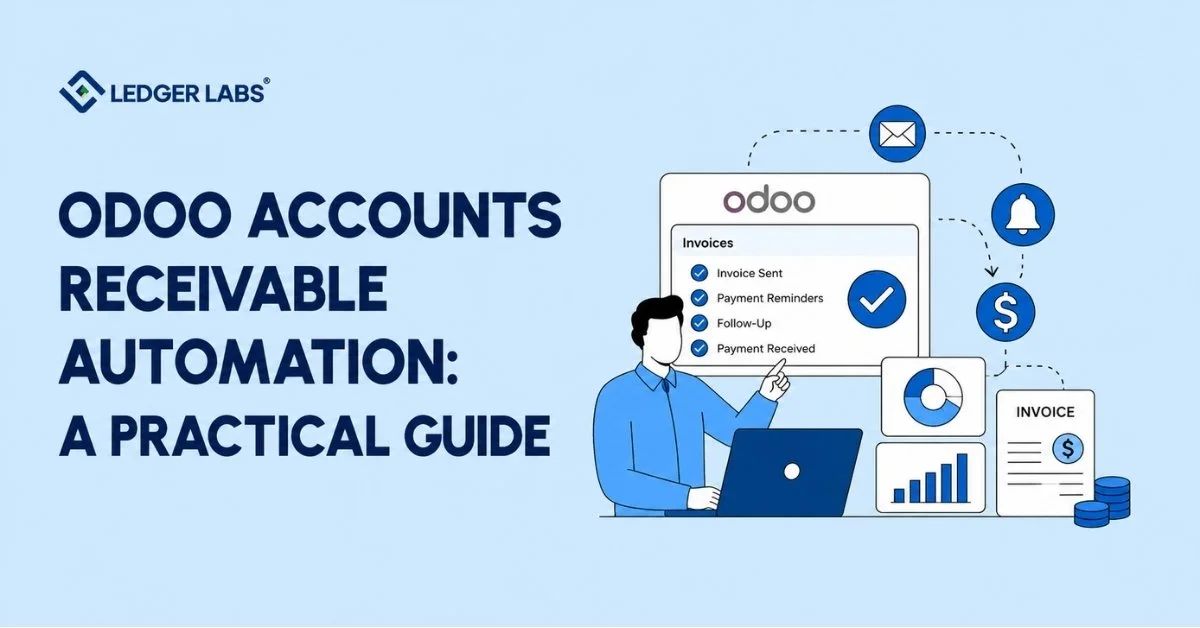
Your Odoo invoices are going out. Reminders are firing. But your cash still isn’t coming in on time.
That’s the AR gap most businesses don’t see coming.
Odoo accounts receivable automation handles the basics well — invoicing, payment tracking, scheduled reminders. What it doesn’t do is chase the right customers in the right order, match payments when remittance data is missing, or manage disputes before they distort your aging report.
This guide is written by the CPA team at Ledger Labs — we manage Odoo accounts receivable for SMBs across ecommerce, manufacturing, and SaaS, not a vendor selling AR software. What follows is a practitioner’s view of what Odoo AR automation actually covers, where it reliably breaks down, and how to decide whether to configure it yourself, add a tool, or hand it off entirely.
By the end, you’ll know exactly where your Odoo AR setup is losing you cash — and what to do about it.
Key Takeaways
- Odoo automates invoicing and reminders, not collections, prioritization, or disputes.
- Four failure modes compound silently until your aging report flags it.
- Complete AR automation requires four pillars; missing one creates manual work.
- A structured dunning sequence reduces DSO faster than reminders alone.
- Unapplied cash inflates DSO and sends teams chasing customers who already paid.
- Disputes in chatter threads age into bad debt; workflows prevent that.
- Two or more outsourced signals mean a capacity problem, not a configuration fix.
What Odoo AR Automation Actually Covers and Where It Stops?
Odoo AR automation covers invoicing, payment tracking, and scheduled reminders, but stops short of collections prioritization, intelligent payment matching, and structured dispute management.
That’s the honest answer. And it matters because most businesses assume they’re fully automated once Odoo is sending invoices and firing reminders.
Here’s what Odoo handles natively and handles well:
- Invoice generation from sales orders or manual entry
- Customer payment terms and due date tracking
- Scheduled payment reminder emails
- Recording payments against open invoices
- Bank statement import and basic reconciliation
For straightforward invoicing at low volumes, this is enough.
Here’s where most businesses discover the gap:
Odoo was designed as a system of record. It records what’s owed, by whom, and for how long. It doesn’t make decisions about who to chase first, when to escalate, or how to match a bulk payment covering six invoices from three billing periods.
Those decisions require either a well-configured automation layer or an active person running the collections function.
The core limitation isn’t a flaw — it’s a design choice. Odoo is built to track AR, not to drive it. That distinction determines how much process you need to build around it.
Why AR Processes Break Down Inside Odoo?
AR processes break down in Odoo because the system tracks invoices but doesn’t prioritize, escalate, or resolve them, and those three gaps compound quickly.
Most businesses don’t notice this immediately. Invoices are going out, reminders are firing, and the system looks operational. Then they pull the aging report three months later and discover 35% of receivables are sitting in the 60–90-day bucket.
Here’s exactly why that happens.
Failure 1 – No collection prioritization
Odoo’s follow-up module treats a $200 invoice from a new customer the same way as a $40,000 overdue balance from a high-risk account. No escalation logic fires automatically. Nothing moves from “email sent” to “call required” unless a person makes that decision. At 20 open invoices, manageable. At 80, it breaks.
Failure 2 – Cash application gaps
When a customer pays by bank transfer without remittance details or sends a single payment covering multiple invoices, Odoo requires manual matching. A manufacturing client we work with was carrying $28,000 in unapplied cash at month-end because bulk payments weren’t being matched promptly. Their DSO was inflated. Their collections team was chasing customers who had already paid.
Failure 3 – Disputes live in the wrong place
When a customer disputes an invoice in Odoo, the natural response is to open a chatter thread. No ownership. No resolution deadline. No categorization. The disputed invoice sits open in your aging report at full value, looking identical to a genuinely uncollected invoice, until someone manually resolves it.
Failure 4 – No real-time visibility
Odoo doesn’t surface DSO trends, collections performance by account, or top overdue balances in a single view. That data exists, it’s just not actionable without exporting to a spreadsheet first.
And here’s the part nobody tells you:
Failure 4 makes Failures 1, 2, and 3 invisible until they’ve already compounded. By the time the aging report flags it, you’re weeks behind.
The Four Pillars of a Complete Odoo AR Automation Setup
A complete Odoo AR automation setup requires four capabilities: proactive collections execution, intelligent payment matching, structured dispute workflows, and real-time AR reporting.
If your setup doesn’t address all four, manual work fills the gaps. Here’s what each pillar means in practice.
- Proactive collections execution: A prioritized dunning sequence with escalation logic, not just reminders on a schedule. The right invoice gets the right action at the right time, automatically, without someone deciding each morning what to chase.
- Intelligent payment matching: Incoming payments are either cleared against the correct invoices automatically or flagged for review within hours. Handles partial payments, consolidated bulk payments, and missing remittance data without generating an unapplied cash backlog.
- Structured dispute workflows: Every disputed invoice has an owner, a category, a resolution deadline, and an audit trail. Disputes captured in email threads or chatter remain open for 3 times longer than those in a structured system.
- Real-time AR reporting: DSO trends; aging buckets (current / 30 / 60 / 90+ days); collection rate by period; top overdue accounts; available without a spreadsheet export. If your AR reporting lags your actual position, your decisions lag too.
Run your current Odoo setup against these four. Where you find gaps is where collections are stalling, and where the next four sections of this guide focus.
How Automated Collections and Dunning Work in Odoo?
Odoo can automate collection reminders, but a complete dunning sequence requires configuring escalation logic, prioritization rules, and human judgment steps that the native follow-up module doesn’t provide out of the box.
Let’s start with what Odoo gives you:
- The native follow-up module sends scheduled email reminders triggered by the invoice due date.
- Templates are customizable.
- Delay intervals are adjustable.
- For a simple reminder sequence, invoice due, first reminder, second reminder, it works.
Here’s where it stops working:
It applies the same reminder logic to every invoice regardless of value, customer risk, or relationship history. It doesn’t automatically escalate to a different channel. It doesn’t flag high-balance overdue invoices for priority attention. And it doesn’t know the difference between a customer who needs a nudge and a customer who needs a phone call.
Here’s what a properly configured dunning sequence looks like in practice:
- Day 1 – Invoice issued. Payment terms confirmed.
- Day 7 (3 days before due) – Soft automated reminder. Friendly, no urgency.
- Day 1 past due – First overdue notice. Automated, clear, non-confrontational.
- Day 14 past due – Firm reminder. References invoice number, requests payment date confirmation.
- Day 30 past due – Escalation notice. Sent by a named person, not a system email. References specific amounts.
- Day 45+ past due – Account review. Credit hold consideration. Human judgment required.
That last step matters.
Day 30+ escalation should never be fully automated. Tone, relationship context, and whether a payment plan makes sense are judgment calls. The sequence gets you there efficiently. A person closes it.
Businesses running this structure consistently see days’ sales outstanding drop within 60–90 days. The mechanism is simple: predictable escalation removes the hesitation around chasing overdue accounts. Collections happen on schedule instead of whenever someone gets around to it.
That’s how you reduce DSO with Odoo, not by adding software, but by adding structure.
Cash Application and Payment Matching in Odoo
Odoo matches incoming payments to open invoices through its bank reconciliation module, but requires manual intervention when remittance data is missing, payments are consolidated, or customers short-pay.
That covers most B2B payment scenarios.
Here’s the breakdown:
Odoo’s reconciliation module learns from previous matches and auto-suggests pairings for recurring transactions. One payment, one invoice, reference number matches, it clears automatically. That works well at low volumes with clean payment data.
It breaks down fast in three situations:
- No remittance detail – customer sends a wire transfer without referencing invoice numbers
- Consolidated payments – one payment covers multiple invoices across billing periods
- Short-pays – customer pays less than the invoice amount without explanation
Each requires a human decision. Which invoices does this clear? Is the short pay accepted? What happens to the balance?
Here’s what unapplied cash actually costs:
Payments received but not matched sit in a clearing account. Your bank shows the money arrived. Your AR still shows the invoices as open. DSO inflates. Your aging report overstates overdue exposure. Your team chases customers who have already paid.
The fix: configure matching rules for your most common payment patterns, plus a weekly cash application review to clear anything the rules miss. At 100+ payment transactions per month, that review becomes a part-time function, a common trigger point for outsourcing AR management entirely.
Dispute and Deduction Management in Odoo
Odoo has no native dispute management workflow; disputes handled in chatter threads stay open longer, distort your aging report, and create bad debt risk on recoverable invoices.
That’s the core problem. And it’s fixable, but it requires adding a process, not just configuration.
First, let’s be clear on what B2B disputes actually look like:
- Pricing disputes – invoiced amount differs from what the customer believes was quoted
- Quantity disputes – customer received fewer units or hours than billed
- PO mismatches – invoice references a purchase order that the customer can’t locate
- Short-pay deductions – customer pays a partial amount, deducts the rest without documentation
Here’s why unresolved disputes distort your entire AR picture:
A disputed $22,000 invoice sits in your 60-day aging bucket at full value. It looks identical to an uncollected $22,000 invoice. Your collections team follows up. The customer responds that it’s under dispute. Nothing moves. The invoice rolls to 90+ days and triggers a bad debt provision for a recoverable amount that just needed a resolution workflow.
The fix isn’t complex. It’s disciplined.
A structured dispute workflow inside Odoo follows five steps:
- Capture: disputed invoice tagged, removed from standard collections follow-up
- Categorize: dispute type identified (pricing / quantity / PO / deduction)
- Assign: named owner with resolution deadline
- Resolve: credit note issued, amount confirmed, or invoice adjusted with documentation
- Close: resolution logged, invoice cleared, or returned to collections
Steps 1–5 run inside Odoo with the right tagging convention and process discipline. At higher dispute volumes, or with customers who dispute regularly, the overhead becomes a dedicated function.
Sound counterintuitive?
It is, until you realize that one disputed $40,000 invoice resolved two weeks faster pays for a month of process management.
Which Businesses Get the Most From Odoo AR Automation?
Ecommerce, manufacturing, SaaS, and professional services businesses get the highest return from Odoo AR automation because invoice volume, payment terms, and dispute complexity in these verticals exceed what Odoo’s native setup handles without a structured process.
Here’s what that looks like by industry.
Ecommerce (B2B wholesale channel)
Direct-to-consumer is low AR complexity; Shopify or Stripe handles payment at checkout. The AR problem appears in the wholesale channel: net-30 terms, multiple buyers per account, short-pay deductions, and seasonal volume spikes. Structured dunning and cash application rules directly address the volume problem.
Manufacturing and wholesale distribution
High invoice volume, net-60+ terms, deduction-heavy customers, large aging balances. One $80,000 invoice, 45 days overdue, has more cash-flow impact than 40 smaller invoices combined. That’s exactly the scenario Odoo’s native prioritization misses, and where structured dunning escalation makes the biggest difference.
SaaS and subscription businesses
The AR challenge here is failed payment recovery and involuntary churn. When a card is declined, Odoo needs a sequence that distinguishes a card failure (retry) from a non-renewal decision (a different escalation path). Without that distinction configured, failed payments churn silently or generate manual follow-up that costs more than the subscription.
Professional services
Milestone billing, disputed deliverables, and retainer reconciliation create a dispute-heavy environment. A firm with 20 active clients and milestone invoicing can run 5–8 open disputes at any given time without a structured resolution process. The dispute workflow from the previous section is the highest-value configuration for this vertical.
When to Automate Odoo AR Yourself vs Outsource It?
Outsource Odoo AR when two or more of these apply: 50+ open invoices regularly, no dedicated AR person, DSO more than 10 days above benchmark, or collections complexity involving deductions, disputes, or multi-currency.
One criterion is a configuration issue; additional Odoo setup is likely to resolve it. Two or more means the process overhead has outgrown your current capacity.
Use this table to make the call:
| Criteria | Handle In-House | Consider Outsourcing |
|---|---|---|
| Open invoice volume | Fewer than 50 open invoices | 50+ regularly; spikes above 100 |
| Internal AR capacity | Dedicated AR person or finance manager | AR handled by founder, ops lead, or part-time bookkeeper |
| DSO vs benchmark | Within 5–7 days of the industry average | More than 10 days above the benchmark |
| Collections complexity | Straightforward invoicing, single currency, low dispute rate | Deductions, disputes, multi-currency, or multi-entity |
FAQs
When should a business outsource AR rather than automate it in Odoo?
Outsource when two or more of these apply: 50+ open invoices regularly, AR handled by someone with other primary responsibilities, DSO more than 10 days above your industry benchmark, or collections involving deductions, disputes, or multi-currency complexity. One criterion is a configuration fix. Two or more means process overhead has outgrown capacity, and outsourced AR management recovers more in freed cash flow than it costs in fees.
What are the limitations of Odoo AR automation?
Three specific limitations: Odoo can’t prioritize collections by account risk or invoice value—every invoice uses the same follow-up logic. It has no structured dispute workflow; disputes land in chatter threads with no ownership or resolution deadlines. And cash application breaks down when remittance data is missing, or payments are consolidated across multiple invoices. Each gap requires additional configuration, a third-party tool, or a team managing the process manually.
Can Odoo automate payment reminders and dunning?
Yes, Odoo’s follow-up module sends scheduled reminders triggered by invoice due date, with customizable templates and delay intervals. The limitation is that the same logic applies to every invoice, regardless of value or risk. A complete dunning sequence, with prioritization, conditional escalation, and human judgment at Day 30+, requires configuration beyond the native module, or an external process layer running alongside it.
What KPIs should I track for AR performance in Odoo?
Four key metrics help you understand your collections. DSO (Days Sales Outstanding) measures the average number of days it takes to collect payment after an invoice is sent. Aging bucket distribution shows the percentage of receivables that are current or overdue (30, 60, and 90+ days). The collection rate reflects the percentage of the total invoiced amount collected on time. The bad debt ratio indicates the percentage of write-offs compared to total revenue. Odoo provides the data for these metrics, but to see them in a useful dashboard, you usually need a reporting tool or a monthly export and analysis.