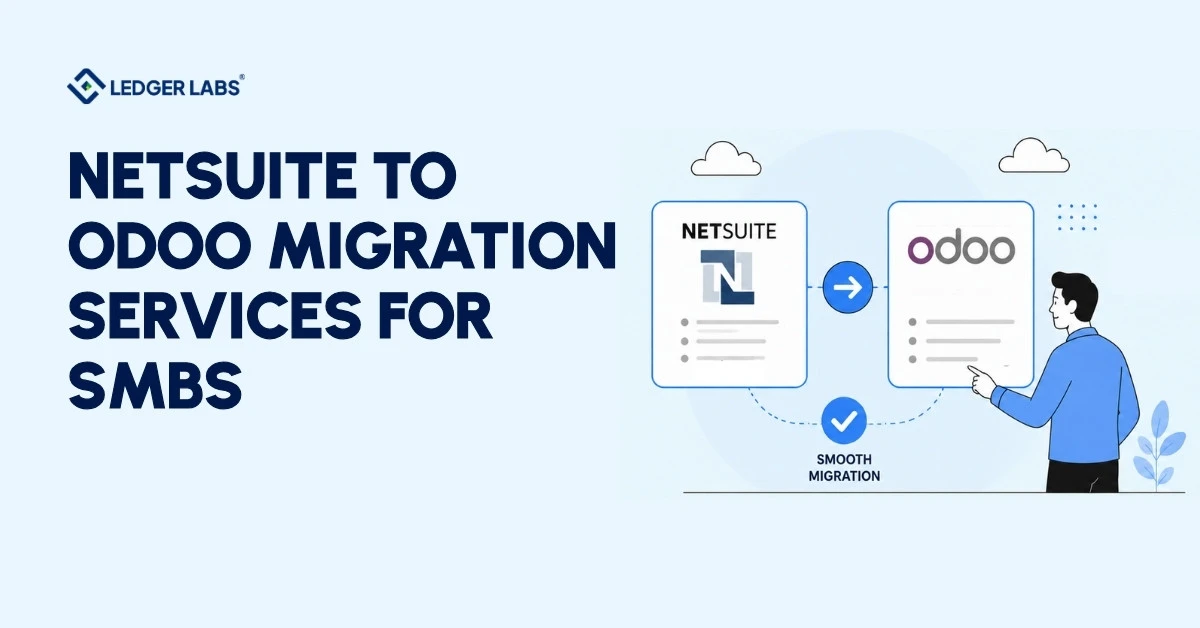
We provide migration advisory services for small and medium-sized businesses (SMBs) transitioning from NetSuite to Odoo, with a focus on accounting aspects that IT firms often overlook. This includes designing the chart of accounts, handling accounts receivable/payable cutover, setting opening balances, and reconciling the trial balance from Day 1.
If you received a quote from an implementation firm, it likely outlined a timeline, modules, and a project plan covering data extraction, configuration, testing, and go-live. However, they may not have mentioned the chart of accounts, how to load open AR invoices into Odoo, or what will happen to your opening balances on cutover day.
The issue is that most firms migrating from NetSuite to Odoo are Odoo implementation partners. While they excel at system setup, they often lack accounting expertise. Key decisions regarding the chart of accounts, AR/AP entries, and trial balance approval can lead to errors when made by IT.
We’ve seen migrations with charts of accounts copied from NetSuite, over 400 accounts, 60% inactive, based on outdated business views. Open invoices are sometimes recorded incorrectly, disrupting aging reports from Day 1. Some companies have gone live on Odoo with trial balances off by $40,000, unnoticed for weeks.
This page is created by CPAs who manage the accounting throughout the migration, not by developers who step away once the system is operational.
Key Takeaways
- IT firms handle the system. CPAs handle the books. Both roles are required; neither replaces the other on a migration.
- The chart of accounts is the highest-risk decision in any migration. Copy it from NetSuite unchanged, and you import years of clutter into Odoo.
- Load open AR/AP as individual transactions, not journal entries. Journal entries break aging reports from Day 1 and create reconciliation problems.
- 30–40% of active NetSuite customizations are typically orphaned. The audit almost always cuts the rebuild scope and cost before development begins.
- Month-end is the right cutover date. Mid-month creates reconciliation problems that can take weeks to unwind post-go-live.
- SMB migrations typically run 8–14 weeks and cost $15,000–$45,000 for implementation, plus separate CPA advisory, well below enterprise-range quotes.
Why Companies Are Migrating from NetSuite to Odoo?
Companies migrate from NetSuite to Odoo primarily because of compounding licensing costs, the burden of customization maintenance, and vendor lock-in, and because Odoo’s open-source model typically reduces total ERP costs by 40–60% from Year 2 onward for SMBs in the $1M–$20M range.
The businesses we see leaving NetSuite aren’t leaving because the software stopped working. They’re leaving because the cost of staying keeps climbing, and the return on that cost keeps shrinking.
NetSuite charges businesses per user and per module. While this cost may seem manageable at first, after three years, with SuiteAnalytics, Advanced Inventory, and SuiteApps added, the annual bill can change significantly. Oracle usually raises renewal fees by 5–8% each year. For a company with 20 users and 6 modules, the total annual cost can reach $60,000 to $150,000, excluding implementation and support fees.
Odoo’s model works differently. The Community edition is open-source and free to host. Enterprise pricing is per user, with all modules included in a single license. For most SMBs in the $1M–$20M range, total Odoo cost, including hosting and an implementation partner, is 40–60% lower than an equivalent NetSuite setup from Year 2 onward.
The customization problem
Cost is usually the trigger. Customization is usually the accelerant.
NetSuite customizations are built in SuiteScript, a proprietary JavaScript framework tied to Oracle’s platform. Every forced upgrade, and on SuiteCloud, upgrades aren’t optional, risks breaking custom scripts. If your business has accumulated 50+ customizations over five years, you’re either paying a NetSuite partner to maintain them through each upgrade or discovering breakages after the fact. That’s a maintenance cost with no ceiling.
Odoo’s customization model is different by design. Because it’s open-source, customizations are built in Python and live in your own codebase. You own them. Upgrades are still work, but you control the timeline and the scope.
The vendor lock-in calculation
Here’s what most NetSuite clients don’t fully account for until they try to leave: your data is in Oracle’s format, your customizations run on Oracle’s proprietary scripting language, and your integrations run through Oracle’s SuiteCloud platform. Switching is a project. Staying is a subscription that grows every year.
The businesses that migrate tend to be at the same decision point: the cost of staying has exceeded the cost of switching, and the switching cost is now a one-time investment rather than a recurring drain.
That said, not every NetSuite account is the right candidate for migration. The cost calculation varies widely depending on your specific setup.
Is a NetSuite-to-Odoo Migration Right for Your Business?
A NetSuite-to-Odoo migration is the right move for most $1M–$20M SMBs with fewer than 100 active customizations, single-entity US financials, and a NetSuite annual cost exceeding $40,000. Businesses with 150+ customizations, complex ASC 606 revenue recognition, or 5+ subsidiaries should run a detailed feasibility assessment before committing.
Before committing, run this quick assessment. The answer determines whether you’re looking at a straightforward 10–14-week project or a complex multi-phase program that may not be worth the disruption.
Moving to a new system is a good idea if these conditions are met:
- You have fewer than 100 active SuiteScript customizations, including User Events and Client Scripts.
- Your financial operations are straightforward, with a single entity, standard revenue recognition, and no complicated setups.
- Your NetSuite annual costs exceed $40,000 and are increasing.
- You do not use SuiteCommerce as your main sales channel, or you are open to handling eCommerce in a later phase.
- You primarily use these core modules: Financials, CRM, Inventory, and Order Management, and you do not heavily rely on SuitePayroll.
Red Flags to Discuss Before Committing:
- There are over 150 customizations from the last 5 years. We need to analyze the project before planning the migration and timeline.
- Revenue recognition is complex. Odoo Subscriptions handles simple revenue, but complex scenarios require additional development.
- For 5+ subsidiaries with multi-currency eliminations, Odoo supports multi-company setups but requires careful accounting configuration and setup time.
- If SuiteCommerce is your main revenue source and is linked to NetSuite item records, plan for an eCommerce workstream or a phased migration.
Here’s what we tell clients at this stage: most $1M–$20M SMBs that came to NetSuite 3–5 years ago have relatively clean setups. The customization debt and architectural complexity that make migration difficult are more common at the enterprise level. If your setup is straightforward, the migration is very achievable.
How Does Ledger Labs Manage a NetSuite-to-Odoo Migration?
Ledger Labs manages NetSuite-to-Odoo migrations through a 7-step process with CPA-led accounting decision gates at Steps 1, 3, 4, 6, and 7, the points where accounting decisions, not technical ones, determine whether your books are reliable when you go live.
Step 1: Migration scope and readiness audit (Weeks 1–2)
Before touching data or configuring a single Odoo module, we define exactly what’s migrating: which modules, which data sets, which historical periods, which integrations, and which customizations. We run the readiness assessment above against your actual account, not an estimate.
What gets skipped and causes problems: scoping based on assumptions rather than audit. Projects that start without a module-by-module scope review routinely discover mid-migration that a module the team assumed was simple has 30 dependencies nobody mapped.
Step 2: NetSuite account and customization audit (Weeks 1–2, parallel)
We pull a full list of active SuiteScripts, SuiteFlows, Saved Searches, custom records, and third-party integrations. Everything on this list is categorized: rebuild in Odoo, retire, or replace with native Odoo functionality.
This step almost always surfaces dead code. In the migrations we’ve run, typically 30–40% of active SuiteScript customizations are orphaned workflows, built for a process that changed two years ago and never deactivated. The migration is a cleanup opportunity, not an added scope.
Step 3: Data cleaning in NetSuite before extraction (Weeks 2–3)
Dirty data migrated is dirty data installed. Before any extraction, we clean NetSuite: deduplicate customers and vendors, mark inactive items, archive closed transactions beyond the historical period being migrated, and, critically, review the chart of accounts for rationalization.
The chart of accounts review at this stage is not optional. It is the single decision that most determines the quality of your Odoo books from Day 1.
Step 4: Chart of accounts design and field mapping (Weeks 3–4)
This is the accounting architecture step. COA design, account mapping decisions, field-level NetSuite → Odoo mapping for all master data and transactional records.
Step 5: Odoo configuration (Weeks 4–6)
With the COA confirmed and field mapping complete, the technical implementation begins: Odoo instance setup, chart of accounts loaded, tax codes configured, modules activated, and integrations rebuilt.
For accounting specifically: fiscal year settings, tax configuration, bank account connections, payment terms, and multi-currency setup (if applicable) are all confirmed before any data loads. Configuring the wrong fiscal year start date in Odoo creates a reconciliation problem that is surprisingly difficult to unwind post-go-live.
Step 6: Test migration and UAT (Weeks 6–8)
A test migration runs before any data goes into the production Odoo environment. We import master data, test field mappings, run UAT against the finance team’s specific validation checklist (not IT’s), and confirm that the trial balance in the test environment matches the NetSuite export.
Step 7: Cutover and go-live (Weeks 8–10)
NetSuite is set to read-only. Opening balances are loaded in Odoo. The production trial balance is confirmed against the NetSuite export. The finance team runs a final UAT pass on live data. Go-live.
For 30 days post-go-live, NetSuite stays in read-only access as a fallback. We define rollback trigger conditions before Day 0, the specific criteria that would cause us to halt and revert. In practice, we’ve never hit a rollback trigger with a well-prepared migration. But defining it in advance is what makes go-live a controlled decision rather than a leap of faith.
How to Migrate Your Financial Data: Chart of Accounts, AR/AP, and Opening Balances?
Migrating financial data from NetSuite to Odoo requires four distinct accounting decisions: chart of accounts rationalization, open AR/AP import methodology, opening balance journal preparation, and trial balance reconciliation on Day 0. Each requires CPA sign-off; none should be delegated to an implementation developer.
Every implementation firm covers the technical migration. Almost none cover this part. It’s the part that determines whether your books are actually reliable when you go live.
Chart of accounts: an accounting decision, not an IT decision
Your NetSuite chart of accounts (COA) has grown over the years. It reflects initial views on your business and changes made without a clear plan, often resulting in 200–400+ accounts that may be inactive or duplicated.
Transferring your NetSuite COA to Odoo unchanged brings over unnecessary clutter, affecting every report you run. Restructuring it after your books are active can take weeks, which most want to avoid.
The best approach is to rationalize the COA in Step 3, before extraction. An accountant should review all general ledger activity to decide which accounts to keep, merge, or remove, rather than an IT developer mapping fields.
NetSuite account types map to Odoo as follows:
| NetSuite Account Type | Odoo Account Type | Notes |
|---|---|---|
| Bank | Bank | 1:1 - confirm currency setting |
| Accounts Receivable | Receivable | 1:1 - confirm payment terms mapping |
| Accounts Payable | Payable | 1:1 - confirm vendor payment terms |
| Other Current Assets | Current Assets | Review - may need sub-account structure in Odoo |
| Fixed Asset | Non-current Assets | Confirm the depreciation method in the Odoo Assets module |
| Income | Income | 1:1 - confirm Odoo product revenue account mapping |
| Cost of Goods Sold | Cost of Revenue | 1:1 - confirm product category account mapping |
| Other Expense | Expenses | Review - ensure P&L classification is correct |
Open AR and AP at cutover
On cutover day, you must import open AR invoices and open AP bills into Odoo as individual transactions instead of journal entries. This ensures that AR aging reports and AP reconciliation are accurate from day one.
There are two ways to do this: you can import open transactions individually, which keeps all invoice details, customer/vendor records, and line items intact, or you can create opening balance journals, which is faster but loses transaction-level details.
For businesses with fewer than 500 open transactions at cutover, we recommend the individual import method. The accuracy of the aging report makes the extra setup time worthwhile.
Opening balance journal
Everything outside open AR and AP, cash accounts, fixed assets, loans, and equity is entered into Odoo via an opening balance journal on cutover day. This journal must zero out when it posts. That means debits and credits balance, every account is reflected, and the resulting trial balance in Odoo matches the NetSuite export to the dollar.
If it doesn’t match, you don’t go live. That’s the rule.
Trial balance reconciliation on Day 0
Before the finance team logs into Odoo for the first time, we run matching trial balances in both systems, NetSuite export vs. Odoo opening position, every account, every balance.
Common discrepancy causes: accruals in NetSuite not loaded in Odoo, intercompany eliminations missed, prepaid expenses not carried over, and depreciation through the cutover date not reflected.
A clean trial balance reconciliation is the sign-off gate before go-live. This step confirms that the migration is financially accurate, not just technically complete.
What a CPA Handles That Your IT Partner Can't?
A CPA handles the six accounting decisions that determine whether your books are reliable after go-live: COA rationalization, historical data depth, open AR/AP methodology, cutover date, tax code sign-off, and trial balance reconciliation approval. An Odoo implementation partner handles all the technical aspects. These are different roles, and both are required.
Most NetSuite-to-Odoo migrations involve two types of expertise: technical implementation (Odoo partner/developer) and accounting advisory (CPA). In practice, many migrations try to get the IT partner to handle both.
| Your Odoo Implementation Partner Handles | Ledger Labs Handles |
|---|---|
| Odoo instance setup and module configuration | Chart of accounts design and rationalization |
| SuiteScript → Odoo customization rebuild | Opening balance journal preparation and review |
| Integration rebuilds (Shopify, Salesforce, etc.) | AR/AP cutover methodology decision |
| Data extraction from NetSuite | Trial balance reconciliation sign-off |
| Import scripts and ETL process | Tax code validation for each entity and jurisdiction |
| Go-live technical support | Finance team UAT design and sign-off |
| Post-go-live system monitoring | Audit trail integrity and historical data decisions |
Here are the six decisions needing CPA approval:
- COA Rationalization: Decide which accounts to keep, combine, or remove, and set up the new Odoo account structure.
- Historical Data: Choose which years to transfer as live data and which to archive, taking into account audits and tax rules.
- AR/AP Methodology: Decide whether to import transactions individually or use opening balance journals, which affects accuracy and audits.
- Cutover Date: Choose a cutover date based on the month-end or fiscal year-end and its accounting impact.
- Tax Code Approval: Ensure tax codes match your organization’s structure and filing requirements before processing invoices.
- Trial Balance Approval: This confirms when the system becomes “financially live.”
Finance Team UAT and Sign-Off Gates
The critical UAT step for a NetSuite-to-Odoo migration is the finance team’s validation, not IT sign-off. The finance team confirms the numbers are financially correct; IT confirms the system is technically operational. Both are required gates, and they are not interchangeable.
UAT is the step most migrations underinvest in. IT signs off that the system runs. The finance team then goes live and discovers the AR aging report doesn’t match, or the trial balance is off, or a tax code is firing incorrectly on invoices.
Finance team UAT checklist:
- AR aging report matches NetSuite export on the same date
- AP open invoices match NetSuite export
- Trial balance ties out to the NetSuite export
- Test bank reconciliation clears correctly
- Tax codes fire correctly on test sales invoices for each applicable state/jurisdiction
- Financial reports (P&L, Balance Sheet) format correctly, and figures are as expected
CFO or Controller sign-off on UAT results is the gate before production import begins. No exceptions.
For most SMBs with a well-tested migration, a full parallel run is not necessary. What is necessary: keeping NetSuite in read-only access for 30 days post-go-live, not actively parallel-processing, just the ability to look up a historical transaction while your team builds confidence in the new system.
Go-Live: Cutover Date and Rollback Trigger
The optimal NetSuite-to-Odoo cutover date is month-end or fiscal year-end, not mid-month. The rollback trigger criteria must be defined in writing before Day 0. These are accounting decisions, not project management decisions.
Choosing the cutover date:
- Month-end (recommended for most SMBs): clean period boundary, comparative reporting starts from a natural break, minimizes partial-period reconciliation
- Fiscal year-end (cleanest of all): opens Odoo with zero prior-period complexity; requires timing the whole project to hit this window
- Mid-month (avoid if possible): creates a split period requiring manual reconciliation of transactions from two systems for the same month
Rollback trigger, define before Day 0:
Our standard triggers: trial balance discrepancy of more than $10,000 unresolved at Day 0 + 4 hours; critical workflow failure affecting invoicing or payroll; data integrity issue affecting more than 5% of migrated records.
Having a rollback trigger doesn’t mean you expect to use it. It means go-live is a controlled decision, not a one-way door.
Common NetSuite to Odoo Migration Mistakes (And How to Avoid Them)
The six most common mistakes when migrating from NetSuite to Odoo are: 1) migrating bad data, 2) treating the chart of accounts (COA) migration as just an IT job, 3) loading open accounts receivable and accounts payable as journal entries, 4) not having a rollback plan, 5) allowing IT to approve user acceptance testing (UAT) instead of the finance team, and 6) choosing the wrong cutover date.
Each mistake is preventable with proper project planning. These mistakes have led to extra work in real projects.
Mistake 1: Migrating bad data
If you skip cleaning data from NetSuite, you will bring in duplicate vendor records, inactive customers, and outdated accounts into Odoo. This migration is the easiest and cheapest time to fix data quality.
Fix: Data cleaning should be Step 3, not an afterthought. Remove duplicates, mark inactive records, and streamline the COA before you extract the data.
Mistake 2: Treating COA migration as an IT task
While a developer can copy the list of accounts, they cannot decide which accounts to combine, which are inactive, or how to set up the hierarchy for Odoo’s reporting.
Fix: A CPA should review and approve the chart of accounts before it goes into Odoo. This is non-negotiable.
Mistake 3: Loading open AR/AP as journal entries
Although journal entries are quicker to create, they do not show up in the aging report, customer statement, or AR reconciliation process.
Fix: Import open invoices and bills as individual transactions. The extra setup time will pay off during the first month-end close.
Mistake 4: No defined rollback plan
Going live without a rollback plan means that if something goes wrong on Day 0 and something always does, you’ll have to make a rushed decision.
Fix: Create rollback criteria in the project plan before going live. Write it down and assign one person to make decisions.
Mistake 5: IT signs off on UAT instead of finance
IT checks if the system works, while the finance team checks if the numbers are correct. These are different validations.
Fix: The finance team’s UAT checklist should be separate from IT’s approval. Both sign-offs are needed before going live.
Mistake 6: Wrong cutover date
Cutting over in the middle of the month can create reconciliation issues, and doing it during peak season adds stress.
Fix: Aim for a month-end cutover. If budget and timeline allow, try for the fiscal year-end.
What It Costs and What's Included?
A migration from NetSuite to Odoo for a small to medium-sized business (SMB) costs between $15,000 and $45,000 for implementation through an Odoo partner, plus additional fees for accounting advisory from Ledger Labs based on complexity.
Overall, SMB project costs are much lower than the $60,000-$180,000 range for enterprises. The process typically takes 8 to 14 weeks.
Technical implementation – Odoo partner: For a $1M–$20M SMB with a standard NetSuite setup (5–7 modules, under 100 customizations, single entity), a qualified Odoo partner typically quotes $15,000–$45,000. Variables: number of customizations to rebuild, integrations, historical data volume, and multi-entity or multi-currency setup.
Accounting advisory – Ledger Labs: Our scope covers the accounting layer: COA rationalization, opening balance methodology, AR/AP cutover, financial data UAT, trial balance sign-off, and first month-end close support in Odoo.
What drives cost up:
- High customization count (each rebuild is scoped separately)
- Multiple legal entities with intercompany transactions
- SuiteCommerce as an active channel (the ecommerce workstream is a separate scope)
- Historical data beyond 3 years requested as live (vs. archived)
- Complex revenue recognition (ASC 606 multi-element)
What drives costs down:
- Clean NetSuite data (less cleanup = faster extraction)
- Simple chart of accounts (fewer rationalization decisions)
- Single entity, standard US financials
- Under 50 active customizations
Timeline: For most SMBs in the $1M–$20M range with straightforward NetSuite setups, the migration runs 8–14 weeks from kickoff to go-live. Enterprise accounts with heavy customization debt run 16–24 weeks.
Conclusion
Migrating from NetSuite to Odoo primarily hinges on accounting, not just technical setup. Key decisions include the chart of accounts, managing accounts receivable and payable during the switch, the opening balance journal, and reconciling the trial balance on Day 0. These need CPA approval to ensure your financial records are accurate from the start.
Successful migrations treat the process as two areas: technical implementation and accounting support, each managed by the right experts. Failing to do so often leads to the discovery of accounting issues months after going live, requiring significant fixes.
You now understand the CPA-approved decisions, the 7-step process, and the necessary accounting setup before starting Odoo. If you’re considering a move or facing challenges with the chart of accounts, we’re ready to help.
Ready to Start Your NetSuite-to-Odoo Migration?
Book a free 30-minute consultation call, and we’ll review your current NetSuite setup, identify the accounting complexity in your account, and explain exactly what CPA oversight would involve, including an honest answer if the migration doesn’t make sense for your business right now.
FAQs
1. How long does a NetSuite to Odoo migration take?
Most small and medium-sized businesses (SMBs) with $1 million to $20 million in revenue can expect a NetSuite migration to take 8 to 14 weeks. If the data is clean and customization is minimal, it may take 8 to 10 weeks. More complex customizations or data cleanup can extend this to 14 weeks. For enterprise accounts with more than 150 customizations, migrations typically take 16 to 24 weeks.
2. Can I migrate historical data from NetSuite to Odoo?
Yes, most SMBs migrate 2–3 years of transactional history as live data in Odoo, with prior years available as NetSuite exports or a read-only archive. The decision of how many years to migrate live depends on open audit periods, active tax inquiries, and how frequently your team queries historical transactions. This is an accounting and tax decision, not a technical one; your CPA should drive it.
3. Do I need an Odoo partner to migrate from NetSuite?
Yes, you need both an Odoo implementation partner and a CPA. The implementation partner handles system configuration, customization, rebuilds, integrations, and technical go-live. The CPA handles the accounting layer: chart of accounts design, opening balances, financial UAT, and trial balance sign-off. Attempting the migration without CPA oversight produces books that are technically live but financially unreliable.
4. What data gets migrated from NetSuite to Odoo?
A standard migration covers four categories: master data (customers, vendors, products, chart of accounts, employees), open transactions (open AR invoices, open AP bills, open sales and purchase orders), opening GL balances (all balance sheet accounts as of the cutover date via opening balance journal), and optionally 2–3 years of historical transactional data. NetSuite reports and saved searches are rebuilt natively in Odoo; SuiteScript customizations are evaluated and rebuilt selectively.
5. Is Odoo cheaper than NetSuite?
For most small and medium businesses (SMBs), Odoo is generally cheaper than NetSuite starting in Year 2. NetSuite charges per user and module, with annual increases of 5–8%. Odoo Enterprise charges a flat fee per user, covering all modules, while the Community edition is free to self-host. For a business with 15 users and 6 modules, Odoo’s annual costs are typically 40–60% lower than NetSuite’s. In the first year, costs are similar when you include implementation.
6. What happens to NetSuite customizations during migration?
NetSuite customizations do not transfer automatically. Each customization must be looked at individually and either rebuilt, retired, or replaced with Odoo’s built-in features. In our experience, 30–40% of active customizations are just unused workflows. By only rebuilding what people actively use, you can lower implementation costs. Your Odoo implementation partner will help with the rebuilding process.
7. Can Odoo replace all NetSuite modules?
Yes, for core SMB use cases, Accounting, CRM, Inventory, Order Management, Manufacturing, and HR. Two exceptions: SuiteCommerce (if it’s your primary sales channel, a dedicated ecommerce workstream is required) and complex multi-element revenue recognition under ASC 606 (Odoo Subscriptions covers standard recurring; non-standard bundled arrangements typically require custom development or a third-party rev-rec engine).